Best Workflow Automation Tools for 2026: Honest Comparison

The best workflow automation tool depends on one question: are you moving data between apps you already own, or running a process inside your own business application? Connector tools like Zapier and Make win the first job. A platform like SoftEXIT Studio wins the second. Most small teams eventually need a bit of both.
TL;DR
- The market splits into connector-first tools (Zapier, Make) and platform-first builders (SoftEXIT Studio, Power Apps, Quickbase, Kintone).
- Pick connectors for app-to-app handoffs. Pick a platform when the process lives in your records, forms and approvals.
- Often you don’t need a workflow at all. A small rule on a form field can do the job.
- Run a two-week pilot with two or three real workflows before you sign anything.
- Model pricing against real volume, not the “starting at” number.
Two kinds of tools hiding under one keyword
As of mid-2026, the market is bifurcated between connector-first tools and platform-first builders. Zapier lists 8,000+ integrations and Make 1,500+, and both exist to glue existing SaaS apps together. Platform-based products build internal applications with databases, workflows and reporting in one place.
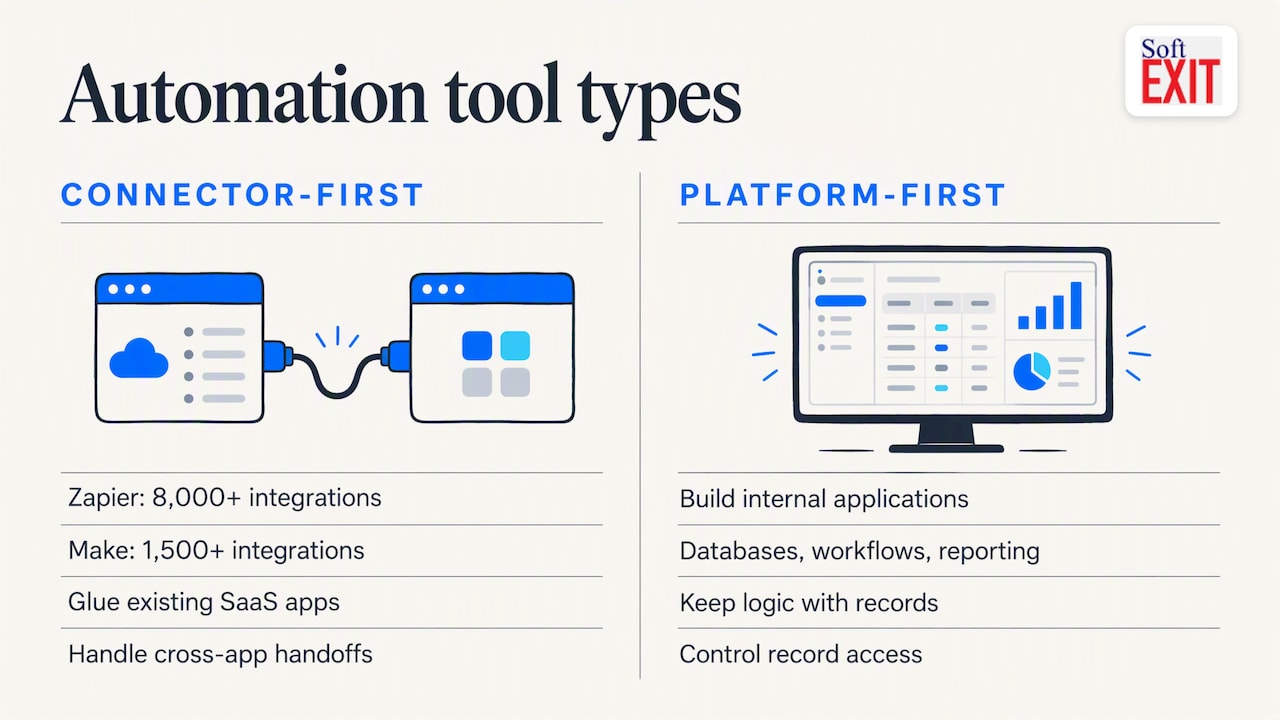
That difference matters more than any feature grid. A connector tool asks, “When this happens in app A, what should happen in app B?” A platform asks, “What does this record look like, who can touch it, and what should change when someone updates it?”
The main options, compared
| Tool | Type | Best for | Watch out for |
|---|---|---|---|
| Zapier | Connector-first | Non-technical teams linking many apps fast | Task-based billing can climb with volume |
| Make | Connector-first | Visual, multi-step scenarios across apps | Scenarios get tangled as they grow |
| n8n | Connector/self-hosted | Technical teams wanting control | Needs someone comfortable with code |
| Microsoft Power Automate | Connector + platform | Teams already deep in Microsoft 365 | Licensing takes homework |
| SoftEXIT Studio | Platform-first, no-code | CRM and custom business apps with rules built into forms | Not a 8,000-app connector hub |
| Quickbase / Kintone | Platform-first | Database-style business apps | Compare fit and cost for your use case |
For a broader SMB view, the guidance is roughly: non-technical teams start with Zapier-style tools, and technical teams lean toward n8n-style control. That’s reasonable. It just leaves out the third option, where the process lives in the application itself.
Where SoftEXIT Studio fits
SoftEXIT Studio is a no-code, AI-assisted platform for building databases, forms, dashboards, reports and workflows. SoftEXIT CRM runs on it, so companies, contacts, opportunities, pipelines, tasks and service cases share one platform with role-based security and protected fields. Plans are published on the Studio page: Starter at $14 per month per user, Professional at $24 per month per user, and Enterprise with custom pricing.
If you’re weighing it against specific platforms, we’ve written head-to-heads on Microsoft Power Apps, Quickbase and Kintone.
Don’t build a workflow when a simple rule will do
Here’s the part most roundups skip. A lot of what gets sold as “workflow automation” is really conditional logic: if the user picks X, show Y. Building a flowchart, a separate designer session or a script for that is overkill.
That’s why we built SoftEXIT Micro-Workflows™. They’re small, focused business rules configured directly on forms and fields inside SoftEXIT Studio. They adapt the application to user input and business conditions as people work.
Two examples:
- A user selects “Other” in a dropdown. A Description field appears.
- A service case status changes to “Resolved.” Resolution Details appears and the required fields become mandatory. Change the status back and the form adjusts again.
No separate workflow designer. No chain of automation steps to trace when something breaks. You can watch Micro-Workflows in action if you’d rather see it than read about it.
| Traditional workflow engine | Micro-Workflows | |
|---|---|---|
| Where you configure it | Separate designer or flowchart | Directly on the form and field |
| Skills needed | Often scripting or code for edge cases | Point-and-click rules |
| Setup time | Longer, sequence by sequence | Faster, rule by rule |
| Maintenance | Trace the whole flow to debug | Read the rule on the field |
| User experience | Form stays static | Form reshapes itself |
The payoff is faster configuration, less complexity, a cleaner experience for users and easier upkeep. Analysts also warn about automation bloat: dozens of disconnected automations nobody can debug. Rules sitting on the record are easier to find, because they’re where people already look.
A fair caveat: Micro-Workflows aren’t for everything. Syncing a new Typeform response into five other apps is a connector job.
A short story about a very over-engineered status field
Picture an ops manager, call her Dana, who spends three weeks drawing a 40-box flowchart so a support rep gets a “Resolution Notes” box when closing a ticket. The flowchart gets laminated. Someone names it. A new hire changes one status label and the whole thing quietly stops working, and nobody notices until a customer asks why their case has been “Resolved” with no explanation since March. Dana ends up eating lunch at her desk, staring at box 23. One mandatory field tied to one status would have taken about two minutes, and the laminate could have gone to better use as a coaster.
How to choose: the criteria that matter
An evaluation scorecard should weight fit to use cases, time to value, reliability, governance, extensibility and total cost in some sensible mix. In practice, check these:
- Logic without code. Can you model branching, approvals and conditional fields without a developer?
- Error handling. Are there alerts for failed runs, retries and audit logs? Silent failures in lead routing or payments are expensive.
- Human in the loop. Approvals, clear assignments and an escalation path when something goes wrong.
- Role-based security. Who sees which records and fields?
- Pricing model. Per-task billing penalizes success, and per-flow and flat-fee models reward it. Model your expected monthly volume with a 2x buffer for growth.
- AI guardrails. If AI classifies or routes work, look for confidence thresholds and fallbacks to human review.
On cost specifically, our own breakdown of Zapier task costs versus consolidating on one platform walks through the math.
Time-based rules, triggers and CRM task automation
CRM teams usually ask for the same handful of things: a reminder when a deal sits idle, a task created when an opportunity moves stage, an escalation when a case is overdue. Before you buy anything, write each one as a trigger (what starts it), a decision (what condition applies) and an output (what must exist afterward). Time-based rules need one more line: who owns it when the clock runs out.
Then sort them. Field-and-status behavior belongs in a Micro-Workflow. Cross-app handoffs belong in a connector. If you can’t write the process in three lines, map it before you shop. Many teams jump straight to a brand and discover a native CRM feature would have covered it.
Many teams run two tools, and that’s fine
Industry observations cite that 34% of teams use two or more automation platforms: a high-breadth connector for outreach, and a data-centric tool for internal processes and CRM data. Service businesses often follow the same pattern with outside help. Coastal Connect, for example, offers automated follow-up and CRM tooling to contractors in Rhode Island and Massachusetts, which sits alongside whatever you run internally.
The practical split: let a connector carry the cross-app traffic, and keep your system of record, with its rules, permissions and dashboards, in one governed place.
Our perspective
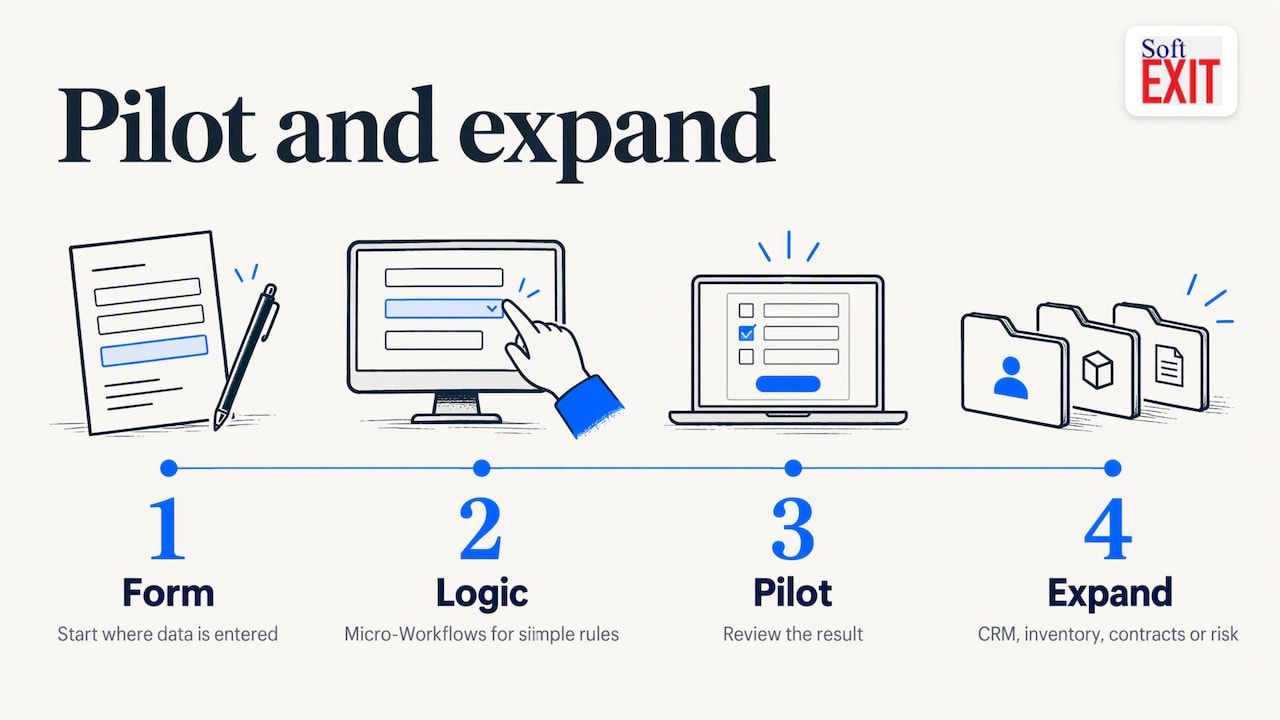
We think the industry over-rotates on workflow diagrams. When we talk to teams replacing spreadsheets, the pain is rarely “we lack a 40-step automation.” It’s that the record doesn’t behave: fields show up that nobody needs, required data is missing, and statuses mean different things to different people.
So we start with the form. Put the logic where the data is entered, use a Micro-Workflow for the simple stuff, and save heavier automation for what truly needs it. Pilot it, look at the result, then expand from CRM into inventory, contracts or risk on the same platform. That’s the path SoftEXIT Studio is built for, and we’d rather you prove it in a pilot than take our word.
— James Edgell
Try it on a real process
Pick one workflow from your list, ideally a case status or intake form, and build it in two weeks as a pilot. SoftEXIT CRM is the quickest starting point for sales and service teams. If you’d like help configuring it, see our Professional Services page, or compare Starter, Professional and Enterprise.
FAQ
What’s the difference between workflow automation and business process automation?
The terms overlap heavily. Workflow automation usually means automating a sequence of tasks, while business process automation often covers the wider process, including approvals and data handling. For buying purposes, evaluate the same things: logic, error handling, security and cost.
Do I need a workflow tool if I already have a CRM?
Maybe not. Check what your CRM can do natively first, since conditional fields, required fields and task creation are often built in. Add a connector tool only when data has to cross into other apps.
How long should a pilot take?
Two weeks is a sensible window, testing two or three high-value workflows with production-like data. That’s long enough to see error handling and user reactions without committing budget.
Is per-user or per-task pricing better?
It depends on volume. Per-task billing can climb quickly as automation grows, while per-user pricing is more predictable for teams with steady headcount. SoftEXIT Studio is priced per user, so you can forecast the bill from your team size.
Sources
- Best Workflow Automation Tools (2026), The GTM Directory
- Top Workflow Automation Tools for SMBs, LogicLot
- Best AI Tools for Workflow Automation, G2