Best AI Workflow Tools for Business Teams in 2026

The best AI workflow tool depends on where your work lives. If your processes run through a CRM, contracts, forms and dashboards, a platform that holds those applications and the AI in one place beats a connector that stitches separate apps together. Below we compare five options by what they do best, then show how to choose and build your first workflow.
Key Takeaways
- AI workflow tools fall into two groups: connectors that move data between apps, and platforms where the data, forms, dashboards and AI live together.
- Map the process before you choose a tool. The Rundown AI’s 2026 guide argues that automating an unclear process only reproduces its ambiguity.
- Compare tools on integrations, AI features, customization, security and total cost per user, not on the headline price alone.
- SoftEXIT Studio includes CRM and Contract Management with a membership starting at $5 per user/month, billed annually.
What AI Workflow Tools Actually Do
An AI workflow connects a model to a repeatable process. The model reads, summarizes, drafts, classifies or extracts information, and software routes the result to the next step. A lead arrives, AI sorts it by intent, and the right record and owner are updated.
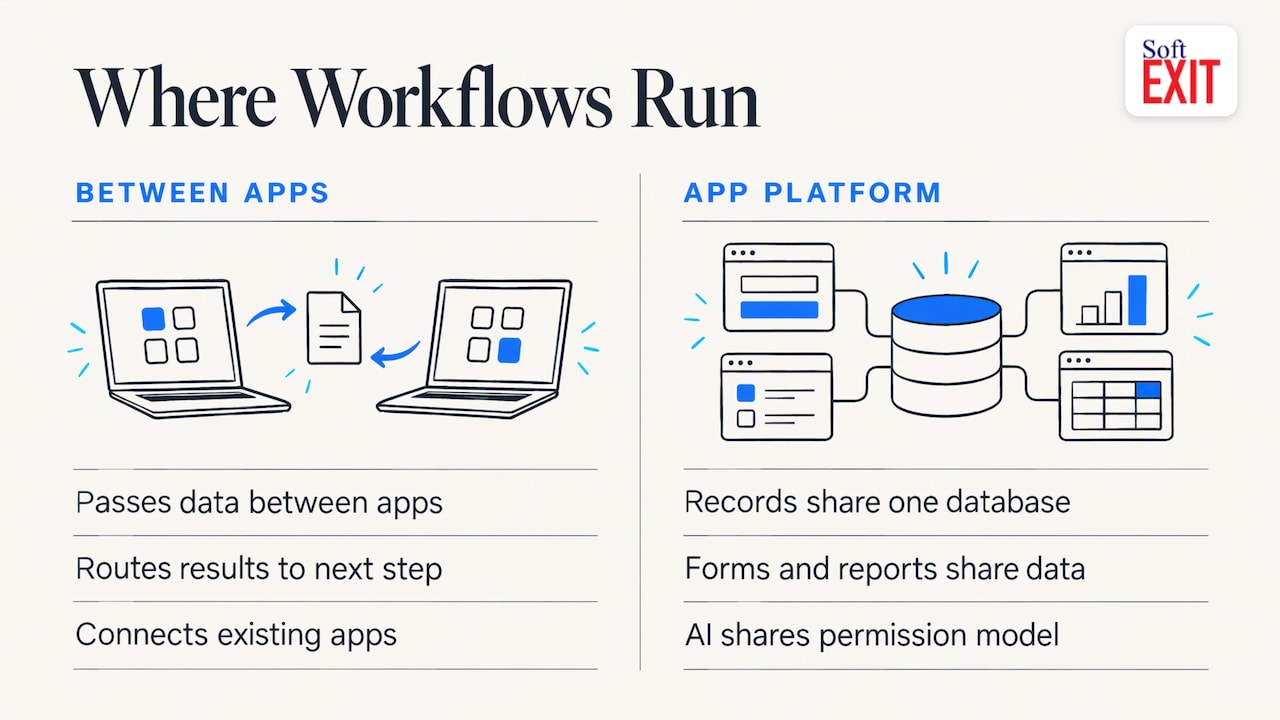
Tools differ in where the process runs. Some sit between your apps and pass data back and forth. Others are application platforms, so the records, forms, reports and AI steps share one database and one permission model. Neither is wrong, but they suit different teams.
How We Compared the Options
We judged each tool on the questions a business buyer asks:
- Integrations: can it reach the systems you already use?
- AI features: does AI build, run or query the workflow?
- Customization: can a non-developer change forms, fields and logic?
- Security: are roles, permissions and protected fields built in?
- Pricing: what do you pay per user once every app you need is included?
Five AI Workflow Tools Compared
| Tool | Best for | Approach |
|---|---|---|
| Zapier | Connecting many separate apps | Trigger-and-action automations with AI steps and agents |
| Make | Visual, multi-step scenarios | Drag-and-drop builder that sends data to AI and routes the output |
| n8n | Technical teams wanting control | Code or drag-and-drop, cloud or self-hosted |
| SoftEXIT Studio | CRM, dashboards and custom apps on one platform | No-code application platform with AI Architect and AI Agents |
| Gumloop | Learning and building AI automations quickly | Drag-and-drop interface for data, apps and AI |
Zapier
Zapier is the broad connector. It suits teams whose tools are scattered and who need a trigger in one app to start an action in another. The AI sits inside individual steps, so your data still lives in the apps it connects.
Make
Make offers a drag-and-drop canvas where you gather information, prompt an AI model and direct the output. It rewards people who like to see every branch of a scenario laid out visually.
n8n
n8n is aimed at technical teams. You can build with the precision of code or the speed of drag-and-drop, and host it in the cloud or on your own servers. That control comes with more setup responsibility.
SoftEXIT Studio
SoftEXIT Studio is a no-code business application platform. Instead of connecting a CRM, a contract tracker and a reporting tool, you get them on one platform. Every application runs on the same integrated platform, so a deal in the CRM, a contract record and a dashboard read from the same data.
What that means in practice:
- Apps included: CRM and Contract Management are included in the membership at no additional per-application subscription cost. DVIR and Risk Management apps are also available, and more are planned.
- Build without code: customize existing applications, create relational databases, design forms, develop dashboards and generate reports without writing code.
- AI Architect: included in SoftEXIT Studio Professional, it translates natural-language business requirements into application configurations. It builds on Studio’s established framework rather than generating custom code, which keeps maintenance simple.
- AI Agents through MCP: the Model Context Protocol lets you securely connect compatible assistants, including ChatGPT, to your business applications to retrieve information, analyze data and perform authorized record operations. Existing Studio security controls and user permissions apply.
- Security: role-based security and protected fields are part of the platform.
For small and midsize businesses replacing spreadsheets, or sales teams that want a flexible CRM and their own custom apps without paying for each one separately, this is the strongest fit on the list. See how it compares in our workflow automation comparison and our guide to AI app builders for business teams.
Gumloop
Gumloop packages data, apps and AI into a drag-and-drop interface, and practitioners often recommend it as an approachable place to learn AI workflow basics. It centers on automations rather than a full set of business applications.
Which One Fits Your Team
- Many separate apps, little change to your stack: a connector such as Zapier or Make.
- Engineers who want control and self-hosting: n8n.
- A CRM, contracts, dashboards and custom apps without per-app fees: SoftEXIT Studio.
- Experimenting with AI automations: Gumloop.
If your goal is to retire spreadsheets, the application platform route tends to pay off. Data sits in one relational database with permissions, rather than moving between tools that each need monitoring. For the harder cases, such as keeping multi-step runs from repeating actions, this write-up on cross-app workflow design is a useful companion.
What Sales Teams Should Put on the Dashboard
Many searches for AI workflow tools are really searches for a sales dashboard. Start with the numbers a manager acts on. One Power BI template leads with revenue against quota, year-to-date revenue, pipeline value, win rate and average deal size, then adds a stage funnel, a deal-risk table and filters by date, region and rep.
A pipeline forecast template suggests tracking pipeline value, weighted pipeline, revenue target, coverage ratio, commit, best case and the gap to target together. Its dashboard guide adds that coverage should be judged against your team’s own historical win rate, not a universal benchmark.
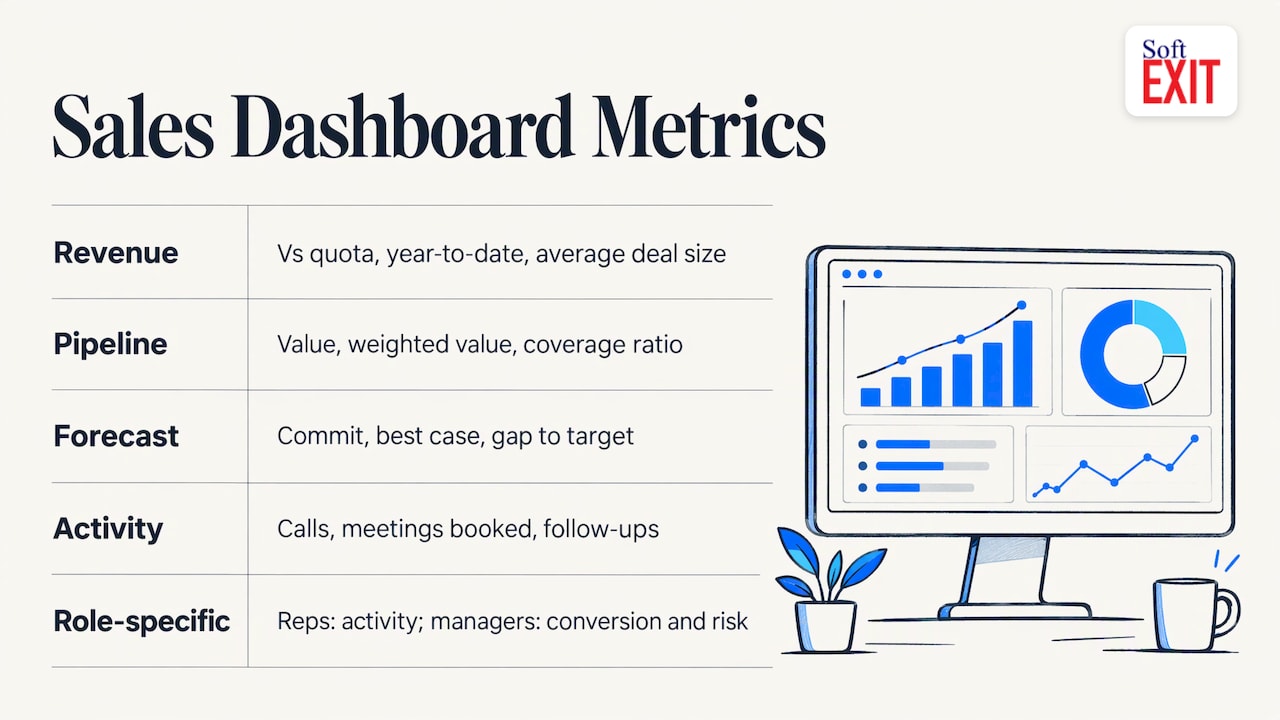
Activity metrics such as calls, meetings booked and follow-ups tell you early whether the pipeline will fill. Whatever you choose, make dashboards role-specific: reps need their own activity and next steps, managers need stage conversion and risk. Our guide to role-based CRM dashboards walks through building them without code in five steps.
How to Build Your First AI Workflow
- Map the process. Write down the trigger, inputs, steps and what “done” means. Include the exceptions, not just the normal path.
- Build the plain workflow first. AutomateNexus recommends testing the deterministic skeleton before adding AI.
- Add one focused AI task. Summarize, classify or extract, and send structured output to the right record. CodeIllusion suggests this pattern.
- Keep a human in the loop. Use approval for external communication at first, and watch execution logs after launch.
- Run it alongside the manual process for a week or two, compare outputs, and track time saved and errors before you expand.
In SoftEXIT Studio, you can do step 3 with AI Architect, which turns a plain-language description of your requirements into an application configuration on the Studio framework.
Our Perspective
Most teams do not have a workflow problem. They have an application sprawl problem: a CRM here, a contract tracker there, a spreadsheet holding the rest, and a connector trying to keep them in sync.
We built SoftEXIT Studio so that the applications share one platform. CRM and Contract Management are included in the membership, you customize them without code, and AI works on the same governed data. AI Architect builds on our established framework instead of generating custom code, so what you create stays maintainable.
AI Agents follow the same logic. Through MCP, your assistant works inside the permissions and security controls you already set, rather than around them. That is the standard we think business AI should meet.
James Edgell
SoftEXIT Studio Pricing and Free Trial
Apps are included with a SoftEXIT Studio membership starting at $5 per user/month, billed annually.
- Starter: $5 per user/month, billed annually.
- Professional: $9 per user/month, billed annually, with AI Architect.
- Free trial: 21 days.
- Optional Agents: Agent Starter at $19 per month, Agent Growth at $50 per month and Agent Scale at $99 per month, with tiered usage allowances.
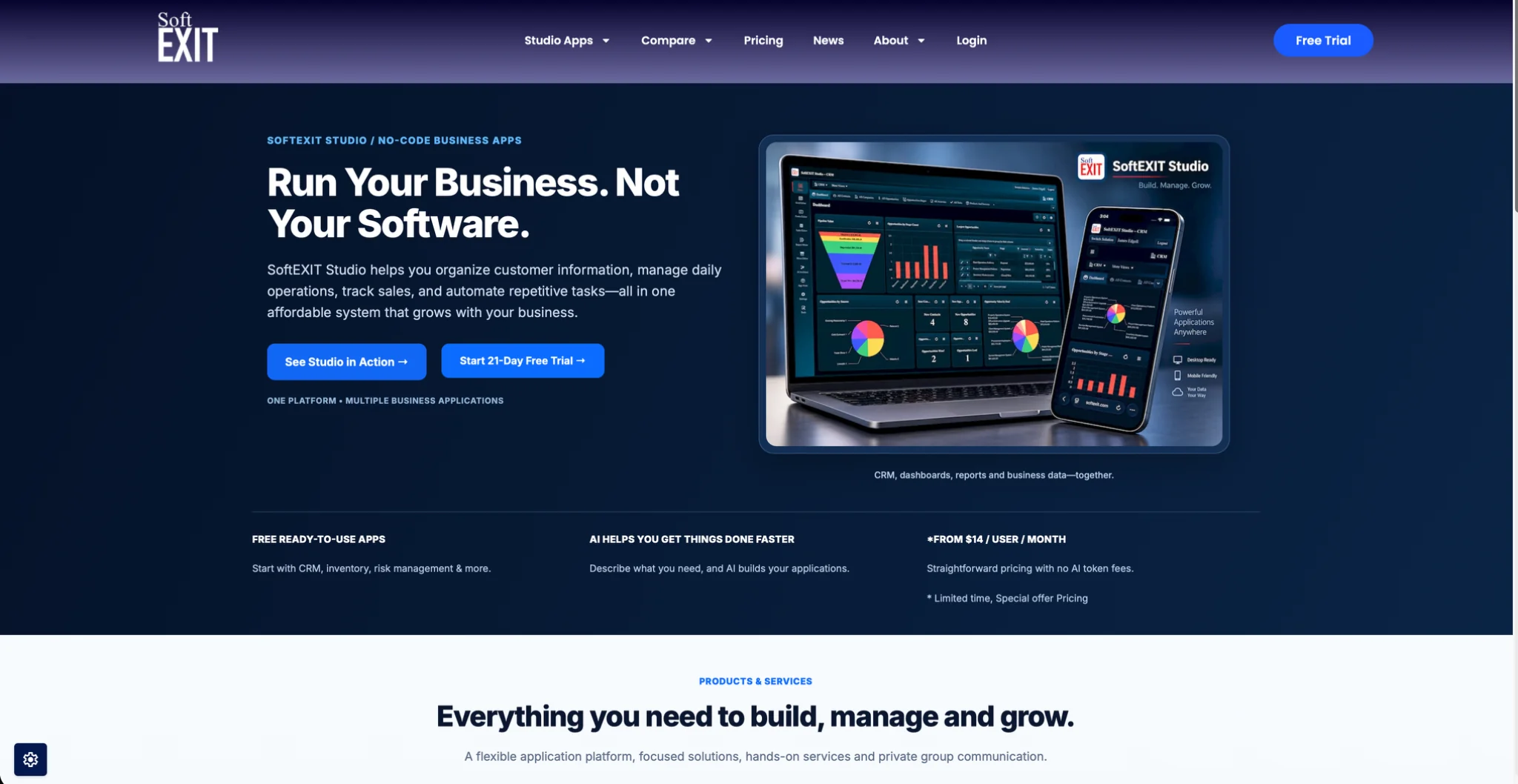
Start with the 21-day free trial and plan details, or look at the SoftEXIT CRM first.
FAQ
What are AI workflow automation tools?
They connect AI models to repeatable processes so the model reads, classifies, drafts or extracts, and software routes the result onward. Some connect separate apps, while platforms like SoftEXIT Studio keep the data, forms and dashboards in one place.
What should I compare in an AI workflow builder?
Compare integrations, AI features, how much a non-developer can customize, security controls such as roles and protected fields, and the total cost per user. Check whether each application is billed separately.
Can AI build dashboards and reports?
Yes. In SoftEXIT Studio you design dashboards and reports without code, and AI Architect, included in Professional, turns plain-language requirements into application configurations. Start from the metrics your team acts on, such as pipeline value, win rate and activity.
How much does SoftEXIT Studio cost?
Starter is $5 per user/month and Professional is $9 per user/month, both billed annually. CRM and Contract Management are included with the membership, and a 21-day free trial is available.
Sources
- AI Workflow Automation: A Practical Guide, The Rundown AI
- AI Workflow Automation: Tools, Examples, and How-To Guide, AutomateNexus
- How to Build AI Workflows Step by Step, CodeIllusion
- Power BI Sales Dashboard: KPIs, Metrics, and Templates, ECOSIRE
- Sales Pipeline Forecast Template, Fairview
- The VP Sales Dashboard: 14 Metrics That Drive Results, Fairview
- Cross App Workflows, Otto