AI App Development for Business Teams: A Practical Guide

AI can build a business app from a plain-English description, but the apps that last are built on a governed platform, not generated as one-off code. For a business team, the practical route is a no-code platform where AI configures the app and your data, permissions and reports stay in one place. That is how SoftEXIT Studio works: apps such as CRM and Contract Management are included with a membership starting at $5 per user/month, billed annually.
Key Takeaways
- AI can now generate working apps from plain-English prompts, but business apps need databases, permissions and upkeep that a quick prototype lacks.
- Writing code is rarely the bottleneck. Reviewing, integrating and maintaining it is.
- AI that configures a proven framework is easier to maintain than AI that generates custom code.
- Studio Starter costs $5 per user/month and Professional, with AI Architect, costs $9 per user/month, both billed annually.
Can AI develop an app?
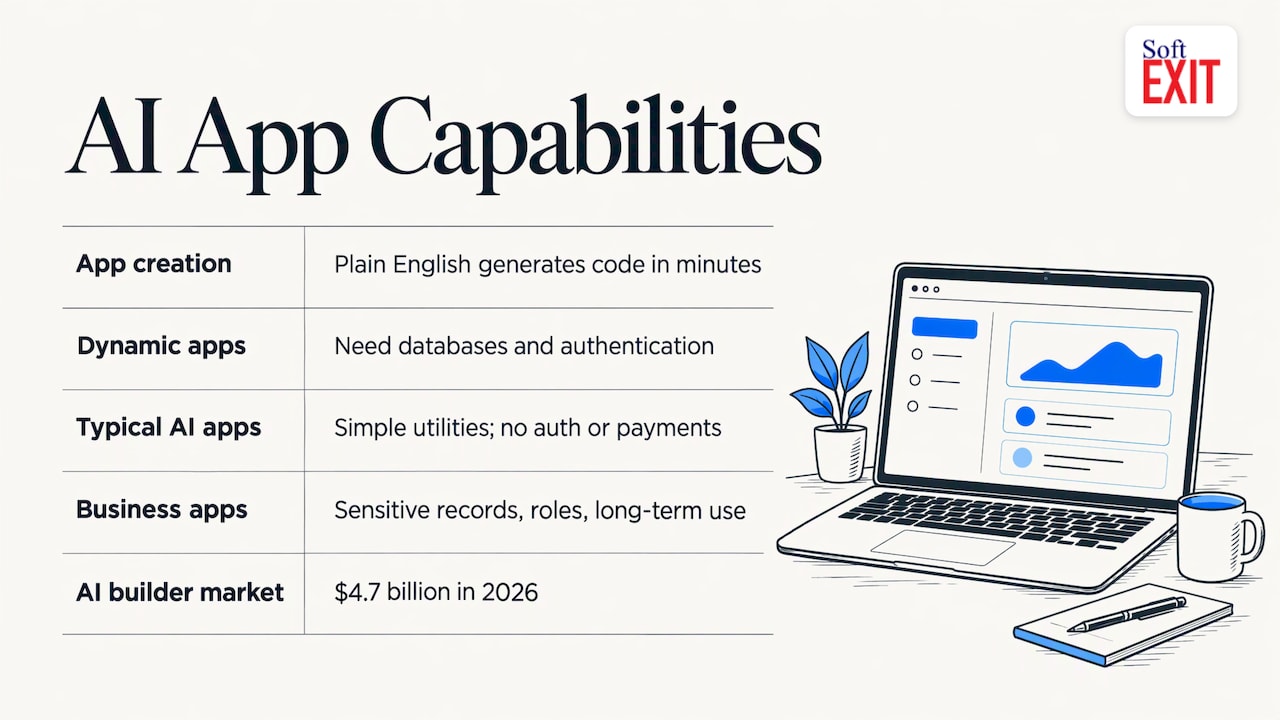
Yes. AARP reports that you can describe an app in plain English and AI generates the code behind the scenes, with tools such as Lovable, Bolt, Replit and v0 letting beginners build custom projects in minutes.
The type of app matters. Andreessen Horowitz separates static websites from dynamic applications: dynamic apps need databases and authentication, and CRMs are the example it gives. It also notes that today’s typical AI-built apps are fairly simple utilities without authentication or payments.
That gap is where business teams get stuck. A sales pipeline, a contract register or a vehicle inspection log holds sensitive records, needs roles and has to keep working for years.
The market is large and growing. Forbes puts the AI app builder market at $4.7 billion in 2026, and says Lovable reports that 63% of its users have never written code.
Why writing code is not the hard part
Studies of AI-assisted development show real activity gains. A Wharton analysis of more than 100,000 GitHub developers found coding activity up 40% with autocomplete and 180% with asynchronous agents. The same researchers argue the binding constraint is shifting from writing code to reviewing, integrating and distributing it.
The results for finished work are more mixed. A Science study of US GitHub developers found AI-assisted coding rose from about 5% in 2022 to 29% by early 2025, with productivity gains driven mostly by experienced developers. In a METR study reported by Fortune, experienced developers expected a 24% time saving but tasks took 19% longer, largely because of time spent fitting AI output to the project.
For a business team without developers, the lesson is practical: the review and maintenance load lands on you. The less custom code the AI produces, the less there is to review. Research on whether AI coding tools increase completed output makes the same point from an operations angle: output only counts once it is integrated and in use.
Two ways to use AI to build business apps
| Approach | What the AI produces | What you maintain |
|---|---|---|
| Prompt-to-code builders | Custom source code | The code, hosting, security and fixes |
| AI on a no-code platform | Configuration of an existing framework | Forms, fields, dashboards and permissions in one place |
Forbes notes that vibe coding, where AI generates most of the code from plain English, lowers the barrier for non-programmers but does not replace problem definition, human judgment or robust security. A platform that supplies the security model and data structure lets your team spend its judgment on the business problem.
SoftEXIT Studio takes the second route. Its AI Architect, part of Studio Professional, translates natural-language business requirements into functional application configurations. It builds on Studio’s established application framework rather than generating custom software code, which simplifies development, maintenance and ongoing customization. You can see it in the AI Architect video.
From idea to working app: the steps
- Define the problem and the records. Write down what you track (contacts, deals, contracts, inspections), who touches each record and what decisions the data should support. Studio lets you create relational databases, so each of these becomes a table linked to the others.
- Start from an existing app where one fits. Studio includes CRM and Contract Management, and a DVIR app for driver vehicle inspection reports. Customize the fields and forms instead of starting blank.
- Describe the rest in plain English. With AI Architect, you state the requirement and review the configuration it proposes. Review is the step to take seriously: check field names, relationships and who can see what.
- Set roles and protected fields. Studio offers role-based security and protected fields, so sensitive data is limited to the right people before anyone is invited.
- Build dashboards and reports. Define the few numbers your team acts on, such as pipeline by stage or contracts expiring this quarter, and build interactive dashboards for them.
- Test with real work. OpenAI’s developer guidance says production AI needs evaluations that measure correctness and reliability, plus guardrails. In practice: collect typical requests and records, run them through the app and the AI assistant, and fix what breaks. LaunchDarkly recommends building a test set early and reusing it at every stage.
- Pilot, then roll out. Start with one team, confirm the data model holds, then add users.
Data, security and maintenance checks
Before any AI-built app holds customer or contract data, confirm:
- Access: who can read, edit or delete each table and field.
- Auditability: whether every AI action runs under a named user’s permissions.
- Ownership: where the data lives and how you export it.
- Upkeep: who changes a form or report when the process changes.
Studio’s AI Agent integration uses the Model Context Protocol (MCP) to connect compatible assistants, including ChatGPT, to your business applications. The MCP server can list solutions and tables, query records, and create and update records. Users connect directly with their own credentials, and the server enforces Studio’s security model for data access, so the assistant works within the permissions the user already has.
What it costs
Prompt-to-code tools list monthly plans, for example $20 to $30 per month for Lovable, Bolt, Replit and v0 paid tiers. Production AI also carries usage costs, and OpenAI lists prompt caching and a 50% Batch API discount among ways to manage them.
Studio’s pricing is per user, with no separate per-application fee:
| Plan | Price | Includes |
|---|---|---|
| Starter | $5 per user/month, billed annually | Included business apps such as CRM and Contract Management, customization |
| Professional | $9 per user/month, billed annually | Everything in Starter plus AI Architect |
| Agent Starter | $19 per month | Organization-wide AI connectivity, tiered usage |
| Agent Growth | $50 per month | Higher usage allowance |
| Agent Scale | $99 per month | Highest usage allowance |
There is also a 21-day free trial on the pricing page.
Where this fits
If you are replacing spreadsheets, the CRM is the usual first app. The SoftEXIT CRM covers contacts, opportunities and pipelines, and because it shares a platform with Contract Manager, a won deal and its contract live in the same system. If you are comparing platforms, see how Studio stacks up against Microsoft Power Apps and Quickbase. For a broader look at prototype versus production, read our guide to AI app builders for business teams.
Start with the apps included in Studio
SoftEXIT Studio gives your team a CRM, contract management and a no-code builder under one membership, with no per-application subscription. Starter is $5 per user/month and Professional, with AI Architect, is $9 per user/month, both billed annually.
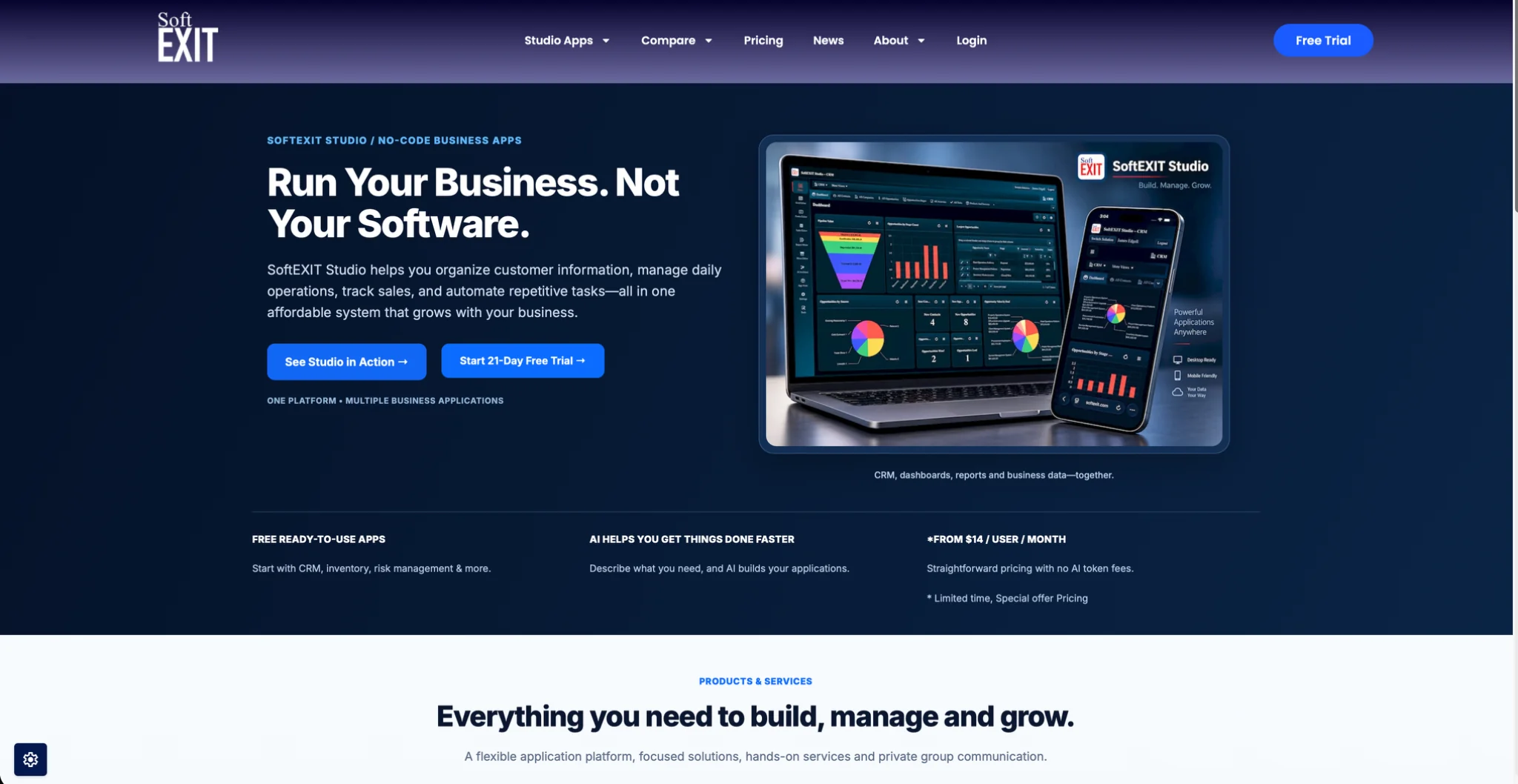
Try SoftEXIT Studio free for 21 days and configure your first app on real data.
Our perspective
Most teams do not need new code. They need their process in a system with the right fields, the right permissions and reports people trust.
That is why we built AI Architect to configure Studio rather than write software from scratch. The AI works inside a framework that already handles security and structure, so the app stays maintainable after the first week.
The same idea applies to AI assistants. Through MCP, an assistant connects with the user’s own credentials and works within the permissions they already have. Apps and AI share one security model, and one membership covers the apps.
James Edgell
FAQ
What is the best AI for app development?
It depends on the app. Prompt-to-code tools suit prototypes and personal projects. For business apps with shared data, roles and reporting, an AI-assisted no-code platform such as SoftEXIT Studio keeps the app maintainable, with CRM and Contract Management included.
How much does it cost to build an app with AI?
Costs combine the platform subscription and any AI usage. Studio Starter is $5 per user/month and Professional is $9 per user/month, both billed annually, with optional Agent plans from $19 per month.
Can I use AI to build apps without knowing how to code?
Yes. With Studio Professional, AI Architect turns plain-English requirements into application configurations, and you refine forms, dashboards and permissions without writing code. Review each configuration before rolling it out to your team.
Can ChatGPT work with my business data?
Yes, through Studio’s MCP integration, compatible assistants including ChatGPT can retrieve information, analyze data and perform authorized record operations. Access follows the connecting user’s permissions.
Sources
- How AI Can Help You Build Your Own Website or App, AARP
- From Prompt to Product, Andreessen Horowitz
- Vibe Coding Is Rewriting Who Gets To Start A Business, Forbes
- AI Is Producing More Software. Why Isn’t It Being Used?, Wharton
- AI is already writing almost one-third of new software, TechXplore
- AI hampered productivity of software developers, Fortune
- AI app development: Concept to production, OpenAI
- AI application development best practices, LaunchDarkly