Operational Dashboards: What to Track and How to Build One

An operational dashboard is a live view of the work happening right now: open tickets, deals stuck in a stage, orders waiting to ship. It exists so someone can spot a problem and act on it today, not explain it in a quarterly review. This guide covers what belongs on one, examples by team, and how to build an interactive version without writing code.
Key takeaways
- Operational dashboards watch current activity and are refreshed every minute, hour or day. Tactical and strategic dashboards cover departmental goals and long-term objectives.
- Start with one person and one decision. Dashboards built without an intended user tend to bury the point under charts.
- Most teams don’t need sub-second data. Pick a refresh rate that matches how fast the process can actually be acted on.
- Give every dashboard an owner and a written definition for each metric, or people stop trusting it.
- With a no-code platform, the dashboard can sit on the same data your team already works in.
What operational dashboards actually are
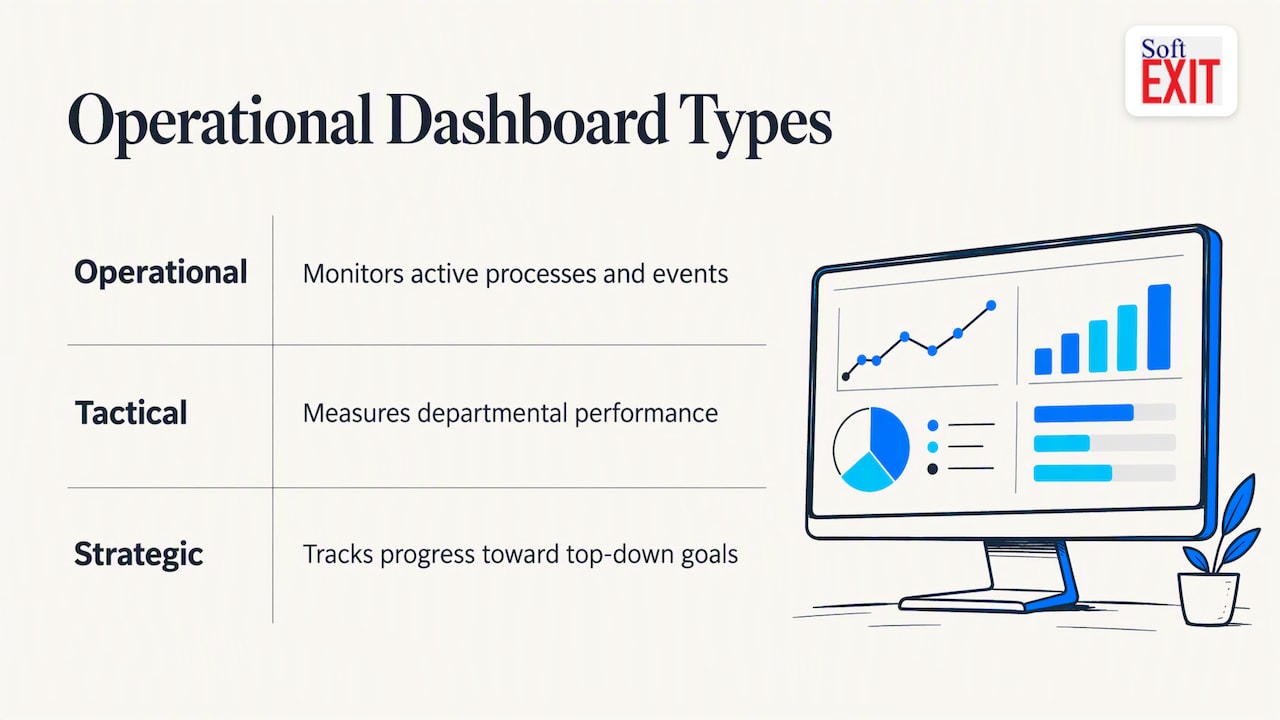
Performance dashboards generally fall into three types: operational, tactical and strategic. Operational dashboards monitor active processes and events as they occur, typically updated every minute, hour or day. Tactical ones measure departmental performance. Strategic ones track progress toward top-down goals. Most organizations end up needing all three.
The practical difference is the reader. A strategic dashboard is for an executive who looks at it monthly. An operational dashboard is for the support lead, dispatcher or sales manager who looks at it all day and has to do something about what they see.
Operational dashboard examples by team
The best examples are boring in a good way. Each answers one recurring question.
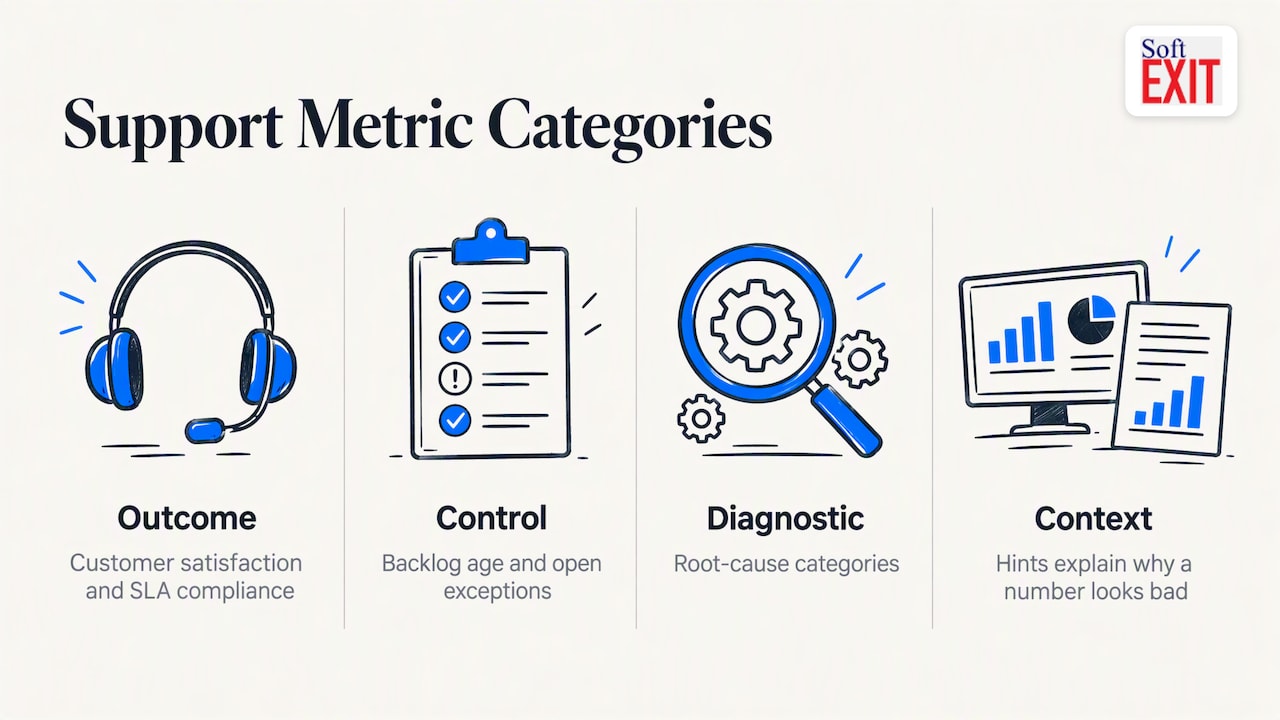
Customer service. This is the classic case. A useful support board tracks outcome metrics such as customer satisfaction and SLA compliance, control metrics such as backlog age and open exceptions, and diagnostic ones such as root-cause categories. A good operational dashboard balances outcome, control, diagnostic and context metrics, so a number that looks bad comes with a hint about why.
Sales. Open opportunities by stage, deals with no activity in 14 days, tasks due today, and pipeline by owner. If your reps live in a CRM, this view belongs next to their records. We cover the role-based version in our guide to CRM dashboards built without code.
Operations and inventory. Stock below reorder point, orders waiting on a supplier, production counts and defect reports.
Field and compliance work. Inspections due, overdue corrective actions, open risks by severity. The same logic applies to contract renewals coming up in the next 60 days.
IT and web. Uptime, error rates and traffic. Engineering teams often reach for Grafana here, which is widely treated as the standard for second-by-second monitoring.
Notice what is missing: vanity totals. Nobody acts on “total customers since 2019.”
Design rules that keep a dashboard from becoming wallpaper
Work backwards from the person and the decision
AWS describes the most common failure plainly: building without defining who will use the dashboard and what they need to decide. Working backwards from the audience keeps the view to a few at-a-glance visuals instead of thirty charts. Write one sentence before you build anything: “The support lead uses this at 9 a.m. to decide who gets reassigned.” If you can’t write that sentence, you aren’t ready.
Pick a freshness target, not “real time”
Teams often say real time when they mean “not stale.” For plenty of operational decisions, a refresh every 15 to 60 minutes is enough, and true streaming adds cost and complexity without better decisions. Ask how long the process can wait before someone has to act. That window is your refresh rate. A dispatch board may need minutes. A contract-renewal list needs a daily refresh at most.
Define every metric once
Ever sat in a meeting where sales says revenue is one number and finance says another? That’s metric drift. The fix is dull but effective: write down what each number means, how it is calculated and what it excludes, and keep that definition next to the dashboard. In a CRM, that also means clean source data. Our CRM data governance framework lays out the pillars.
Name an owner
Dashboards go to shelfware when nobody is accountable for data quality. Treat the dashboard as a living product with one accountable owner, and fold the review into normal work rather than a separate approval ritual.
A short story about the dashboard nobody opened
A mid-sized distributor we’ll keep anonymous (and, fine, partly made up for illustration) once spent three months building a gorgeous operations dashboard. It had gauges. It had a map. The ops manager demoed it to the whole leadership team and got applause. Two weeks later someone checked usage: three views, all from the ops manager, all on the same afternoon. The team was still running the day off a shared spreadsheet called “Orders FINAL v7 (use this one).” Lesson learned: the dashboard that wins is the one living where people already work, not the one that needs a separate login and a leap of faith.
How to build an interactive dashboard without code
Tools like Power BI, Tableau and Looker Studio are common in the US. Power BI starts at $14 per user per month, Tableau’s creator tiers start around $75, and limits vary by plan, so check refresh and data caps before you commit. They are strong for analysis. But they sit on top of data that lives somewhere else, which means an extra layer to maintain.
A no-code application platform takes a different route: build the database, the forms and the dashboard in one place. Here’s a workable sequence:
- Pick one process. Support backlog, open pipeline, or inventory below minimum. Just one.
- List the decisions. What will the viewer do differently after seeing it?
- Get the data structured. Use forms and clean fields so the dashboard reads from the system of record, not a pasted export. Our piece on building a no-code database your team can trust walks through it.
- Build the first view. Three to six numbers, one filter, one drill-down to the underlying records.
- Set access. Decide who sees what. Role-based security matters when a dashboard shows pay, margin or customer details.
- Pilot with real users for a few weeks. Ask what they ignored. Delete it.
- Assign the owner and the review date.
Our perspective: the dashboard is the last step, not the first
We see the same pattern with teams moving off spreadsheets. They ask for a dashboard, then discover the numbers behind it don’t agree with each other. So at SoftEXIT we build the dashboard on top of the application, not beside it. The records, forms, workflows and permissions come first, and the dashboard reads straight from them. That’s why interactive dashboards, hierarchical data, role-based security and protected fields live on the same platform, SoftEXIT Studio.
We also think the “buy a BI tool, then connect everything” approach is overkill for a lot of small and midsize teams. If your question is “which deals are stalling” or “which contracts expire next month,” the answer should be one click from the record itself. And when the CRM isn’t enough, the same platform can stretch into inventory, risk or contract tracking without starting over. Keep it simple, name an owner, and ship a small version this month.
— James Edgell
Try it on your own pipeline
If your first dashboard is sales or customer work, SoftEXIT CRM gives you companies, contacts, opportunities, pipelines, activities and tasks with dashboards on the same data. Plans on the SoftEXIT Studio pricing page are listed at $14 per user per month for Starter and $24 per user per month for Professional, with Enterprise available too. You can see it in action in the CRM walkthrough. If you’d like help configuring it, we also offer professional services.
FAQ
What are the four types of dashboards?
The most common split is operational, analytical, strategic and tactical. Some frameworks use three, folding analytical work into the tactical level. Operational is the one for day-to-day monitoring of what’s happening now.
What is a good example of an operational dashboard?
A customer support board is the textbook one. It shows open tickets, backlog age, SLA compliance and satisfaction, usually filtered by team or agent. A sales pipeline view with stalled deals and tasks due today is the equivalent for revenue teams.
Do operational dashboards need real-time data?
Usually not. Match the refresh rate to how quickly someone can act. For many processes, updates every 15 to 60 minutes work fine, and chasing sub-second data adds cost without improving decisions.
Can I build an interactive dashboard without coding?
Yes. Many no-code platforms let you define fields and forms, then drag in charts, filters and drill-downs. The part that takes thought isn’t the clicking. It’s choosing the user, the decision, the metric definitions and the owner.
Sources
- Performance Dashboards, Chapter 6: Types of Performance Dashboards (O’Reilly)
- Operational Dashboard Requirements Checklist (NextPage)
- The Best Data Visualization Tools in 2026 (Dupple)
- Building dashboards for operational visibility (AWS Builder Center)
- BI Dashboard Design for Operations Teams (Edilec)
- Operations dashboard design for founders (Edilec)
- Data Dashboard Tools: 10 Platforms Ranked by Price, Sources and Refresh