12 Monday.com Alternatives: PM Boards or Extensible CRM?

If you want the short answer: visual-first teams do well with a Kanban-style tool, spreadsheet-native teams should look at sheet-based platforms, all-in-one seekers land on broader workspaces, and teams that need CRM plus operational flexibility fit best with a no-code, AI-assisted platform like SoftEXIT. Each category solves a different problem, so the right pick depends on how your team actually works, not which tool has the flashiest demo.
TL;DR:
- A typical migration takes two to four weeks, but custom fields, automations, attachments, and guest permissions need separate audits and testing before staff move over.
- Run a pilot lasting four to eight weeks using real workflows, and test required integrations live; a representative export can reveal migration problems before commitment.
- Choose based on complexity: Asana suits cross team dependencies, Smartsheet fits spreadsheet based teams, and Jira remains geared toward engineering groups using sprints.
- Permissions become more important as teams approach fifty people; verify SSO, guest pricing, and field level security during a live demo.
12 Monday.com Alternatives Compared Side by Side
Picking a replacement for monday.com usually comes down to a tradeoff: rigid structure versus flexible configuration, and simple pricing versus feature depth. We put together a side-by-side look at twelve tools worth your attention, starting with SoftEXIT, because it approaches the problem differently than most of the pack. Instead of a fixed project board with add-ons bolted on, it lets you configure CRM, task, and operational workflows around how your team already works, using AI-driven no-code configuration.
A few of these deserve a closer look before you book demos.
- SoftEXIT pairs CRM pipeline management with the ability to spin up custom apps for inventory, contracts, or risk tracking on SoftEXIT Studio, so you’re not stuck re-platforming later when needs grow.
- Asana handles multi-team dependencies cleanly, which makes it a solid pick when marketing, product, and ops all touch the same project.
- ClickUp throws a lot at you (docs, chat, whiteboards) for a low entry price, though that breadth means a steeper setup curve.
- Smartsheet feels native to anyone who thinks in rows and columns, which matters more than people expect for finance-adjacent teams.
- Jira remains the default for engineering orgs running sprints, mostly because the integration ecosystem around it is mature.
Other names worth knowing: GoodDay offers modular, configurable workspaces; Workfront targets larger marketing operations; ProofHub bundles proofing and task tracking; nTask and Freedcamp serve lighter-weight teams on tighter budgets; Productive and Screendragon lean toward agency resourcing; Celoxis and Resource Guru focus on capacity planning; Quire, Hive, Motion, Linear, Shortcut, and Microsoft Planner each carve out a niche, from developer-centric issue tracking to lightweight task lists inside Microsoft 365. Salesforce CRM sits in a different weight class entirely, built for large sales orgs with dedicated admin teams rather than lean project tracking.
What Actually Matters: Views, Automations, Integrations, Reporting, and Permissions
Feature checklists look impressive until you realize half the boxes don’t apply to how your team works. Here’s what each category actually buys you.
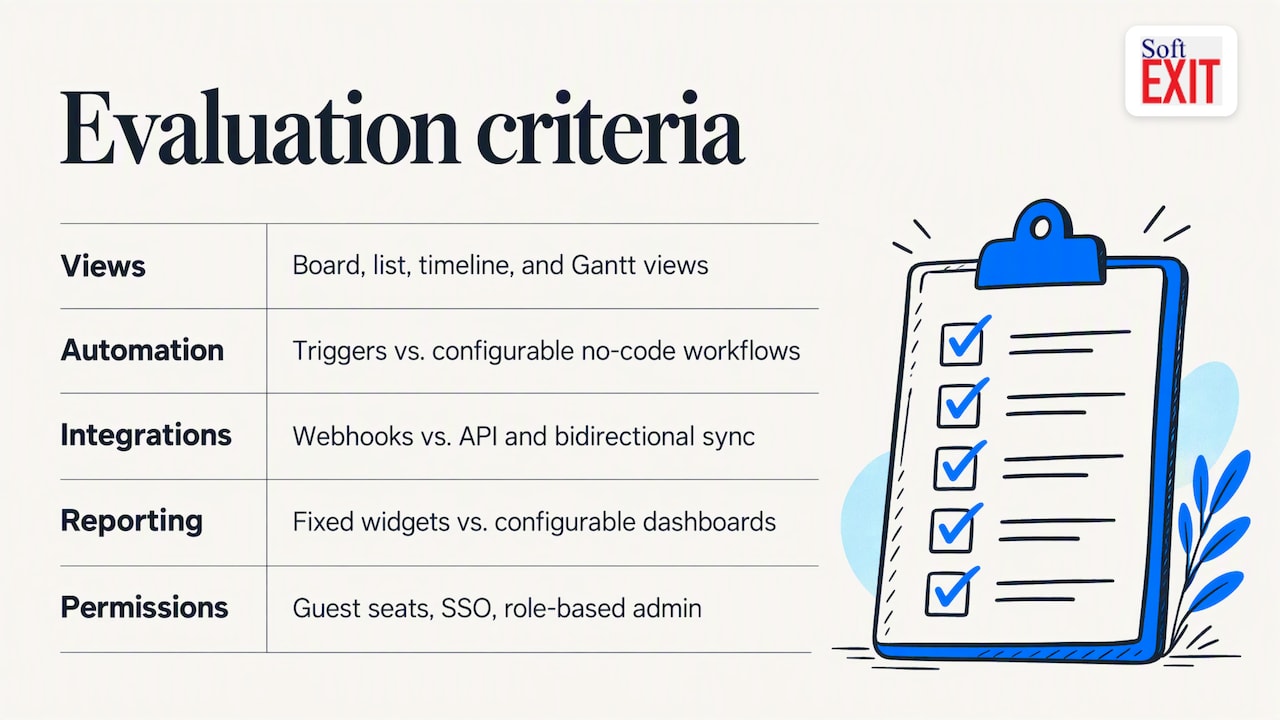
Views (board, list, timeline, Gantt) matter most when different people on your team think differently. A designer wants a Kanban board, a project lead wants a Gantt chart, and a finance person wants a spreadsheet. Tools that offer multiple views on the same underlying data save you from maintaining duplicate trackers.
Automations versus true no-code extensibility is a bigger gap than most buyers realize. Automation builders (if this, then that) handle repetitive triggers fine, but they hit a wall once your workflow needs conditional logic, custom fields that cascade, or a new object type entirely. That’s where a no-code platform earns its keep: you’re not waiting on a vendor roadmap to add a field type you need now.
Integration depth separates tools you’ll outgrow from tools you won’t. A shallow integration (just webhooks) works for simple notifications; a deep one (full API access, bidirectional sync) matters once you’re connecting billing, support, and sales data together. According to Gartner’s market listings, enterprise-focused tools like Smartsheet, Wrike, Teamwork, and Microsoft Planner tend to get grouped with generalist PM tools precisely because integration and API maturity vary widely even within categories.
Reporting and dashboards come in two flavors: out-of-the-box widgets you can’t touch, and configurable dashboards you build yourself. The first is faster on day one; the second scales better once leadership starts asking for custom views nobody anticipated.
Permissions (guest seats, SSO, role-based admin) rarely matter at ten people and always matter at fifty. If you’re bringing in clients or contractors, guest access pricing can quietly become your biggest line item.
Pro Tip: Ask every vendor to show you their permission model live in a demo, not just describe it. Role-based security that sounds flexible on a slide often turns out rigid once you try to configure it yourself.
What Pricing Actually Looks Like Across These Tools
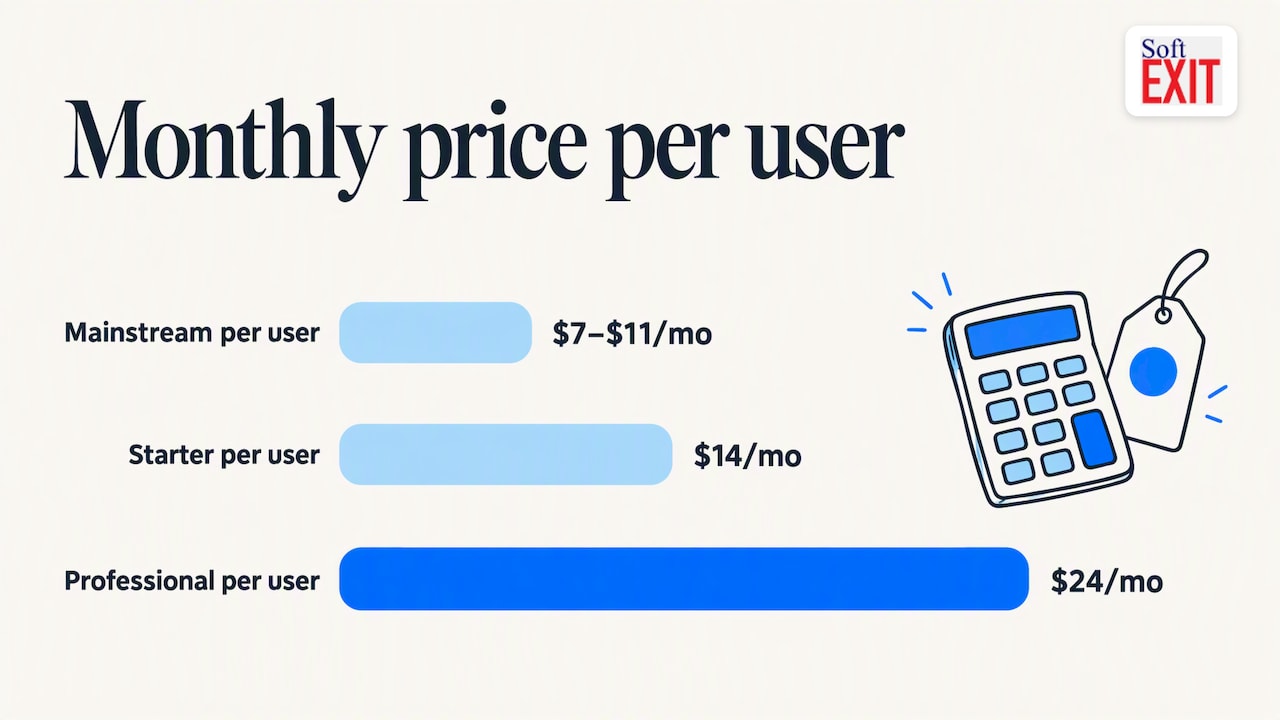
Entry-level pricing across mainstream project management tools typically starts around $7 to $11 per user per month on paid tiers, with enterprise plans climbing well past that once you add SSO, advanced permissions, and reporting. SoftEXIT’s own plans start at $14 per user per month for Starter and $24 per user per month for Professional, with Enterprise priced on request for larger deployments.
Free tiers exist across many popular platforms, including ClickUp, Notion, Asana, and Jira, but the free versions carry meaningful limits on automations, reporting depth, and storage. Build your evaluation on a paid tier if you expect to grow in the next six to twelve months, because testing on the free plan hides the ceilings you’ll actually hit.
| Cost factor | What to watch |
|---|---|
| Guest seats | Often billed separately once you pass a free guest allotment |
| Automation runs | Some tiers cap monthly automation executions |
| API access | Frequently locked to higher-tier plans |
| Storage | Attachment-heavy teams can hit limits faster than expected |
- Model your per-seat cost at your projected headcount in 12 to 18 months, not your current headcount, since the cheapest plan at small scale often gets expensive once you add paid guest accounts.
- Annual billing typically beats month-to-month once you’re confident in the tool, but keep the first quarter on a monthly term so you’re not locked into a bad fit.
- Ask directly about automation caps and API tier gating before you sign, since these are the fees that surprise teams six months in.
Build a Simple Scorecard Before You Buy
Skip the gut-feel decision and run a quick weighted checklist during your demos. This keeps the evaluation about your actual needs instead of whoever gave the smoothest pitch.
- Team size and growth trajectory (weight heavily): a ten-person team and a two-hundred-person team need different permission structures from day one.
- Workflow complexity: if your process has branching logic or custom approval chains, prioritize configurability over polish.
- Integration requirements: list the three tools you absolutely must connect and ask for a live demo of each, not a slide.
- Security and permissions: confirm SSO support, guest seat pricing, and whether field-level security exists if you handle sensitive client data.
- Customization ceiling: ask what happens when you need a field type or object the tool doesn’t currently support.
- Guest and client access: if clients will touch the system, price out guest seats before you fall in love with the interface.
During demos, push past the canned walkthrough. Ask how data migrates in, what the admin console actually controls, and whether there’s a documented SLA for support response. A four-to-eight week pilot is a reasonable length for anything with real configuration depth, since it gives your team time to build a few real workflows rather than just click through a sandbox.
What Migrating Off Monday.com Actually Takes
Plan for roughly two to four weeks for the transition itself, plus staff retraining time that depends on how different your new tool’s interface is from what people are used to. Export and import fidelity varies a lot between platforms, especially for anything beyond basic tasks.
- Custom fields often don’t map one-to-one between platforms, so audit yours before migration day, not after.
- Automations rarely transfer automatically. Plan to rebuild your most important ones manually in the new system.
- Attachments and linked items are a common failure point. Spot-check a sample after import rather than assuming everything carried over.
- Guest accounts need a fresh look, since permission models differ enough that a guest who could view-only in monday.com might need reconfiguring elsewhere.
Pro Tip: Export one representative project, complete with custom fields, automations, and attachments, and run it through your target tool before committing. This single test catches most migration surprises before they become a staff-wide headache.
Where SoftEXIT Studio Fits for Extensible Teams
SoftEXIT Studio takes a different starting point than a fixed project board: it’s a no-code, AI-assisted platform for building the exact CRM and operational workflows your business needs, rather than adapting your process to someone else’s template. That matters once your needs outgrow a simple task list.
SoftEXIT CRM runs sales pipelines, contact and company records, and customer service workflows, and because it’s built on the same Studio platform, the same foundation extends into inventory tracking, contract management, and custom operational apps without switching tools. Interactive dashboards, hierarchical data, role-based security, and reusable components mean a workflow built for one team can be adapted for another without starting from scratch.
A sensible pilot: configure one real sales pipeline and one operational workflow (inventory or contract tracking) inside SoftEXIT CRM, and compare the setup time against what a fixed PM tool required for the same task.
Why Most Teams Pick the Wrong Tool for the Wrong Reason
Here’s an opinion worth sitting with: most project management failures aren’t tool failures, they’re process failures wearing a tool’s name tag. A platform can have every feature on the checklist and still flop if nobody agreed on how approvals work before setup day. Consultants who work through software selection regularly point out that behavior change and process alignment account for the majority of a platform’s eventual value, not the feature list that won the bake-off.
A quick story to prove the point: a mid-sized team once spent six weeks evaluating five tools, built a spreadsheet comparing forty-two features, and picked the one that scored highest. Three months later, adoption had cratered because nobody had actually decided who owned task assignment. They switched tools again. The feature matrix had been flawless. The org chart had been imaginary.
The takeaway: pick a tool flexible enough to bend toward your process, then actually fix the process. Speed today and room to grow later both matter, but only one of them survives a leadership reshuffle.
— James Edgell
Start a SoftEXIT Pilot Before You Commit to Anything Bigger
If your team is outgrowing rigid PM boards and needs CRM plus custom operational apps in one place, start here. We built SoftEXIT Studio so you configure the workflow around your business instead of reshaping your business around a template.
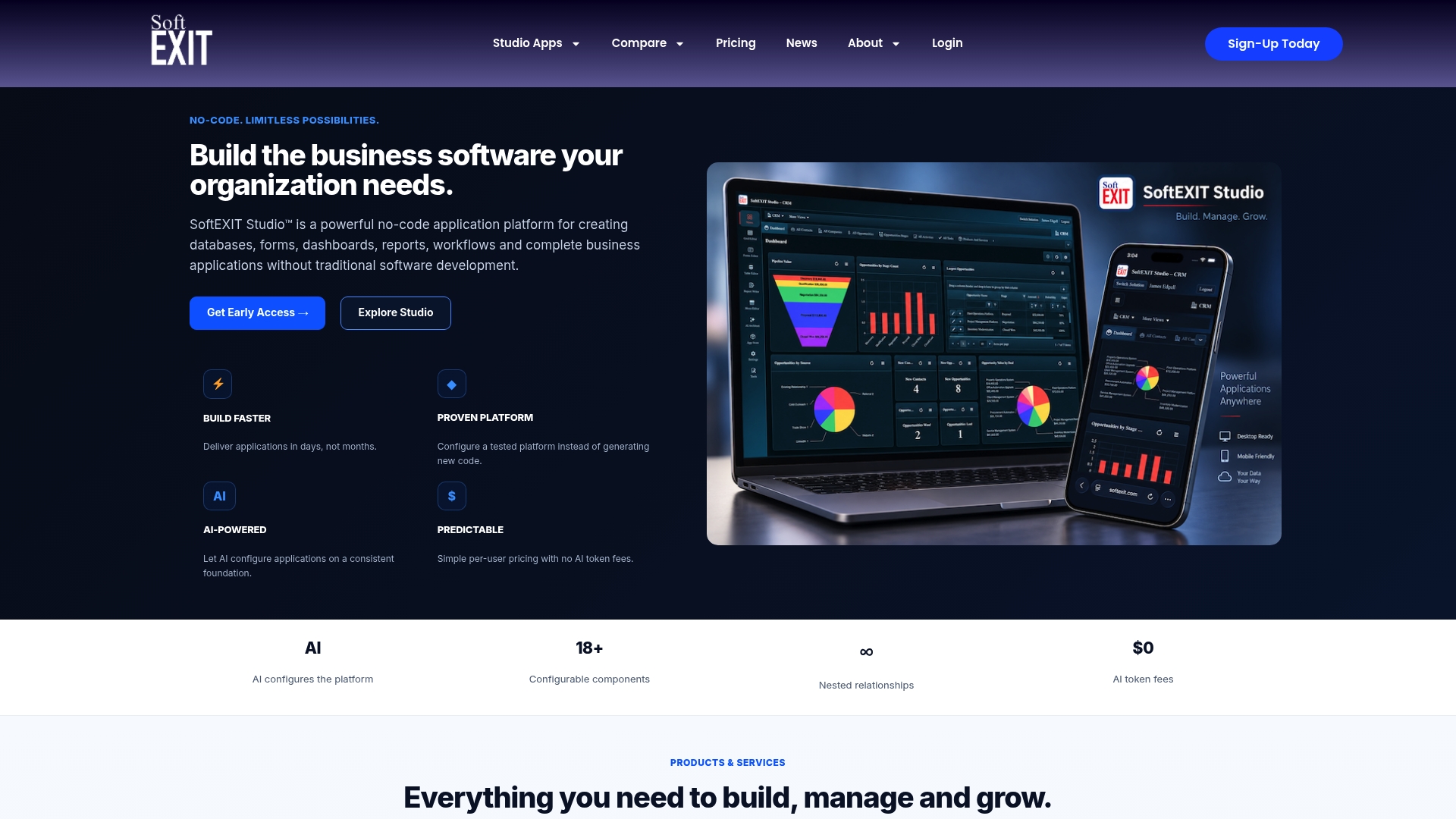
A practical first pilot: set up one sales pipeline in SoftEXIT CRM, then build a second workflow (inventory or contract tracking) to test the platform’s reach beyond CRM. Plans start at $14 per user per month on Starter and $24 per user per month on Professional, with Professional Services available if you want hands-on help with configuration.
| Who it fits | First module to pilot | Starting price |
|---|---|---|
| Teams needing CRM-led workflows | Sales pipeline setup | $14/user/month |
| Teams needing operational flexibility | Inventory or contract tracking | $24/user/month |
Ready to see it in action? Visit SoftEXIT Studio’s plan page to compare editions and start your pilot.
FAQ
What is better than monday.com?
There’s no single universal answer since the right tool depends on your workflow, but SoftEXIT stands out for teams that need CRM-led pipelines plus custom operational apps, while tools like Asana or Smartsheet suit teams wanting a more fixed, off-the-shelf PM structure. The better fit comes down to whether you need configurability or a ready-made template.
What is the best alternative to monday.com?
For teams that expect to outgrow a basic task board, SoftEXIT offers a no-code, AI-assisted path to CRM and custom workflows starting at $14 per user per month. For teams wanting a simpler like-for-like swap, visual-first tools like Trello or all-in-one workspaces like ClickUp cover the basics without much setup.
How long does migrating off monday.com typically take?
Most teams should plan for two to four weeks to complete a transition, including data export, import validation, and staff retraining. Complex automations and custom fields tend to extend that timeline if they aren’t tested early.
Do these alternatives have usable free tiers?
Several mainstream tools, including ClickUp, Notion, Asana, and Jira, offer free plans, but those tiers carry real limits on automations, reporting, and storage. SoftEXIT does not list a free tier; its paid plans start at $14 per user per month.
What should I check before choosing a monday.com alternative?
Prioritize workflow complexity, integration depth, and permission structure over feature count alone, since evaluation criteria for project management software consistently point to those factors as the ones that matter once a team scales past its pilot phase. Run a real pilot with your own data before signing an annual contract.