Copper CRM Alternatives for Google Workspace: 14 No Code Options

If you’re outgrowing Copper, the clearest path forward depends on what “outgrowing” means for you: SoftEXIT CRM fits teams that want to customize their CRM and eventually expand into operational apps without hiring developers, HubSpot fits marketing-led teams that want one revenue stack, and Pipedrive fits sales teams that just want a dead-simple visual pipeline. Below, we break down the full shortlist, what to check before you buy, and how to move your data over without losing a single deal.
TL;DR:
- Before demos, map custom objects, branching automation, integrations, role permissions, and projected seat costs; ask vendors for a sandbox instead of relying on presentations.
- HubSpot has a usable free tier and a 4.4 out of 5 rating across more than 12,000 reviews, but custom field mapping can complicate migration.
- Pipedrive starts around $24 per seat and closely matches Copper’s contact and deal structure, while Zoho offers broader customization with a steeper setup curve.
- Import contacts and accounts first, verify counts and spot checks, then add activities and custom fields; clean currency formatting to prevent corrupted deal values.
- SoftEXIT’s Starter plan costs $14 monthly per user, while Professional costs $24; both offer pipeline and dashboard customization without coding from day one.
Ranked Shortlist: The Best Copper Alternatives Compared
Picking a replacement CRM usually comes down to a few questions: what does it cost to start, how much can you bend it to your process, and will it still make sense as your business evolves. Here’s how the strongest contenders stack up on those fronts.
SoftEXIT leads this list because it’s built for the exact moment most Copper users hit a wall: you’ve outgrown a basic pipeline, but you’re not ready to sign up for a bloated enterprise contract. The Starter plan runs $14 per month per user, and the Professional tier sits at $24 per month per user (Softexit), both with no-code customization baked in from day one.
A few things worth flagging before you dive into the detailed profiles:
- G2 review data shows HubSpot, Pipedrive, and Zoho rank differently depending on what you’re optimizing for, not on some universal “best” score (G2).
- Pricing comparisons list Copper itself starting around $12 per month per user, which is part of why cost alone rarely drives a switch (Trustradius).
- The products with no published starting price generally gate pricing behind a sales call, so budget extra time for that conversation.
Why Teams Outgrow Copper (And What That Signals)
Copper was built for Google Workspace teams who wanted a CRM that felt like Gmail. That’s still its strength, and its ceiling. Industry analysis on Copper alternatives found that the number one reason teams leave is Copper’s strict dependency on the Google Workspace ecosystem: the moment you add a rep on Outlook, start chasing leads over WhatsApp or Messenger, or need real project management and invoicing after the sale closes, Copper’s native value tends to evaporate fast (rework.com).
That same research frames switching as less of a complaint and more of a milestone: outgrowing a simple CRM usually means your organization is maturing past pipeline tracking into something that needs to touch billing, operations, and multiple communication channels at once. As the analysis puts it, “the tool that gets you from zero to one rarely takes you from one to ten” (rework.com).
In practice, the complaints we hear most often cluster into a few buckets:
- Automation feels shallow once you need multi-step workflows across departments, not just follow-up reminders.
- The data model is rigid, so custom objects or non-standard relationships between records get awkward fast.
- Pricing that looked reasonable for a small team can stop looking reasonable as the team grows.
None of that makes Copper a bad tool. It just means its job was to get you started, not to carry your whole operation.
How to Choose the Right CRM Replacement
Before you book a single demo, get clear on what you’re actually testing for. Most teams waste weeks comparing feature checklists instead of asking the handful of questions that actually predict fit.
- Map your data model first. Does the platform support custom objects and relationships that mirror how your business actually works, or are you stuck with its predefined structure?
- Check automation depth. Can workflows branch based on conditions across multiple objects, or is it limited to simple triggers like “send an email when a deal moves stage”?
- Confirm integration breadth. Does it connect cleanly to Google Workspace and to whatever channel your leads actually come through, whether that’s email, WhatsApp, or SMS?
- Review security and permissions. Is access controlled at the role level, with the ability to protect sensitive fields from certain users?
- Price out your real headcount. Run the math at your current seat count and a larger projected headcount, since a lot of “affordable” tools get expensive fast at scale.
When you get a vendor on the phone, ask directly: “How do you handle custom objects and relationships?” “What happens to our automations if we add a new data type next year?” “Is pricing per seat, per contact, or tiered by feature set?” “What does a typical onboarding timeline look like for a team our size?” Vague answers to any of those are a signal to keep shopping.
Pro Tip: Ask every vendor for a sandbox environment, not just a slide deck demo. You’ll learn more from clicking around than from sitting through a slide presentation.
As a rough decision framework: sales-first SMBs usually do well with Pipedrive or NetHunt, marketing-heavy orgs lean toward HubSpot, and teams planning to expand CRM into broader operations (inventory, contracts, service tickets) tend to land on something extensible like SoftEXIT CRM.
Fourteen Copper Alternatives, Profiled
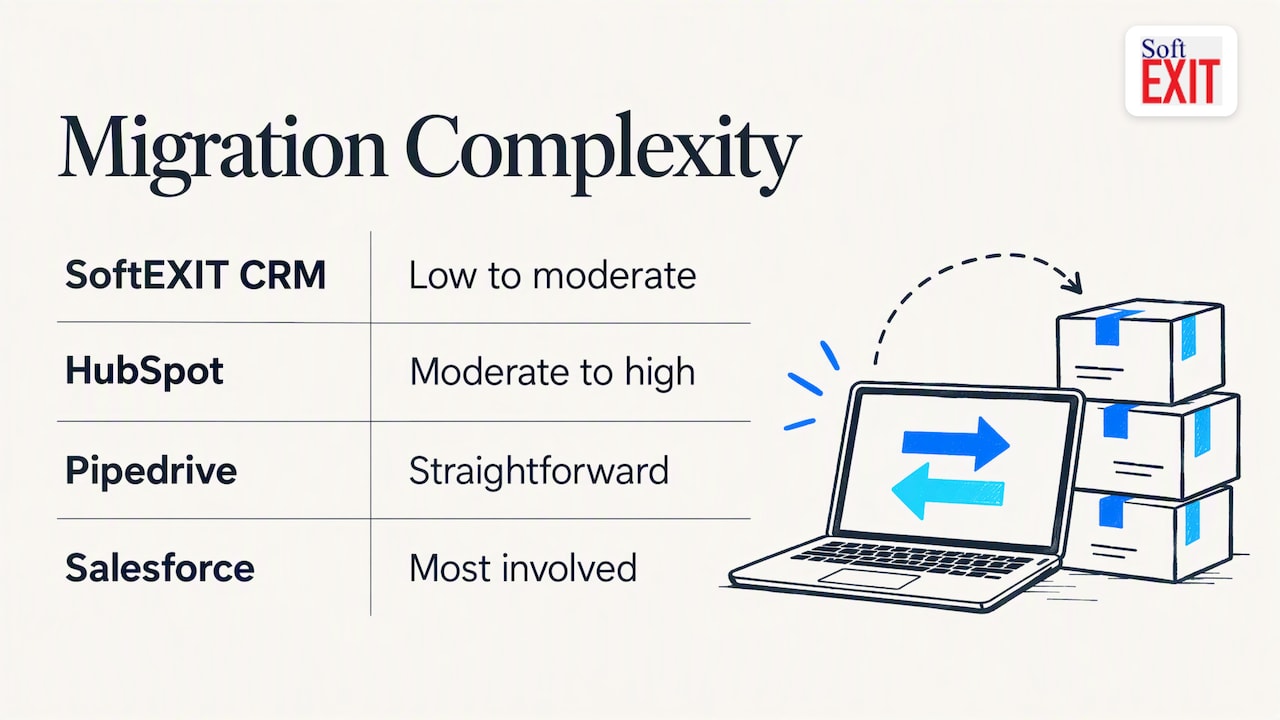
SoftEXIT CRM is our starting point because it solves the specific problem most Copper refugees have: they need more flexibility than an inbox-native tool offers, but they don’t want to hire a developer to get it. Built on a no-code app platform, SoftEXIT CRM lets you shape your pipeline, custom objects, dashboards, and automations around how your team actually sells, and when you’re ready, extend into inventory, contracts, or service management on the same system. Pricing starts at $14 per month per user on the Starter plan, moving to $24 per month per user on Professional (Softexit). Migration complexity is low to moderate: the no-code data model makes it straightforward to recreate Copper’s structure without a lengthy rebuild.
HubSpot is the pick for teams where marketing and sales need to share one source of truth. Its free CRM tier is genuinely usable, not just a trial wrapper, and the paid tiers add marketing automation that ties campaign data directly to deal records. G2 reviewers rate it 4.4 out of 5 across more than 12,000 reviews, the strongest review base on this list (G2). Migration complexity can run moderate to high once you start mapping custom fields into HubSpot’s object model, especially if your Copper setup leaned on nonstandard pipelines.
Pipedrive keeps things sales-first: a visual pipeline, activity-based selling, and a setup that reps can learn quickly. It carries a 4.3 out of 5 rating across more than 2,400 reviews (g2.com), and comparison data shows a starting price around $24 per seat (Trustradius). Migration tends to be straightforward since its data model maps closely to Copper’s own contact-and-deal structure.
Zoho CRM earns its spot for teams who want deep customization without an enterprise price tag. It holds a 4.1 out of 5 rating across more than 2,700 reviews (g2.com), and its broader product suite means you can bolt on help desk, inventory, or finance tools later. The tradeoff is a steeper learning curve during setup, since the flexibility that makes it powerful also makes the admin console busier.
Salesforce is a heavyweight: an enterprise-grade platform with a broad third-party ecosystem, built for mid-market and enterprise teams that need deep customization and are prepared to invest in admin resources to run it. Migration from Copper to Salesforce is typically the most involved on this list, often requiring a dedicated implementation partner.
Insightly CRM blends customer management with project tracking, which suits teams where the sale isn’t really done until a project kicks off and gets delivered. It’s a narrower fit than the generalist tools here, best for organizations whose post-sale work looks like a project, not just a support ticket.
monday CRM works best for teams already living inside monday.com’s board-based work management system. If your team already thinks in boards and columns, the CRM extension feels native; if you’re coming from Copper’s list view, there’s a short adjustment period.
Nutshell packages CRM and basic email marketing into one product, aimed squarely at small teams that don’t want to pay for (or manage) two separate platforms. It’s a lighter tool than Zoho or HubSpot, which makes it quicker to onboard but less suited to teams with complex marketing needs.
Streak takes the opposite approach from most of this list: instead of pulling you out of Gmail, it builds the CRM directly into your inbox. For teams that genuinely never want to leave Gmail, that’s the whole pitch. Migration from Copper is relatively light since both tools share that Gmail-native philosophy.
NetHunt CRM also lives inside Gmail but goes further on automation than Streak, making it the better fit for Gmail-centric sales teams who’ve outgrown Copper’s base feature set specifically because they need more workflow automation, not because they need to leave Gmail behind.
Bigin by Zoho CRM is the simplest tool on this list, intentionally so. It’s built for very small businesses setting up their first real CRM, with Google Workspace integration and a low entry price. It won’t satisfy a team that needs custom objects or complex automation, but for a small team replacing a spreadsheet, it does the job without overwhelming anyone.
Freshworks CRM rounds out the mid-market options with a sales and support suite aimed at teams who want CRM and customer service tooling under one roof, a reasonable fit if your post-sale support volume is high enough to justify a combined tool.
Lark (Lark Base) and Lark (with Lark Base) extend Lark’s workspace suite into lightweight database and CRM-style tracking. These fit teams already standardized on Lark for messaging and docs who want basic relationship tracking without adopting a dedicated CRM platform, though they offer less CRM-specific depth than purpose-built tools like Pipedrive or Zoho.
Migrating Off Copper Without Losing Your Pipeline
A common mistake during a CRM switch is trying to move everything at once. Practitioner guidance on implementation timing is blunt about this: avoid a “big bang” migration and use a phased “trickle” approach instead, moving core records first, verifying them, and only then layering in more complex data (Pm).
Here’s a migration sequence that holds up in practice:
- Export and stage your data. Pull contacts, companies, and deals out of Copper first, before touching activities or custom fields.
- Clean currency and number fields. Strip out currency symbols and commas during staging, since most import tools choke on formatted numbers (Trustradius).
- Map unique identifiers. Assign each Copper record’s ID to an external ID field in the new system so you can trace duplicates and re-run imports safely (Trustradius).
- Migrate core records, then verify. Import contacts and accounts first, check for gaps, then move on.
- Add activities and complex entities. Bring in notes, emails, and custom objects once the core data is confirmed clean.
- Reconcile after every phase. Run a count check and a spot check against Copper before moving to the next phase.
- Decide what to archive. Not every closed deal or old note needs to live in your new system from day one.
| Migration phase | What moves | Risk if skipped |
|---|---|---|
| Staging | Currency and number formatting cleanup | Failed imports, corrupted values |
| Core records | Contacts, accounts | Broken relationships downstream |
| Complex entities | Activities, custom objects, notes | Lost history, duplicate records |
| Reconciliation | Record counts, spot checks | Silent data loss |
The time needed for a phased migration depends on data volume and how many custom fields need remapping.
Which Pick Fits Your Team
The right alternative depends less on features and more on where your business is headed next.
- Early-stage startups usually do fine with Pipedrive or Bigin by Zoho CRM, since simplicity beats depth when you’re still figuring out your sales process.
- Sales-first SMBs leaning on Gmail workflows tend to land on NetHunt CRM or Streak.
- Marketing-led organizations get the most value from HubSpot’s unified revenue stack.
- Ops-heavy, growing mid-market teams are exactly who SoftEXIT CRM is built for: no-code customization, AI-assisted configuration, and a direct path from CRM into inventory, contracts, or service management without starting over on a new platform.
If that last profile sounds like you, the fastest way to find out is to explore how the platform fits your needs rather than run another round of feature comparisons. Explore SoftEXIT CRM and see how well it fits your team.
An Honest Take on the CRM Treadmill
Here’s the pattern nobody says out loud: every inbox-native CRM eventually hits the same wall, because the thing that makes it easy to adopt (it just lives in Gmail) is the same thing that makes it hard to scale. Teams don’t outgrow Copper because it’s bad. They outgrow it because their business got more complicated than an inbox was ever meant to handle.
On one migration we heard about, a team spent an entire afternoon convinced their deal values had tripled overnight, only to discover the import tool had choked on dollar signs and commas and started reading “$12,000” as “12” and “000” as two separate numbers. Nobody’s pipeline is actually that good.
The lesson holds regardless of which tool you pick: strip your formatting before you import, and don’t trust a number until you’ve reconciled it against the source.
— James Edgell
Why SoftEXIT Is Worth a Trial Run
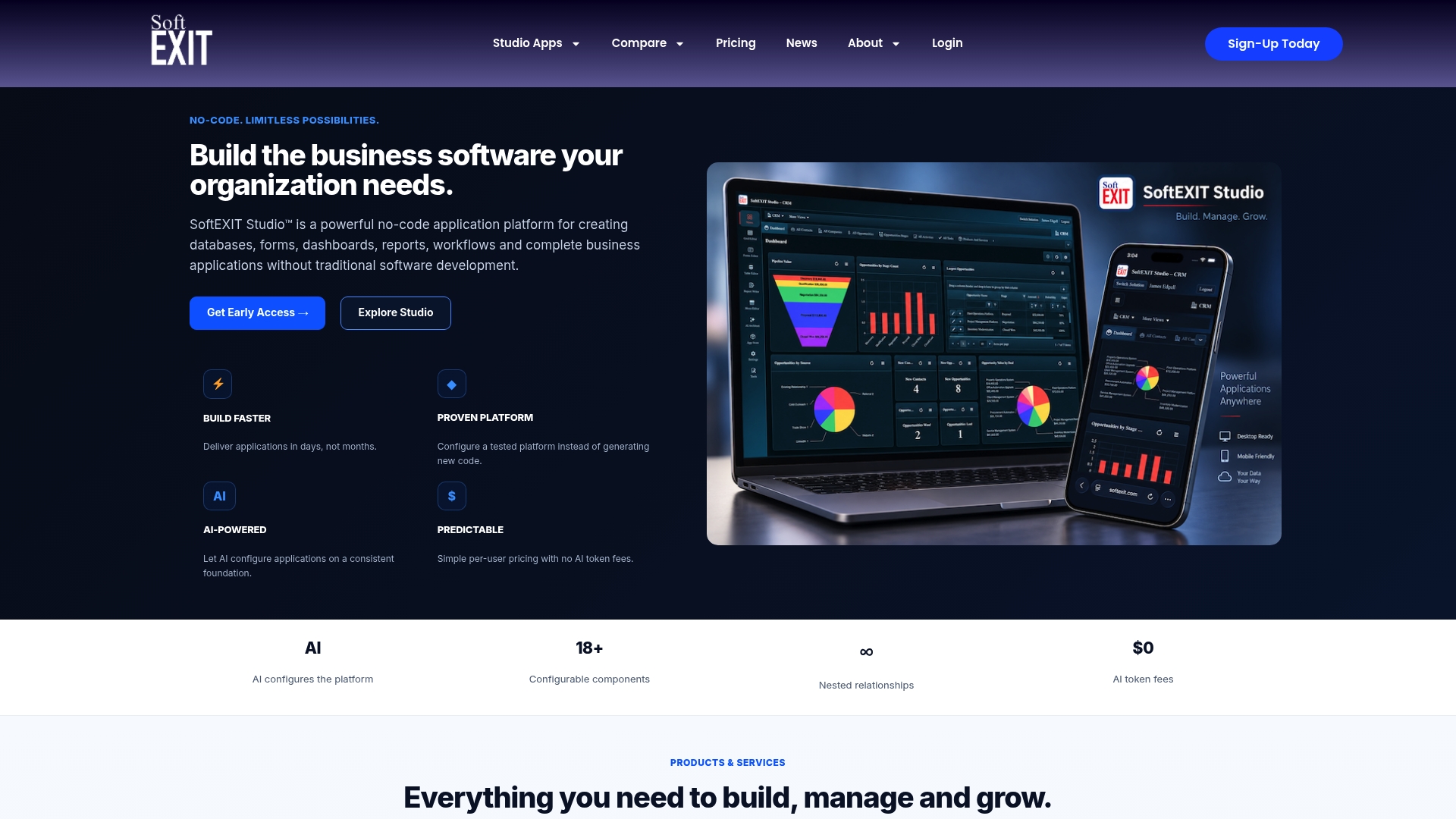
We built SoftEXIT CRM for the exact gap this whole comparison keeps circling back to: you want a CRM you can actually shape around your process, not one that shapes your process around it. No-code configuration means your team, not a developer, decides how pipelines, custom objects, and dashboards work. AI-driven setup speeds up configuration. And because SoftEXIT CRM runs on a broader no-code app platform, you’re not locked into CRM forever: when you’re ready to add inventory tracking, contract management, or service workflows, you build it on the same system instead of bolting on another vendor.
This fits a specific kind of team best:
- Sales teams who’ve outgrown Copper’s automation depth and data model.
- Ops-heavy organizations planning to extend CRM into adjacent business processes.
- Teams that want predictable per-seat pricing without an enterprise sales cycle.
Starter pricing begins at $14 per month per user, with Professional at $24 per month per user (see plans). Our professional services team can also help with a phased migration if you’d rather not run the import yourself. Explore SoftEXIT CRM and see how it fits your needs.
FAQ
Is Copper CRM good?
Copper works well specifically for Google Workspace teams who want a CRM that feels native to Gmail and don’t need heavy automation or multi-channel support. It becomes limiting once a team needs custom objects, deeper automation, or integrations beyond Google’s ecosystem, which is the main reason teams start comparing alternatives (rework.com).
What are the top three CRM systems?
There’s no single official ranking, since “top” depends on what a team values most. Among the most commonly cited leaders are HubSpot for unified marketing and sales, Pipedrive for pipeline simplicity, and Salesforce for enterprise-scale customization, with SoftEXIT CRM a strong option for teams wanting no-code flexibility and room to grow into operational apps.
How much does Copper CRM cost per month?
Comparison listings show Copper starting around $12 per month per user, though exact tiers depend on feature level and contract terms (trustradius.com). Always confirm current pricing directly with Copper before budgeting, since vendor pricing changes over time.
What is the best free CRM alternative?
HubSpot offers the most fully featured free CRM tier among the tools covered here, with core contact and deal tracking at no cost before marketing automation features require an upgrade. For teams wanting no-code customization from the start, SoftEXIT’s Starter plan runs $14 per month per user rather than offering a free tier.