CRM Data Migration Plan and Checklist for Switching CRMs

A CRM data migration goes wrong when teams treat it as a file transfer. The transfer takes hours. The work that decides success is deciding what to keep, mapping it to the new system’s structure, cleaning it, and testing before anyone relies on it. If you are moving off spreadsheets or an outgrown CRM, the best time to fix your data model is the migration itself, and a no-code platform like SoftEXIT Studio lets you shape that model around your process instead of forcing your process into a fixed template.
Key Takeaways
- Migration is five jobs, not one: data, data model, automations, reporting and integrations. Plan all five up front.
- Clean and deduplicate in the source system first, then normalize formats so every record arrives consistent.
- Keep each record’s source ID so relationships can be rebuilt and every number can be traced.
- Run a pilot on a sample, reconcile counts, and set rollback criteria before cutover day.
- With SoftEXIT Studio, CRM and other apps are included in a membership starting at $5 per user/month, billed annually.
What a CRM data migration actually includes
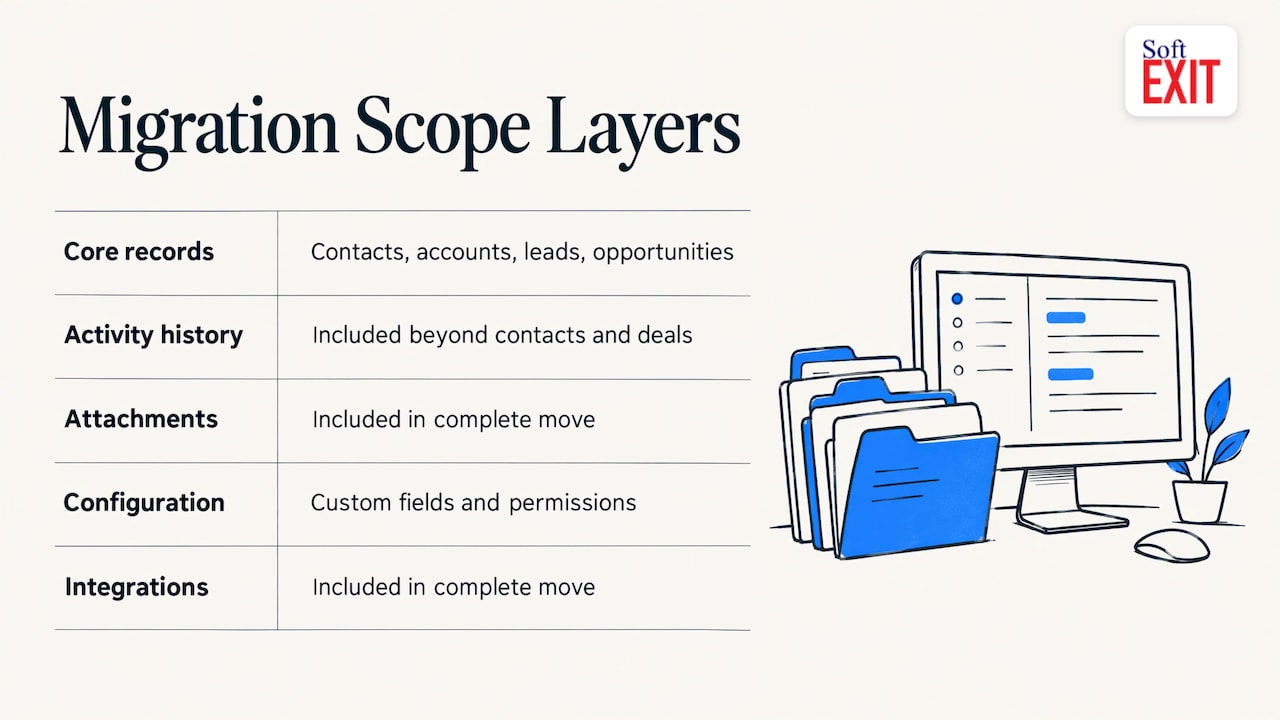
Most teams think of contacts and deals. A complete move also covers five layers: core records (contacts, accounts, leads, opportunities), activity history, attachments, configuration such as custom fields and permissions, and integrations. Field names differ between systems, so one tool’s Opportunity may be another’s Deal.
Another way to see the same scope: the data, the data model, automations, reporting and integrations. Teams tend to plan the data move and leave the other four for later, when workflows, reports and permissions have to be rebuilt anyway. Put all five in the plan from day one, and decide for each item whether it is migrated, transformed, archived or disposed of. Retention obligations should come from your legal or compliance adviser, not from a software vendor, as one US checklist points out.
Build a migration strategy before you touch data
Choose the approach first. A migration strategy guide frames it around three questions: how much downtime you can accept, how large and complicated the move is, and how hard a rollback would be. The answers point to one of three strategies:
- Big bang: everything moves in one cutover window. Fast, but it needs a tested rollback.
- Phased: move by team, region or object. Less risk, longer overlap.
- Parallel: run both systems for a period. Safest for sales teams that cannot lose a day of pipeline.
Then write a short plan document: scope and objectives, the chosen strategy and why, roles, timeline, data cleanup, backup and rollback, and security and testing. Have the business owner and whoever administers the system sign it.
Do not lift and shift. Copying the old CRM’s fields, pipelines and picklist values as they are feels safe, but it carries every old problem into the new system. Every record is being touched anyway, so this is the cheapest moment to fix a region field that reads differently on contacts, companies and deals.
CRM migration checklist
Use this sequence. It works whether you are exporting from a legacy CRM or a tangle of spreadsheets.
- Inventory. List every object, custom field, picklist, automation, report and integration. Count records by object.
- Name data owners. Someone in sales, someone in operations and someone who administers the system should approve what moves.
- Profile the data. Measure how many records have an email, a phone, a company, and how many are likely duplicates, as Quill recommends.
- Deduplicate in the source. Match on domains, addresses and phone numbers, not just names, because every duplicate you leave behind arrives in the new system.
- Normalize formats (examples below).
- Write the field mapping document. For every field you keep: where it goes, how values translate and who approved it.
- Back up everything and confirm you can restore it.
- Set the load order. Users and roles first, then accounts, contacts and leads, then deals, then activities and attachments, as in VantagePoint’s checklist.
- Run a pilot, reconcile, then cut over.
If your records are in worse shape than you expected, a CRM data hygiene cleanup guide shows what routine cleaning looks like.
Data normalization examples
Normalization means making equivalent values look identical so they can be matched, filtered and reported on. Practical examples:
| Field | Before | After |
|---|---|---|
| Country | USA, US, United States | One convention, such as US |
| Phone | (555) 123-4567 ext 22 | +15551234567, extension in its own field |
| Website | https://www.acme.com/about | acme.com |
| Date | 3/4/26, April 3 2026 | 2026-04-03 |
| Currency | $1,200.00 | 1200 |
| Job title | vp SALES, Vp sales | VP Sales |
| Lifecycle stage | Prospect, Lead – Warm, MQL | One agreed list, mapped explicitly |
Phone numbers in the international E.164 format, ISO country codes, ISO 8601 dates and unformatted currency are the conventions Rework’s preparation guide recommends. Stripping the protocol, “www” and trailing paths from websites lets you compare domains, which is how duplicate companies surface.
Opportunity stages need extra care. Map them to the new pipeline, and keep the original stage in a separate field so historical reporting still makes sense. If you plan to enrich records after the move, a short guide to governing CRM data enrichment explains how to control what gets written back.
Choose a migration method for your volume
The right method depends on size and complexity. According to Liboiron’s guide, CSV import suits simple contact lists under about 1,000 records with no custom objects, but it loses associations, activity history and deal context. Native import tools suit standard moves of roughly 1,000 to 10,000 records. API-based transfers suit larger volumes, custom objects and multiple sources.
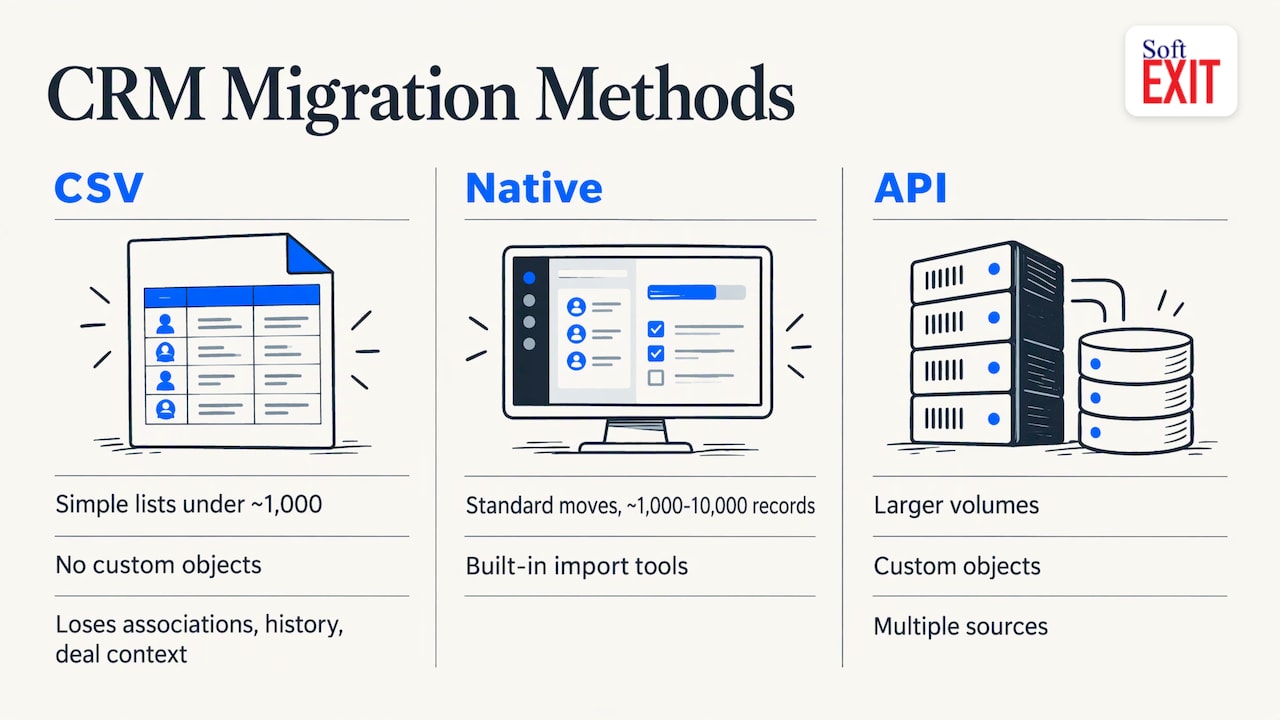
The weakness of CSV is relationships: a flat file cannot say which contact belongs to which company or which deal. That is why the timeline is dominated by mapping up front and rebuilding associations afterward, not by the transfer itself. If you are coming from spreadsheets, a relational structure with linked tables solves this at the design stage. Our guide on moving from a spreadsheet to a database covers that step.
How long a CRM migration takes
Plan in weeks, not days. One implementation vendor budgets six to twelve weeks for a team of 50 to 200 users with moderate customization, and names customer response time as the biggest variable. Your side of the work, such as approving mappings and returning cleaned data, sets the pace. Small teams with a single spreadsheet and standard objects move much faster, but the same steps apply.
Test, validate and cut over
A migration is not done when the records land. Validate in this order:
- Sample load. Pilot with a few hundred records that include edge cases: accents and apostrophes, very long text, missing phone numbers, ambiguous stage values.
- Reconcile. Source and target counts must match by object. Spot-check fields on a risk-based sample, and verify that contact-to-company and deal-to-contact links survive. Keeping each record’s source ID is what makes this possible.
- User acceptance testing. Have real salespeople run their daily workflows: create a deal, log a call, run a pipeline report.
- Go/no-go criteria. Proceed only if the last full test finished without unexplained errors, counts line up, and a fresh backup has been restored at least once, per Skyvia’s cutover criteria. Name the person who decides on rollback.
- Parallel run. One to two weeks with a pre-decided source of truth suits most mid-market teams. Wire integrations last, after the structure stops changing.
Keep the old system read-only for an agreed period before you retire it.
How we see it
The hardest part of a CRM move is rarely the import. It is that the new CRM has a fixed idea of what a customer record looks like, and your business does not. So teams either bend their process or bolt on more apps, and pay per app.
We built SoftEXIT Studio so the structure is yours to shape. You can customize existing applications, create relational databases, design forms, and build dashboards and reports without writing code, all on one platform. CRM and Contract Management are included with the membership, so you are not buying a separate subscription for each application. When the data model is something you can adjust in the same place you manage the data, a migration becomes a design decision rather than a constraint.
Role-based security and protected fields mean that sensitive data can be limited to the people who should see it from the first day.
James Edgell
Migrate into a CRM you can shape
SoftEXIT Studio includes SoftEXIT CRM, Contract Manager and more with one membership. Studio Starter costs $5 per user/month, billed annually, and Studio Professional costs $9 per user/month, billed annually. Professional adds AI Architect, which turns plain-language business requirements into application configurations built on Studio’s framework. You can start with a 21 day free trial.
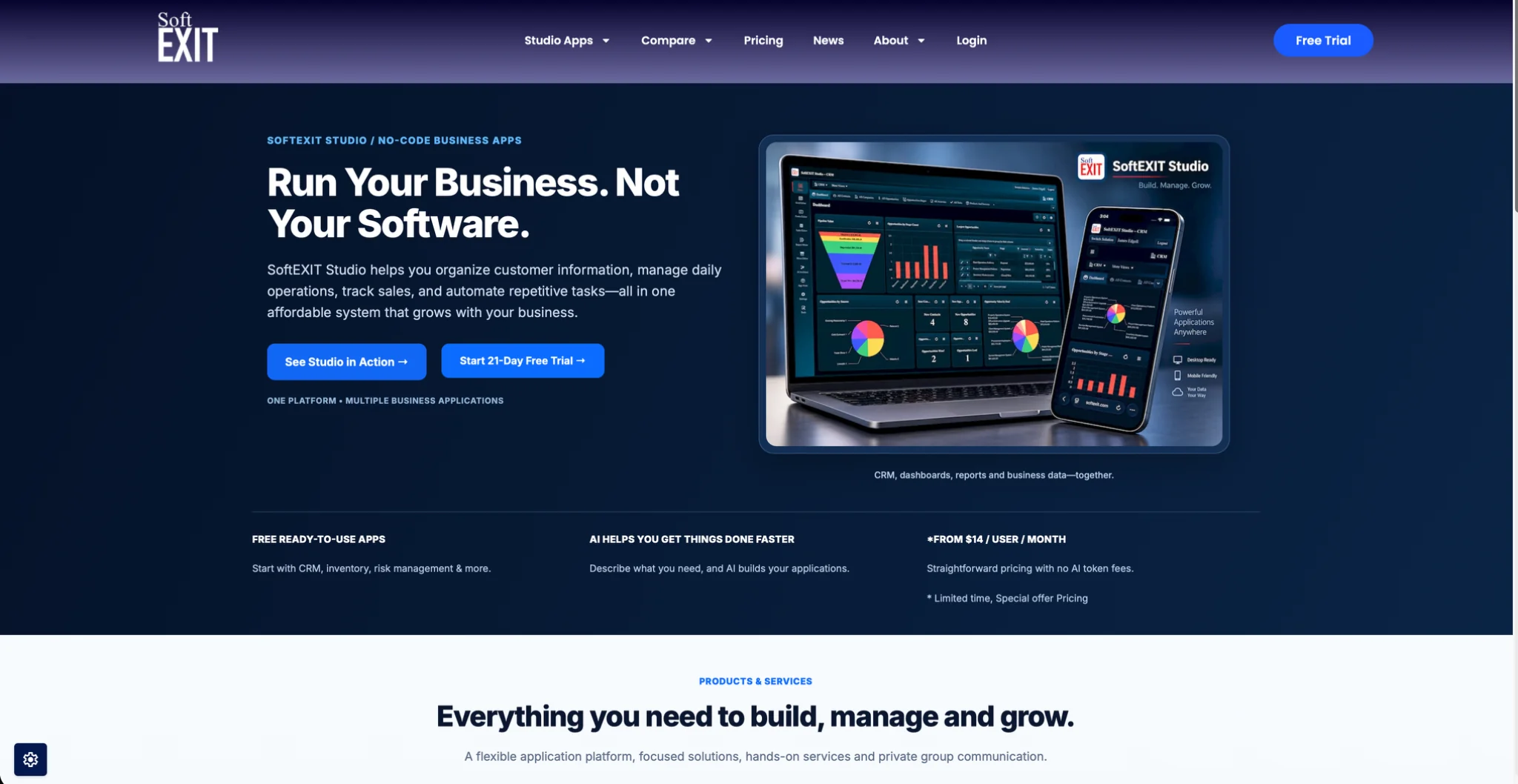
See the SoftEXIT CRM or compare plans on the Studio pricing page.
FAQ
What is CRM data migration?
It is the process of moving customer records, history and configuration from one CRM or spreadsheet system into another. A full migration includes contacts, accounts, deals, activities, attachments, custom fields, automations and integrations, not just a contact list.
What should I do first?
Inventory your data and decide what to migrate, transform, archive or dispose of. Then deduplicate and normalize in the source system before any import, so the new CRM starts clean.
Can I migrate from spreadsheets instead of another CRM?
Yes, and it is a common starting point. The key is to split flat sheets into related tables, such as companies, contacts and deals, so relationships are explicit. Our spreadsheet migration guide walks through it.
How do I know the migration worked?
Reconcile record counts by object, spot-check field values, verify that relationships between contacts, companies and deals survived, and have users run their normal workflows before you retire the old system.
Sources
- CRM Data Migration: How to Move Your Customer Data (Databar)
- CRM Migration: How to Move Your Data and Keep Your Pipeline (Nebor)
- CRM data migration checklist for service businesses (Orbital and Company)
- Data Migration Strategy (Skyvia)
- How to clean your CRM data before a migration (Quill)
- CRM Data Migration Best Practices: Checklist (VantagePoint)
- Preparing Your Data Before You Migrate Anything (Rework)
- CRM Data Migration: A Complete Guide (Liboiron)
- CSV CRM Migration: Key Differences (SuprDense)
- CRM Data Migration Best Practices (Rocketlane)
- CRM Data Hygiene guide
- CRM Data Enrichment: Govern Writeback