CRM Contract Management: Track Contracts Beside Your Customers

CRM contract management means keeping every agreement tied to the company, contact and deal it belongs to, so sales, finance and operations see the same status, owner and renewal date. A CRM alone usually stores customers and deals, not contract terms. The practical answer is a contract app that shares data with your CRM. With SoftEXIT Studio, the CRM and the Contract Manager are included with a membership starting at $14 per user/month when billed annually.
Key Takeaways
- A contract record needs its own fields (value, start and end dates, renewal terms, owner, status) linked to CRM accounts, contacts and opportunities.
- Approval routing works best on objective conditions such as contract value, contract type or risk level.
- Renewal reminders at set intervals, with escalation to a backup owner, keep cancellation deadlines from slipping.
- SoftEXIT CRM and SoftEXIT Contract Manager are free apps with a SoftEXIT Studio membership starting at $14 per user/month, billed annually.
- Because the platform is no-code, you can add fields, tables, dashboards and approval steps yourself.
What CRM contract management actually covers
Contract lifecycle management (CLM) is the process that covers a contract from creation through execution and analysis. A CRM is built for something different: managing customer relationships. Bloomberg Law’s guidance for legal departments draws that line, noting that dedicated contract software is designed for drafting tools, approval workflows, version control, compliance management and analytics.
For most small and midsize teams, the useful middle ground is simple. You want contracts to live next to the customer data your sales team already works in. That gives you three things:
- One view of the relationship. Open an account and see its contacts, open opportunities and active agreements.
- Fewer handoffs. A won opportunity becomes a contract record without retyping.
- Visible obligations. Expiration, renewal and notice dates sit where account owners will see them.
This is the model behind the SoftEXIT Contract Manager, which organizes contracts, tracks agreements, monitors expiration and renewal dates, and manages cancellation notice deadlines. It runs on the same platform as the SoftEXIT CRM.
What a contract record should contain
A spreadsheet row with a file name is not a contract record. AppMaster’s renewal tracker specification suggests a practical record includes the vendor, service, contract value, start and end dates, renewal terms, owner, status, related contacts and documents, and version history.
In a CRM-linked setup, map those fields like this:
| Contract field | Link to the CRM |
|---|---|
| Counterparty | Company record |
| Signers and stakeholders | Contact records |
| Contract value | Opportunity amount, where the contract came from a deal |
| Owner | The account owner or a named user |
| Start, end and renewal terms | Date fields that drive reminders |
| Status | Draft, in review, approved, signed, active, expiring, ended |
| Documents and versions | Attachments on the contract record |
Keep the status list short and write down what each status means. A status nobody can define is a status nobody updates.
Building a contract approval workflow
The most common mistake is routing every contract to the same approver. Route on conditions that can be checked. Digital Applied’s CRM legal guide gives contract value thresholds, contract type and risk level as examples of objective routing rules.
A workable pattern for a small team:
- Create the contract from a won opportunity, pulling in company, contact and value.
- Set the contract type and risk level on the record.
- Route by rule. For example, standard agreements under a value you choose go to the account owner’s manager, while higher-value or higher-risk ones also go to finance or legal.
- Block sending until approvals pass. The CRM to signature guidance from Approvals.us recommends preventing sending for signature until required approvals are complete.
- Reset approval when key terms change. The same guide names discount, payment schedule, legal text, territory and start date as fields that can justify a reset.
- Log every decision so you can see who approved what and when.
Tracking renewals and cancellation deadlines
Missed notice windows are where untracked contracts cost money. A contract that auto-renews can lock you into another term if the cancellation deadline passes unnoticed. Store the renewal date and the notice deadline as separate fields, because the deadline is the one that matters.
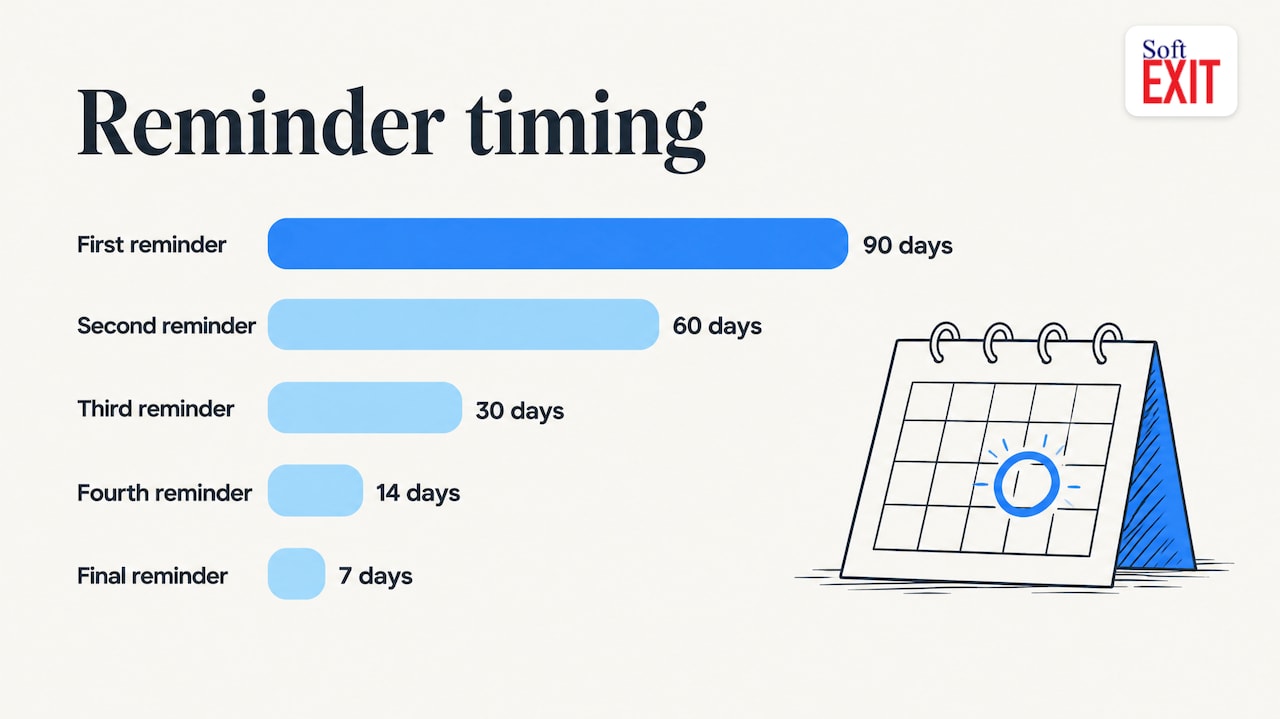
For reminder timing, AppMaster’s specification proposes milestones at 90, 60, 30, 14 and 7 days before a deadline. It also proposes escalation: to a backup owner after 3 business days without action, to a manager after 5 more business days, and to legal or procurement when the deadline is within 7 days. Treat those intervals as a starting point and adjust them to your contract terms. A 30-day notice clause needs earlier warning than a 90-day one.
A simple renewal dashboard should show:
- Contracts expiring in the next 30, 60 and 90 days
- Notice deadlines this month, by owner
- Contracts with no owner or no end date
- Value up for renewal by quarter
The role-based CRM dashboards guide shows how to build views like these without code, so account owners and managers each see what they need.
Planning data ownership before you launch
Before building, decide which system holds the truth. Approvals.us recommends naming one system as the source of truth for status and documenting, for each critical field, its owner, the roles allowed to edit it, the direction of synchronization and the timing of updates.
When contracts and CRM live on one platform, most of that sync work disappears. If you still pull contract details from emails and attachments, mapping errors between email and your systems are worth designing out early. Either way, set role-based permissions so that sales can see contract status and dates while only the right people can edit commercial terms.
Building your own contract app without code
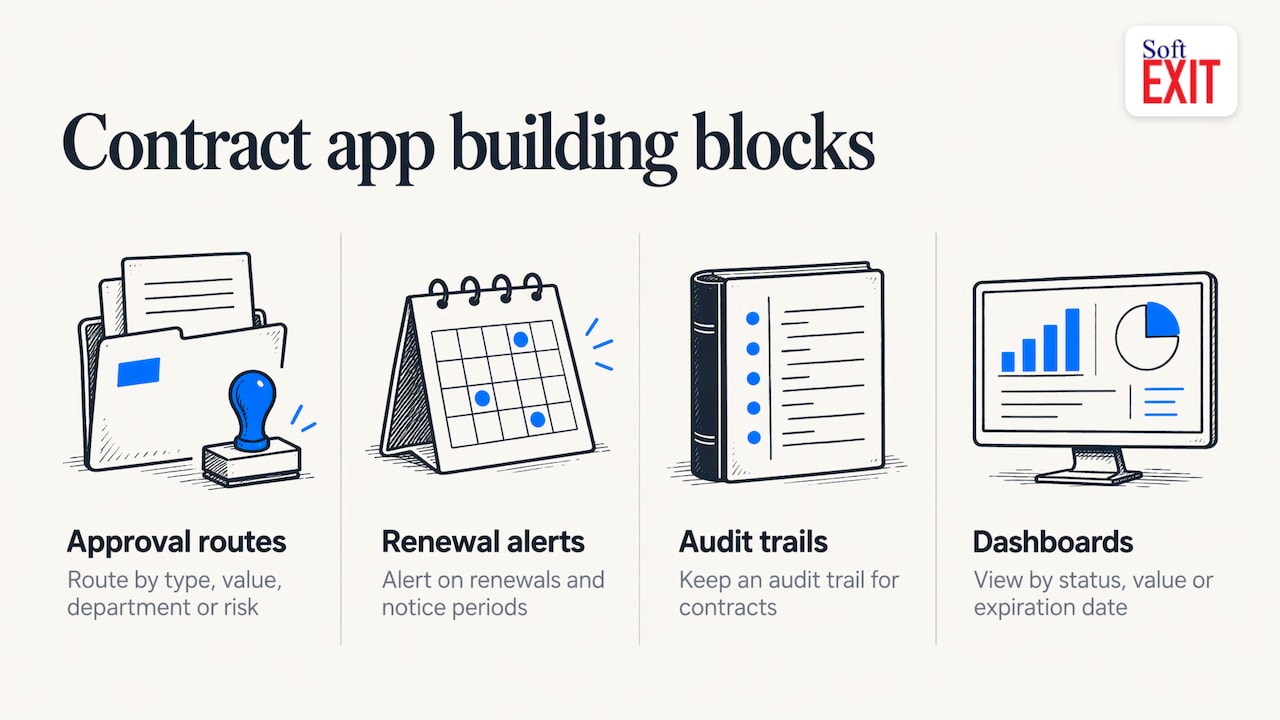
Some teams have unusual approval paths, contract types or reporting needs. A no-code build handles that. The WeWeb contract management use case describes the typical building blocks: approval routes by contract type, deal value, department or risk level, alerts for renewals and notice periods, audit trails, and dashboards by status, value or expiration date.
In SoftEXIT Studio, every application is built on the same customizable platform. You can modify the Contract Manager, add fields, create related tables, build dashboards and generate reports under the same membership. You can also describe what you need to the AI Architect in plain language and have it configure the application. Our approach is to configure a proven platform rather than generate custom code. See the AI Architect video for a walkthrough. For a related build, the vendor management CRM comparison shows how vendor records and contracts fit together.
Our perspective
Most teams we talk to do not need a heavy legal system on day one. They need to know which customers have which agreements, who owns them and when the next deadline hits.
That is why we built the Contract Manager and the CRM on one platform. A contract is not a separate world from the account it belongs to. When both live in the same membership, you do not pay a second subscription for the contract tool or build an integration to connect it.
Because every SoftEXIT app is customizable, your process does not have to bend to the software. Add the approval fields your business uses, build the renewal dashboard your managers want, and change it when your contracts change.
James Edgell
Start with the apps included in your membership
SoftEXIT Studio’s pitch is one membership and one price. The CRM and Contract Manager are free apps with a SoftEXIT Studio membership, and membership starts at $14 per user/month when billed annually. The Starter plan is listed at $14 per user/month and the Professional plan at $24 per user/month, and there is a 21-day free trial.
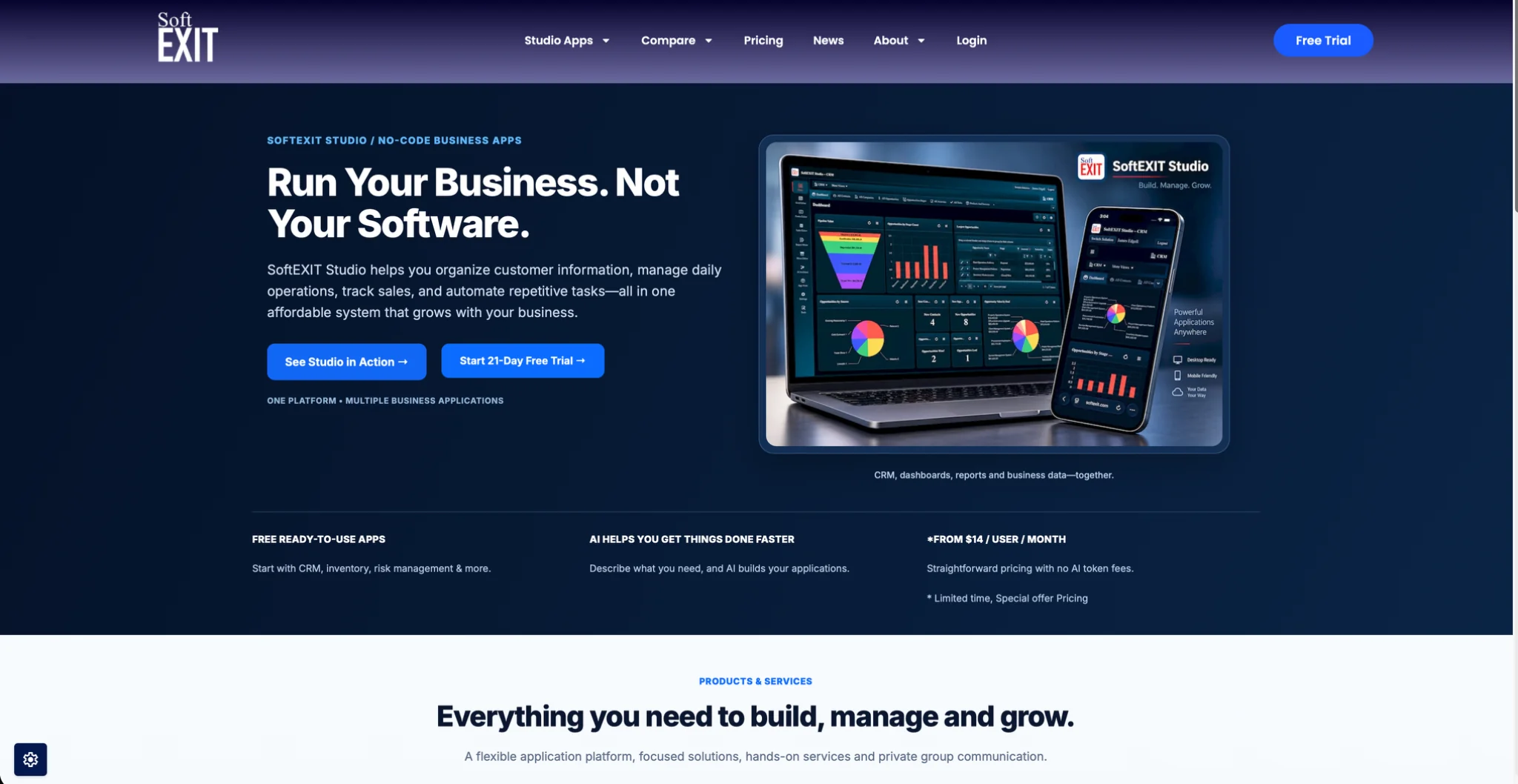
See the plans and start the trial on the SoftEXIT Studio page. If you want help with setup, Professional Services covers implementation and configuration. If you are weighing platforms, compare SoftEXIT CRM with HubSpot.
FAQ
Can a CRM handle contract management?
A CRM can hold the customer side: accounts, contacts, opportunities and activities. Contract terms, approvals, renewal dates and versions need dedicated fields and workflows. The cleanest setup is a contract app on the same platform as the CRM, linked by record.
How do I set up contract renewal reminders?
Store the end date, renewal terms and the cancellation notice deadline as separate fields. Schedule reminders ahead of the notice deadline, for example at 90, 60, 30, 14 and 7 days, and name a backup owner for escalation.
What should a contract approval workflow check?
Start with contract value, contract type and risk level. Block signature until approvals are complete, and send the contract back for approval if discount, payment schedule, legal text, territory or start date changes.
Can I build a contract management app without code?
Yes. In SoftEXIT Studio you can customize the Contract Manager or describe a new app to the AI Architect, then add forms, related tables, dashboards and reports. Membership starts at $14 per user/month, billed annually.
Sources
- Bloomberg Law: The importance of contract management for legal departments
- AppMaster: Contract renewal tracker spec for reminders and approvals
- Digital Applied: Contract management automation, CRM legal guide
- Approvals.us: CRM to signature workflow best practices
- WeWeb: Custom contract management app use case
- Ampwise: Email data mapping errors