Spreadsheet to Database: Best Way to Migrate to a No-Code CRM

The safest way to turn a spreadsheet into a database is to reshape and clean the data first, map every column to a field, import a small pilot, and check the result against the source. For a business team, the fastest route is a no-code platform that gives you tables, relationships, forms and dashboards without writing SQL. SoftEXIT Studio is built for that: the apps, including CRM and Contract Management, are included with a membership starting at $5 per user/month, billed annually.
Key Takeaways
- An import copies your spreadsheet’s structure, problems included, so clean and reshape the data before you load it.
- Write a field-mapping document, then pilot with 50 to 100 representative records before the full load.
- Validate with row counts, totals and a review by the people who use the data every day.
- A no-code platform with a CRM already built in removes most of the schema work for sales teams.
- SoftEXIT Studio Starter costs $5 per user/month and Professional costs $9 per user/month, both billed annually.
Step 1: Document what the spreadsheet really does
Before touching a file, list what the sheet is used for: who edits it, which columns drive decisions, which formulas people rely on and which workarounds live only in someone’s head. One migration guide calls this workflow archaeology: the new system should encode the workflow people actually follow, not the one on paper.
Then decide the target. If the sheet tracks contacts, companies and deals, you need a CRM data model. If it tracks something else, such as contracts, inspections or risks, you need custom tables. Either way, the same steps below apply.
Step 2: Clean the data before you move it
Cleaning inside the spreadsheet is cheaper than fixing it after import. Guides on this topic describe cleanup during migration as a common reason projects slip. Work through this list:
- Remove duplicates and decide which record survives.
- Standardize dates, phone numbers and addresses to one format.
- Fill missing critical fields, such as email on a contact.
- Fix inconsistent names (“ABC Corp” and “ABC Corporation”) and unmerge merged cells.
- Archive inactive records instead of carrying them forward.
Watch data types too. ZIP codes, phone numbers and IDs with leading zeros should be text, or an import tool guessing from the first rows can silently damage values further down. Save each sheet as UTF-8 CSV so accented names survive.
This is also where the work gets practical for teams without a database specialist. A spreadsheet-to-database project is only as good as the preparation behind it, and a clear plan for preparing and moving data in stages keeps the cleanup from sprawling.
Step 3: Design tables, fields and relationships
Read the sheet for the things it describes: customers, deals, products, contracts. Each becomes a table with a unique ID. Repeated groups such as Phone 1 and Phone 2 move to their own table, and calculated columns are replaced by formulas, reports or dashboards. A normalization guide explains the rules: one value per cell, every column depends on the key, and tables link through foreign keys.
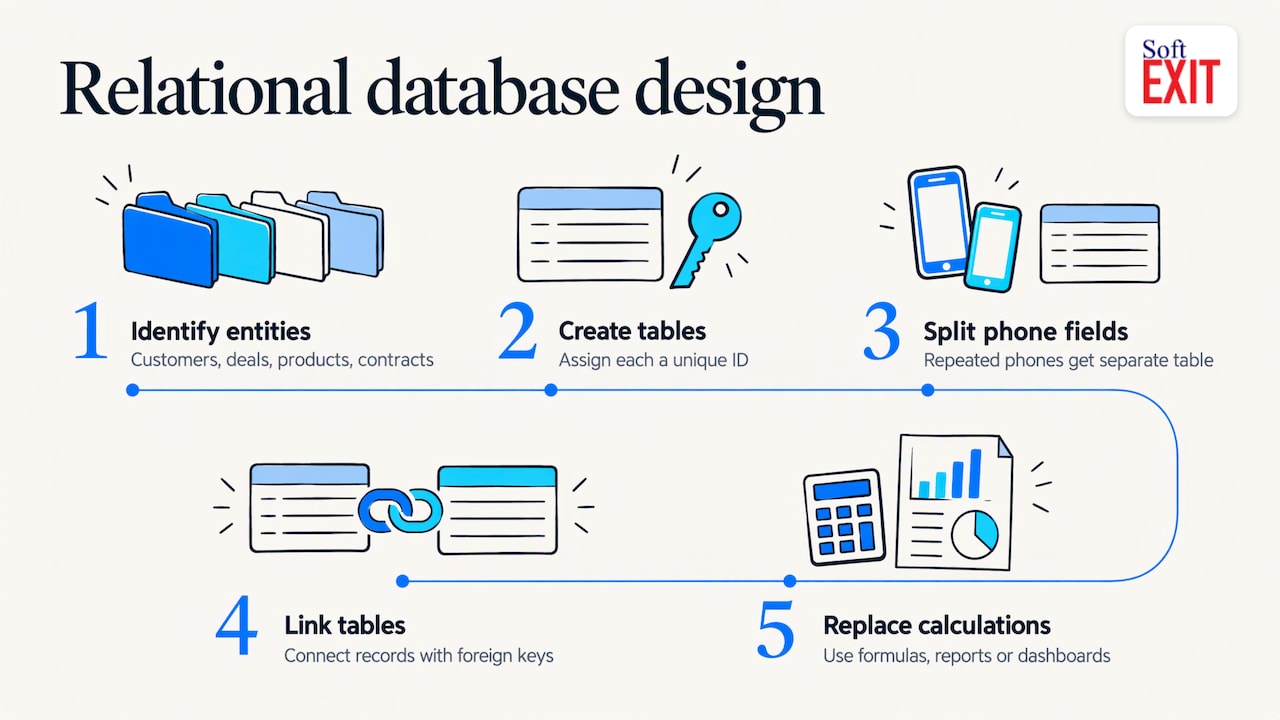
For a classic database, this means writing CREATE TABLE statements and loading CSV files, as Atlassian’s MySQL walkthrough shows. In SoftEXIT Studio, you build the same relational structure without code: create relational databases, design forms and link records on the same platform your applications run on. Our relational database video shows the process in under five minutes.
Step 4: Map fields into your CRM
For a CRM move, write a mapping document with four columns: source field, target field, transformation and whether it is required. For example, Name becomes First name plus Last name, and Status becomes a picklist value. Practitioners also recommend using email as the deduplication key, normalizing phones to one format and mapping states to two-letter codes. Create each company once, then associate the people to it.
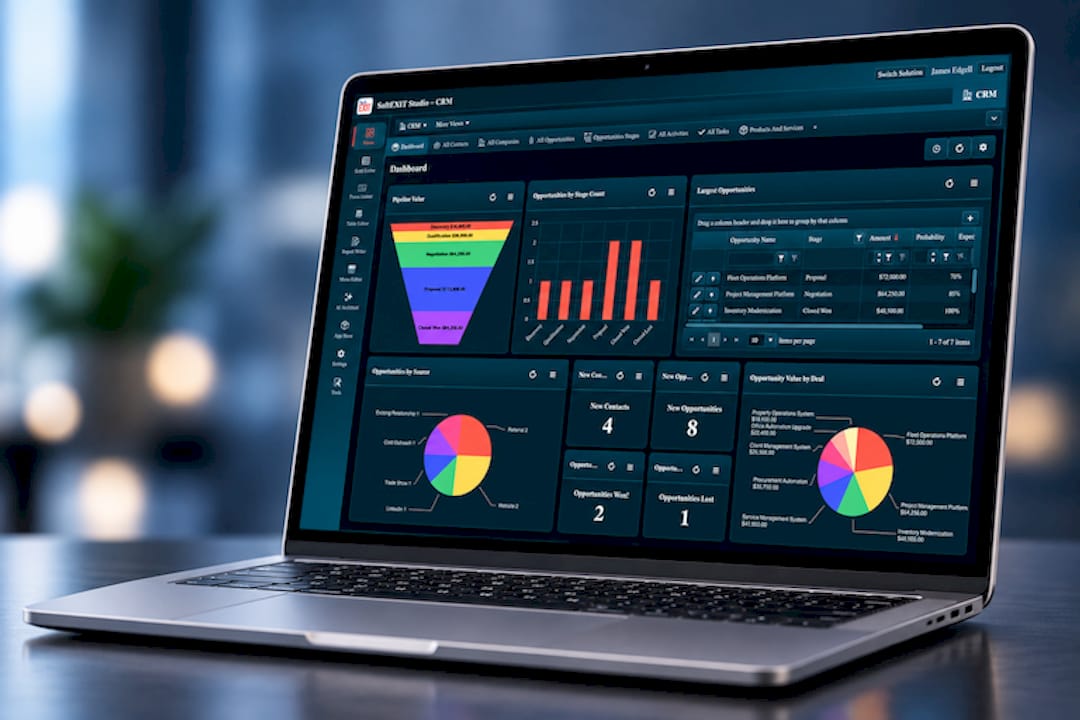
Design the target model first: objects, fields, data types, validation rules, ownership and permissions. Kanhasoft’s best-practice guide makes the same point. With SoftEXIT CRM, the contact, company and pipeline structure already exists and can be customized, so you map columns to fields rather than designing a model from scratch. Role-based security and protected fields let you decide who sees what before data arrives.
Step 5: Run a pilot import
Import 50 to 100 representative records, not the cleanest ones. Include the messy rows: long names, missing emails, old deals. Compare row counts, spot columns that arrived with the wrong type, and let a sales rep open the records. Documenting the mapping and testing a sample is the same discipline used in scaling any pilot to production.
If your old automation is still running, mark test emails with a temporary .invalid suffix so no one receives a test message.
Step 6: Validate before you cut over
Technical checks and business checks both matter:
| Check | What it catches |
|---|---|
| Row counts per table | Dropped or duplicated rows |
| Sums, min/max and non-empty counts | Changed values and NULLs turned into empty strings |
| Orphan check | Deals pointing at companies that do not exist |
| Hand-check of records | Accented names, leading-zero IDs |
| Owner review | Data that is complete but wrong in context |
Agree on acceptable variances before you start, as data migration validation guidance advises. Keep the original spreadsheet, and keep a tested backup of anything you cannot recreate; a backup restore test is worth running before you retire the old file.
What it costs to replace a spreadsheet
One 2026 playbook puts Airtable-style setups at $0 to $5,000 in consulting plus $20 to $50 per user per month, off-the-shelf SaaS at $5,000 to $30,000 in implementation, and custom builds from $25,000. It estimates break-even against spreadsheets within 12 to 24 months.
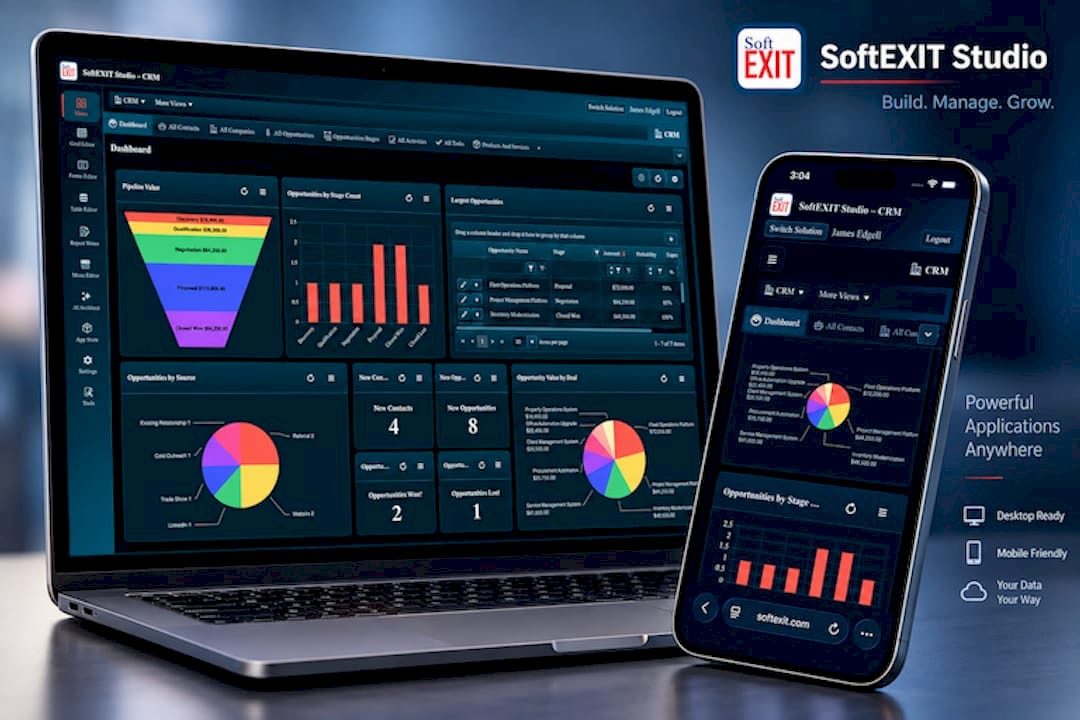
SoftEXIT Studio Starter costs $5 per user/month, billed annually. Professional costs $9 per user/month, billed annually, and adds AI Architect, which turns plain-language requirements into application configurations. The CRM, Contract Management and other apps are included in the membership, with no separate per-application subscription.
Our perspective
Most spreadsheet migrations stall on structure, not on the import button. Teams spend weeks deciding what becomes a required field, a dropdown or a link between records, and those choices shape the system for years.
We built SoftEXIT Studio so that decision work starts from something usable. CRM, Contract Management and other business applications sit on one platform, share the same security and permissions, and can be customized without code. When you need a new table, form, dashboard or report, you build it in the same place.
AI Architect in Professional plans takes the next step: you describe the requirement in natural language and it builds on Studio’s established application framework rather than generating custom code, which keeps maintenance simple.
James Edgell
Try the move on your own data
SoftEXIT Studio gives you CRM, relational databases, forms, dashboards and reports under one membership. Starter is $5 per user/month and Professional is $9 per user/month, billed annually. Start with the 21-day free trial and import your pilot records.
For a side-by-side view, see how Studio compares with spreadsheets, and read our guide to building a no-code database you can trust.
FAQ
Can I convert a spreadsheet to a database without coding?
Yes. A no-code platform lets you create tables, fields, relationships and forms visually. You still need clean data and a mapping plan, but you do not write SQL.
How long does a spreadsheet to CRM migration take?
It depends on how clean the data is and how many sheets you have. Cleanup is usually the longest part, so doing it before import and piloting with 50 to 100 records keeps the schedule predictable.
What is the best way to avoid duplicate contacts?
Pick a unique key, usually email for people, and deduplicate before import. Create each company once and link contacts to it.
How do I know no data was lost?
Compare row counts and totals between the spreadsheet and the new system, check for orphaned records, and have the people who use the data review it.
Sources
- Spreadsheet to Database: When to Move and How to Migrate
- Migrate from Spreadsheets to a Database: 2026 Playbook
- From spreadsheet to CRM: a practical implementation guide
- How to Move Excel Data Into a Database
- Cloud Migration Strategy: A Practical Plan for Growing Teams
- Normalize Spreadsheet to Database
- Importing Excel Data into MySQL
- Spreadsheets to a CRM Migration Guide
- CRM Data Migration Best Practices
- Pilot to Scale: Enterprise Field Service Automation
- Verify Data After Migration
- Data Migration Validation
- How to test a backup restore