Zoho CRM Alternatives: 6 Options Compared for 2026

The best Zoho CRM alternative for a small or midsize team that wants a customizable CRM without paying per app is SoftEXIT Studio. A Studio membership starts at $5 per user/month, billed annually, and includes CRM, Contract Management and a no-code builder on one platform. The other realistic options are HubSpot, Pipedrive, Salesforce Starter Suite and monday CRM. Each fits a different kind of team, and the sections below show which.
Key Takeaways
- SoftEXIT Studio Starter costs $5 per user/month, billed annually, and Professional costs $9 per user/month, billed annually. Apps are included with the membership.
- Zoho CRM’s paid plans run from $14 to $52 per user/month in 2026, so the gap widens as the team grows.
- HubSpot and Pipedrive suit teams that want a ready-made sales workflow. Salesforce Starter Suite suits teams already planning for Salesforce.
- If your CRM data sits next to contracts, inspections or spreadsheets, a platform that builds those apps beats stitching tools together.
Why teams look beyond Zoho CRM
Zoho CRM is a capable product. Reviewers rate it highly for automation, including its automation rules, Blueprints and workflow customization. Teams still start searching for alternatives for three practical reasons.
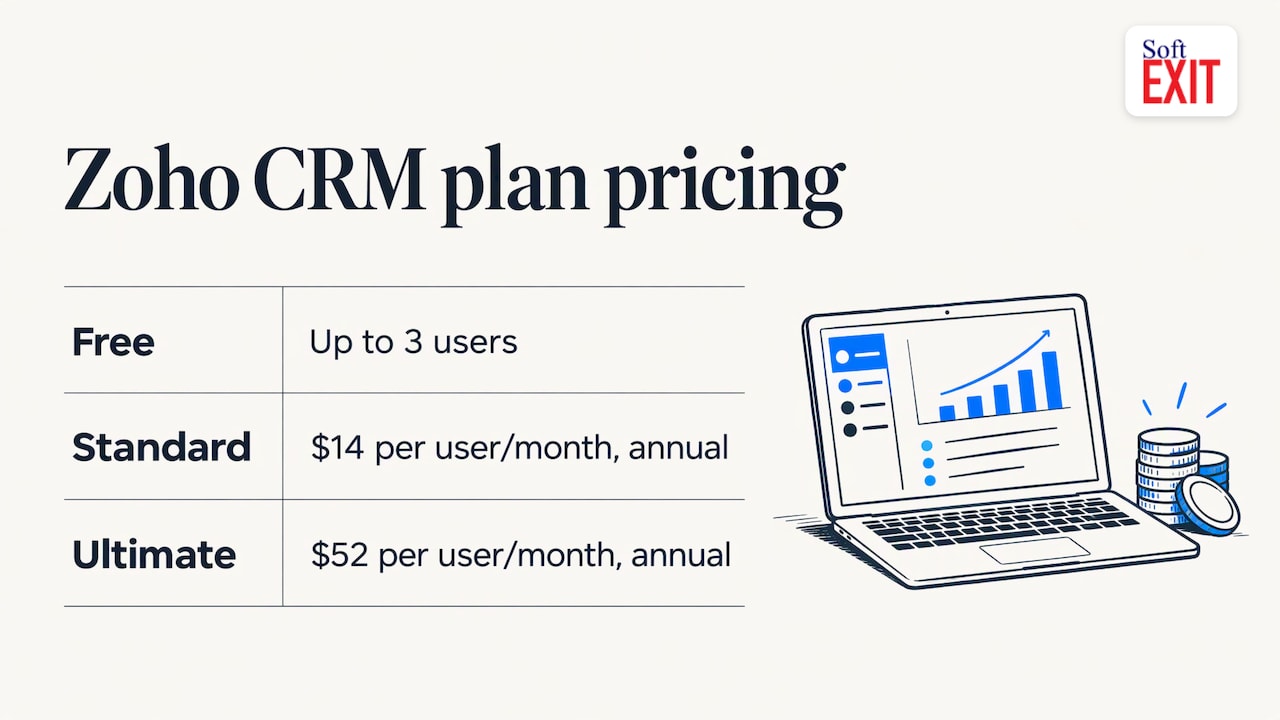
Cost climbs with the tier. Zoho CRM offers a free plan for up to 3 users, and its annual plans run from $14 per user/month (Standard) to $52 per user/month (Ultimate) in 2026. The features most teams want, such as deeper automation and analytics, sit in the higher tiers.
Non-CRM work lives somewhere else. Contracts, inspections, inventory and internal requests usually end up in spreadsheets or in separate subscriptions.
Customization means more tools. When a sales process doesn’t match the standard pipeline, teams add add-ons or move to a builder product.
If any of those sounds familiar, compare the options on four criteria: price per user, how far you can customize without code, whether other business apps run on the same platform, and how AI connects to your data.
Zoho CRM alternatives at a glance
| Option | Best for | Pricing detail | Customization |
|---|---|---|---|
| SoftEXIT Studio | SMBs wanting CRM plus other business apps on one platform | Starter $5, Professional $9 per user/month, billed annually | No-code: forms, relational databases, dashboards, reports, new apps |
| HubSpot | Marketing-led teams that want sales, marketing and service in one ecosystem | Free tier plus per-seat paid tiers | Strong within its own hubs |
| Pipedrive | Teams that live in a visual sales pipeline | Per-user tiers | Pipeline-focused |
| Salesforce Starter Suite | Growing businesses expecting to scale into a larger CRM | From $25 per user/month | Customizable, with more setup |
| monday CRM | Teams already managing projects in monday | Per-seat tiers | Board-based |
| Zoho CRM (baseline) | Teams that want deep automation inside one CRM | Free for up to 3 users, then $14 to $52 per user/month | Broad, tier-dependent |
SoftEXIT Studio: CRM and business apps on one membership
Studio’s approach differs from the others on this list. Instead of selling a CRM and then charging for each additional product, it gives you a platform with a growing set of applications included. SoftEXIT CRM and SoftEXIT Contract Manager are available now, with Driver Vehicle Inspection Reports (DVIR) also offered and more applications planned. Every application runs on the same integrated platform, so contacts, contracts and custom records can sit in one relational database.
The pricing is simple. Apps are included with a SoftEXIT Studio membership starting at $5 per user/month, billed annually:
- Starter: $5 per user/month, billed annually.
- Professional: $9 per user/month, billed annually, and it adds AI Architect.
What you can do without writing code:
- Customize the existing CRM and create relational databases.
- Design forms, dashboards and reports.
- Build entirely new business applications, such as inventory tracking, risk management or operational tools.
- Control access with role-based security and protected fields.
AI Architect, in Professional, translates natural-language business requirements into functional application configurations. It builds on Studio’s established application framework rather than generating custom code, which keeps maintenance and later changes simpler.
Studio also connects AI assistants, including ChatGPT, to your business applications through the Model Context Protocol (MCP). Users can retrieve information, analyze data and perform authorized record operations in plain language. Optional Agent subscriptions add organization-wide AI connectivity with tiered monthly usage allowances, and Studio’s existing security controls and user permissions apply.
A 21-day free trial is available on the SoftEXIT Studio pricing page.
HubSpot: the all-in-one marketing and sales ecosystem
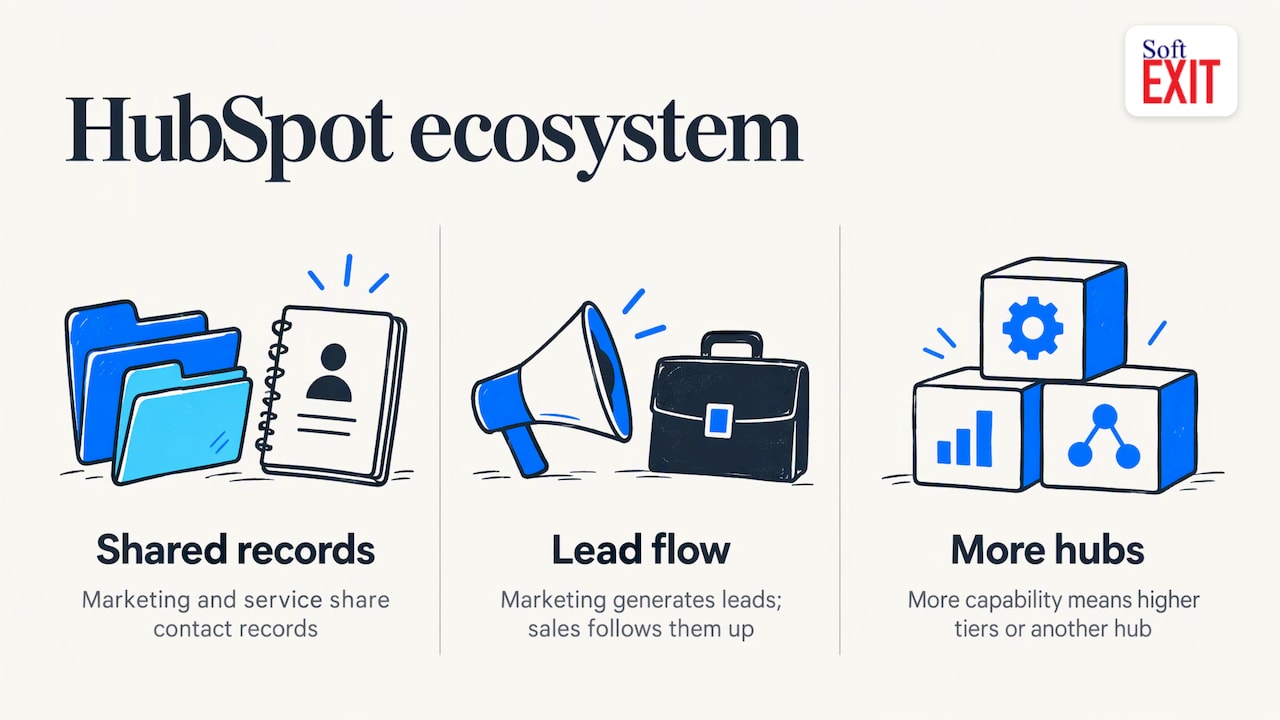
HubSpot is the most searched comparison against Zoho for a reason. Its CRM is easy to start with, and its marketing and service tools share the same contact records. It fits teams where marketing generates the leads and sales follows them up. Because it is organized around its own hubs, extra capability generally means moving up a tier or adding another hub. If your main need is a CRM shaped around your own process plus other internal apps, a no-code platform gives you more room to design. For a three-way breakdown, see our Pipedrive vs HubSpot (and Zoho) comparison.
Pipedrive: a pipeline-first sales CRM
Pipedrive is built around the visual deal pipeline. Reps drag deals through stages, and the interface keeps day-to-day selling simple. It suits small sales teams whose process is a linear series of stages and who mostly need contact and deal tracking. When you also need contract tracking, custom databases or internal forms, those live outside the CRM. Our SoftEXIT CRM vs Pipedrive Growth page puts the two side by side.
Salesforce Starter Suite: room to grow, more to configure
Salesforce is the default name in enterprise CRM, and its entry product is aimed at growing businesses. Starter Suite begins at $25 per user/month, roughly five times a Studio Starter seat. It makes sense when you already know you will need Salesforce’s wider ecosystem. For teams that mainly want flexibility at a lower per-seat cost, our guide to Salesforce alternatives explains the trade-offs.
monday CRM: boards for teams that already work in monday
monday CRM carries monday’s board-style interface into sales. It is a natural choice if your operations team already tracks projects there and wants sales in the same view. Teams that need relational data, role-based security on individual fields or a library of connected business apps usually outgrow a board model.
How to choose: a short checklist
- Count seats and multiply. Take your user count and multiply by each tier’s annual per-user price. Add the cost of every extra app you will need. Our CRM pricing comparison lays out ten platforms side by side.
- List what lives outside the CRM. Contracts, inspections, approvals and inventory are the usual suspects. If three or more are in spreadsheets, favor a platform over a standalone CRM.
- Decide who changes the system. If an operations manager, not a developer, will adjust fields and reports, no-code matters.
- Check data permissions. Sales notes, pricing and contract terms rarely belong in front of every user, so confirm role-based access and field protection.
- Plan AI access. Decide whether you want an assistant such as ChatGPT to query your records, and under which permissions.
A tidy lead process matters as much as the tool. This walkthrough of CRM lead tracking shows how a first contact becomes a booked job, whichever platform you choose.
Our perspective
Most CRM comparisons ask which product has the longest feature list. We think the better question is where your business data ends up after the CRM. Sales data connects to contracts, contracts to deliveries, deliveries to inspections. When each lives in its own subscription, you pay for each, you maintain each, and you reconcile them by hand.
That is why SoftEXIT Studio puts the applications on one platform and includes them with the membership. Our CRM, Contract Manager and DVIR share the same security model and the same data layer, and you can build the next application yourself with no code. With AI Architect, describing the application in plain language is enough to start.
For a team replacing spreadsheets, that is the practical advantage: one price per user, one set of permissions, and room to add the next process without a new vendor.
James Edgell
Try SoftEXIT Studio
If you want a customizable CRM and your other business apps under one membership, SoftEXIT Studio starts at $5 per user/month, billed annually, with Professional at $9 per user/month, billed annually. You can look at the plans and start the 21-day free trial on the SoftEXIT Studio page.
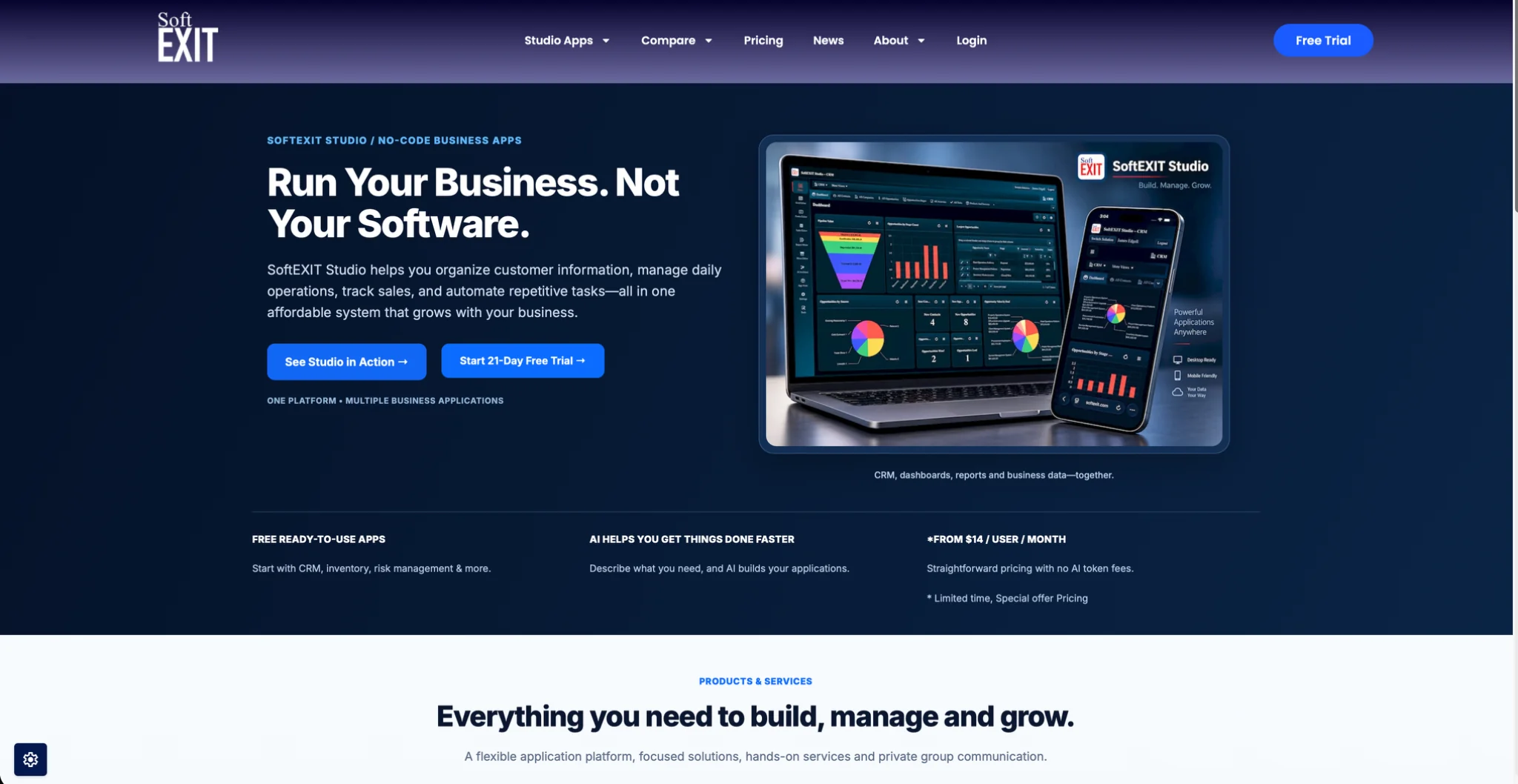
The SoftEXIT CRM page shows what the CRM covers, including contacts, opportunities and pipelines.
FAQ
What is the best alternative to Zoho CRM for a small business?
It depends on what you need beyond contacts and deals. For a team that wants a customizable CRM plus contract tracking and its own apps without per-app fees, SoftEXIT Studio is our pick, from $5 per user/month billed annually. For marketing-led teams, HubSpot is the common alternative, and for pipeline-only selling, Pipedrive.
How much does Zoho CRM cost compared with its alternatives?
Zoho CRM has a free plan for up to 3 users and paid annual plans from $14 to $52 per user/month in 2026. SoftEXIT Studio Starter is $5 and Professional is $9 per user/month, billed annually, with apps included. Always compare per-user price times your seat count, plus any add-ons.
Is a no-code platform a real replacement for a CRM like Zoho?
Yes, when the platform includes a CRM application you can customize. In SoftEXIT Studio, the CRM manages contacts, opportunities and pipelines, and you can add fields, forms, dashboards and reports without code. The same platform can also run contracts and other processes.
Can I connect an AI assistant to my CRM data?
With SoftEXIT Studio, compatible assistants, including ChatGPT, connect through the Model Context Protocol. Users can retrieve information, analyze data and perform authorized record operations. Studio’s security controls and user permissions still apply, and optional Agent subscriptions provide tiered monthly usage allowances.
Sources
- Best CRM for Small Business in 2026, TechnologyAdvice
- 25 Best CRM Software, 2026 Reviews & Pricing, Software Advice