Customer Service Tracking in a CRM: A Practical Setup Guide

Customer service tracking means recording every request, complaint and question a customer raises, in the same system that holds their account history, so that anyone on your team can see what was asked, who owns it, and what happened next. If you are searching for package tracking, carrier sites do that. This guide is for businesses that want to track service work itself, and it shows how to set that up in a CRM without a separate help desk tool.
Key takeaways
-
Track service where the customer record lives. A request that sits in a shared inbox or a spreadsheet loses its context the moment someone else needs it.
-
Every request needs five fields at minimum: customer, owner, priority, status and due date. Add more only when a report needs them.
-
Start with three or four metrics: first response time, time to resolution, open backlog and customer satisfaction.
-
Automate assignment and reminders, but keep a free-text notes field so the human context survives.
-
SoftEXIT CRM is free with a SoftEXIT Studio membership starting at $14/user/month when billed annually, and you can add service tracking fields and dashboards without code.
What customer service tracking in a CRM covers
In a CRM, service tracking is the log of every interaction after (and often before) the sale: support requests, billing questions, returns, complaints, onboarding problems and renewal concerns. Each one becomes a record linked to a company and a contact, not a loose message.
That link is the point. When a sales rep opens an account before a renewal call, they should see the three open issues from last month. When a service rep takes a call, they should see the open deal and the contract terms.
Record these interactions:
-
Inbound requests from phone, email, web forms and chat, each as its own case.
-
Outbound follow-ups, such as check-in calls and status updates you send.
-
Escalations, including who they went to and why.
-
Resolutions, with what was done and whether the customer confirmed it.
-
Feedback, such as a satisfaction score or a complaint note.
The U.S. government’s own contact center is a useful model for the discipline involved. USAGov’s PX Contact Center monitors calls and chats live and reviews recordings for quality, using audits and feedback to help agents give accurate, complete answers. That only works because the interactions are recorded and reviewable. A CRM gives a small business the same foundation at its own scale.
How to set up a CRM to capture service requests
Keep the first version small. Teams that start with 30 fields end up with 30 empty fields.
-
Create a case or request table linked to your companies and contacts. If your CRM lets you add related tables, this is a child of the account.
-
Add the core fields: subject, description, channel (phone, email, web, chat), category, priority, status, owner, date opened, due date and date closed.
-
Define statuses everyone shares. For example: New, In progress, Waiting on customer, Resolved, Closed. Avoid statuses that mean the same thing to only one person.
-
Set categories from real history. Read the last 50 requests and group them. Those groups are your categories, not a list from a template.
-
Add an intake path. Web forms and a monitored email address should create cases automatically, so nothing depends on someone remembering to log it.
-
Set role-based access. Service reps see their cases, managers see all, and sensitive fields stay protected.
In SoftEXIT CRM, you can modify the application directly: add fields, create related tables and build forms on the same platform. A short walkthrough of the CRM shows how contacts, companies and activities connect.
If your team takes calls, also decide how phone conversations get logged. Some businesses use AI phone answering to capture inbound calls and summarize them, then push the result into the CRM as a case. Whatever you use, the rule is the same: every call ends as a record with an owner.
Assigning, prioritizing and following up
A tracked request that nobody owns is just a well-documented failure. Build these habits into the process.
One owner per request
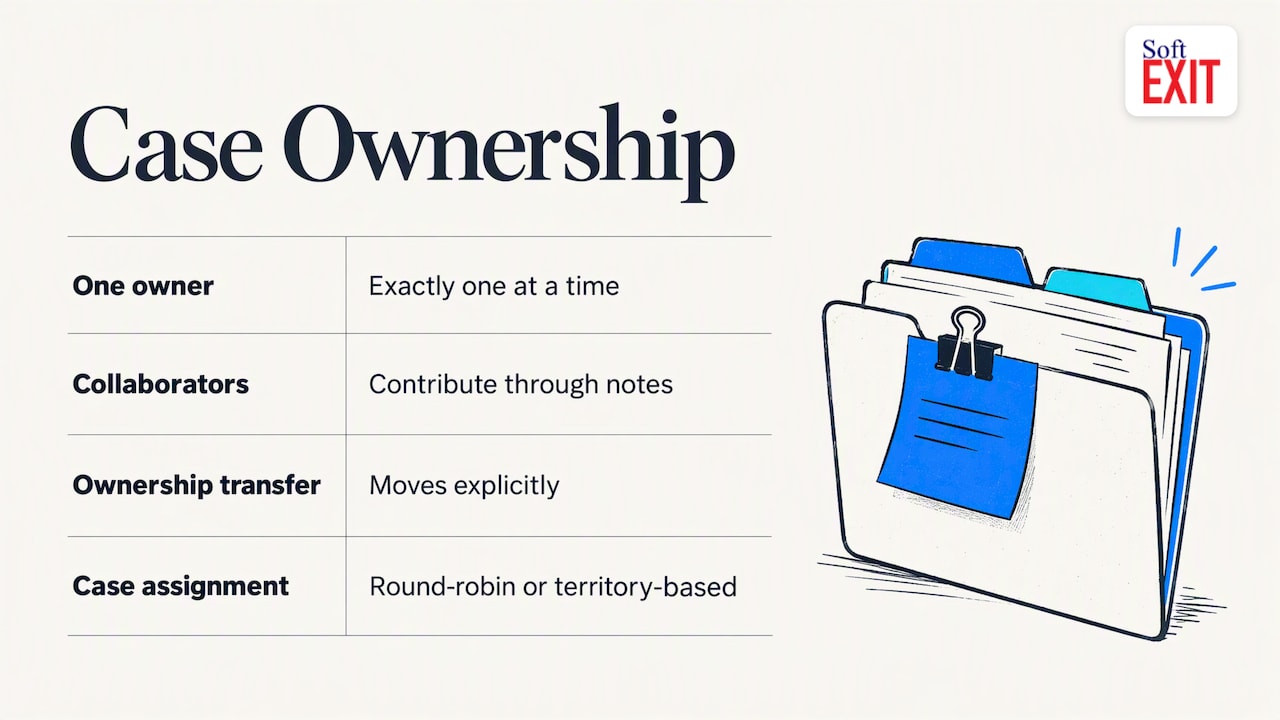
Every case has exactly one owner at a time. Collaborators can be added in notes, but ownership moves explicitly. Use round-robin or territory-based assignment if you have several reps.
A simple priority scale
Use three levels and define each in a sentence:
| Priority | Definition | Example | Target first response |
|---|---|---|---|
| High | Customer cannot work or is losing money | System down, wrong invoice sent to their client | Set by your team, such as same business hour |
| Medium | Work continues but is slowed | A report is missing data | Same business day |
| Low | Question or request for change | How do I export a list? | Next business day |
The response targets above are examples to adapt. Set them to what your team can actually meet, then measure against them.
Follow-up rules
-
Every case in “Waiting on customer” gets a follow-up date.
-
Every resolved case triggers a short check that the fix worked.
-
Every case open past its due date shows up on the manager’s dashboard.
Log an activity each time you contact the customer. The timeline then tells the whole story without anyone having to ask.
Which customer service metrics to track
Pick a few and report them consistently. A long list that nobody reads is worse than four numbers reviewed weekly.
| Metric | How to calculate it | What it tells you |
|---|---|---|
| First response time | Average time between case creation and first reply | Whether customers wait in silence |
| Time to resolution | Average time between opened and closed dates | How long problems actually take |
| Open backlog | Count of cases not yet resolved, by age | Whether the team is keeping up |
| Reopen rate | Reopened cases divided by closed cases | Whether fixes hold |
| Customer satisfaction (CSAT) | Average score from a one-question survey after closing | How customers felt about the outcome |
| Contact volume by category | Cases per week, grouped by category | Where the product or process breaks |
Because the CRM stores opened and closed dates as fields, most of these are simple calculations once the data is clean. Report on cases by category and by account too: three escalations from one customer before renewal is a sales signal, not just a service issue.
Dashboards that show where service breaks
A dashboard should answer a question a manager asks every Monday. Useful starting views:
-
Open cases by owner and age, to balance workload.
-
Cases past due, to catch what is slipping.
-
Weekly volume by category, to spot a recurring defect or confusing process.
-
Accounts with the most open cases, to warn account managers before a renewal.
SoftEXIT Studio supports interactive dashboards and reports on the same data your team works in. Our guide to role-based CRM dashboards walks through building views for different roles.
Automation without losing context
Automation should remove clerical work, not judgment. Good candidates:
-
Assign new cases by category or territory.
-
Send an acknowledgment with the case number.
-
Remind owners when a due date is near.
-
Flag cases that sit in one status too long.
Keep a required notes field on every status change, written by a person: what was tried, what the customer said, what is next. Automated fields tell you when things happened. Notes tell you why. When a case is handed over, the second one is what saves the customer from repeating themselves.
Protecting accuracy and privacy of service records
Service records often hold personal details, account numbers and complaints. Treat them accordingly.
-
Collect only what you need. NIST’s security and privacy control catalog says organizations should minimize collection, use and retention of personally identifiable information to what the business purpose requires. Do not add a field for Social Security numbers because it might be handy.
-
Limit who sees what. Use role-based security and protected fields so only the people who need sensitive data can open it.
-
Keep a change history. You should be able to tell who edited a record and when.
-
Set a retention rule. Decide how long closed cases stay, and delete or archive on schedule.
If your records include regulated data, such as health or payment information, have your attorney or compliance officer confirm what rules apply before you design the fields.
Our perspective
Most small teams do not fail at service tracking because they picked the wrong tool. They fail because tracking lives in three places: an inbox, a spreadsheet and someone’s memory. We built SoftEXIT Studio so the customer record, the open requests, the contract dates and the dashboard sit on one platform, and so you can reshape any of it as your process matures.
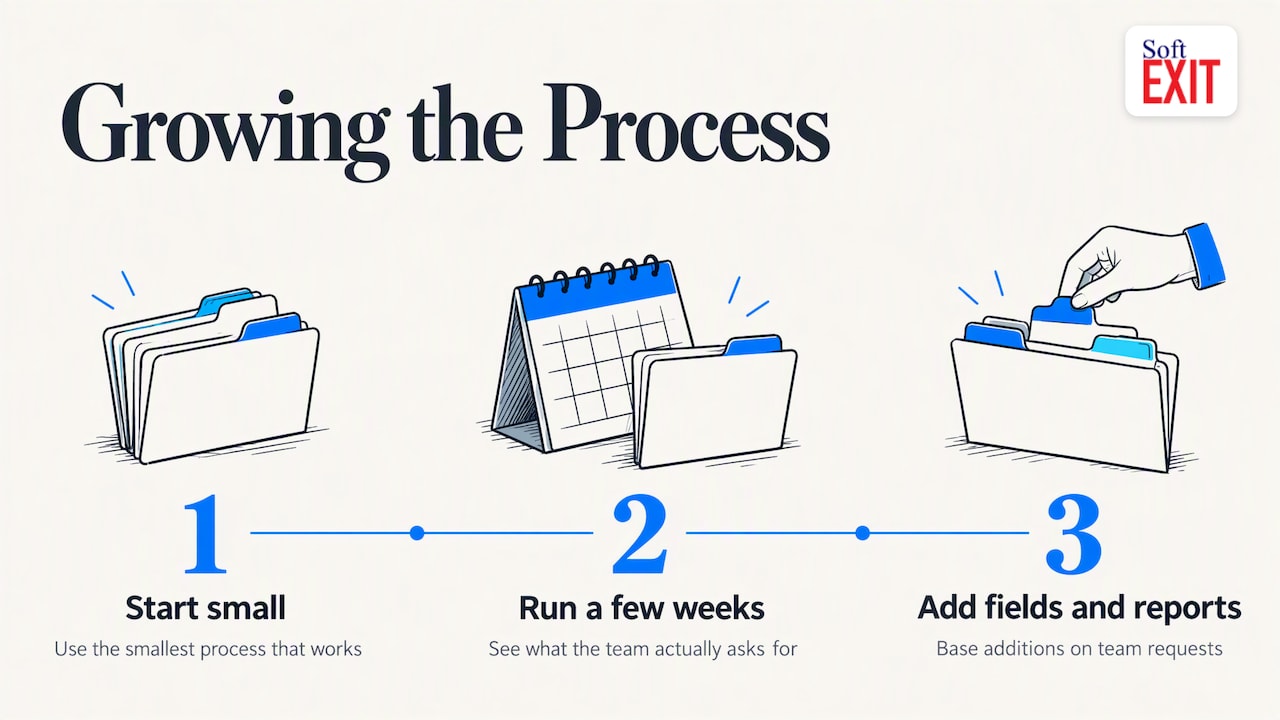
That is also why we include applications with membership rather than selling each one separately. A CRM, a contract manager and a custom service-request app share the same data model, so a renewal date and an open complaint appear on the same account. Start with the smallest process that works, run it for a few weeks, then add fields and reports from what your team actually asks for.
— James Edgell
Try it on your own service process
SoftEXIT CRM, SoftEXIT Contract Manager and SoftEXIT DVIR are free with a SoftEXIT Studio membership. Plans are listed at $14 per user/month for Starter and $24 per user/month for Professional, with Starter billed annually, and there is a 21-day free trial. If you want help configuring cases, dashboards and intake, see our professional services. Comparing options first? Read SoftEXIT CRM vs HubSpot.
FAQ
What is customer service tracking?
It is the practice of logging every customer request, who owns it, its status and its outcome, so nothing is lost and the team can measure performance. In a CRM, each request is linked to the customer’s account and contact history.
Can a CRM replace a help desk?
For many small and midsize teams, yes. If your volume is moderate and your needs are cases, statuses, reminders and reporting, a customizable CRM covers them. Very high ticket volumes or complex multichannel routing may call for dedicated support software.
What should I record for each request?
At minimum: customer, contact, channel, category, priority, owner, status, due date and a notes field for what was done. Add a satisfaction score after closing if you plan to report on it.
How many service metrics should I track?
Start with three or four: first response time, time to resolution, open backlog and customer satisfaction. Add more only when someone will act on the number.
Sources
-
Creating a blueprint for quality: how the PX Contact Center helps agents grow their skills (USAGov)
-
Security and Privacy Controls for Information Systems and Organizations, NIST SP 800-53 Rev. 5