Kintone Alternatives: 7 Options for Custom CRM and Apps

If you’re shopping for Kintone alternatives, you probably like the idea (build your own apps, skip the developers) but something isn’t clicking. Maybe the price per seat, maybe the CRM side feels thin, maybe your team wants AI help with setup. The strongest options in 2026 are Quickbase, Airtable, Zoho Creator, Microsoft Power Apps, Creatio and SoftEXIT Studio. Which one fits depends on whether you mainly need a CRM, a database, or a workflow engine.
Key takeaways
- Kintone is a no-code app builder first and a CRM second. You assemble a CRM from its parts rather than getting one out of the box.
- Quickbase leans toward larger, process-heavy teams. Airtable leans toward flexible databases and collaboration. Power Apps fits best inside a Microsoft shop.
- Creatio and SoftEXIT put the CRM front and center and keep the no-code flexibility behind it.
- SoftEXIT publishes two prices: Starter at $14 per user per month and Professional at $24 per user per month. Enterprise is quoted separately.
- Before you switch, pilot one real process, check security and integrations, and plan your data migration.
Is Kintone a CRM?
Not in the strict sense. Kintone is a no-code platform where you build apps for tracking things: leads, projects, inspections, requests. Sales teams do build CRMs on it, and that works. But you are the one designing the contact, company, opportunity and pipeline structure, and keeping it tidy.

That suits a team with an ops person who enjoys building. It frustrates a sales manager who wants to log a deal on Monday. Most people searching for alternatives fall into the second group, or want the flexibility without the build burden.
How the main alternatives compare
We sell one of these, so read this with that in mind. We’ve kept the criteria to things you can verify on each vendor’s own site.
| Option | Best for | Approach to CRM | Watch out for |
|---|---|---|---|
| Quickbase | Larger teams with complex, governed processes | Build your own on the platform | Can feel heavy for a 10-person sales team |
| Airtable | Flexible databases, content and project tracking | Template-based, built by hand | Row and automation limits as you scale |
| Zoho Creator | Teams already in the Zoho ecosystem | Pairs with Zoho CRM | Two products to learn and connect |
| Microsoft Power Apps | Microsoft 365 organizations | Pairs with Dynamics or Dataverse | Licensing can get tangled |
| Creatio | Mid-market teams wanting AI-native CRM plus workflow | CRM included | More platform than a small team may need |
| SoftEXIT Studio | SMBs wanting a CRM and custom apps on one platform | SoftEXIT CRM ready to use, then customize | Newer name than the giants |
Check current pricing on each vendor’s own page. Plans, seat minimums and billing terms change often, and an old review quoting last year’s rate won’t help you.
Kintone vs Quickbase
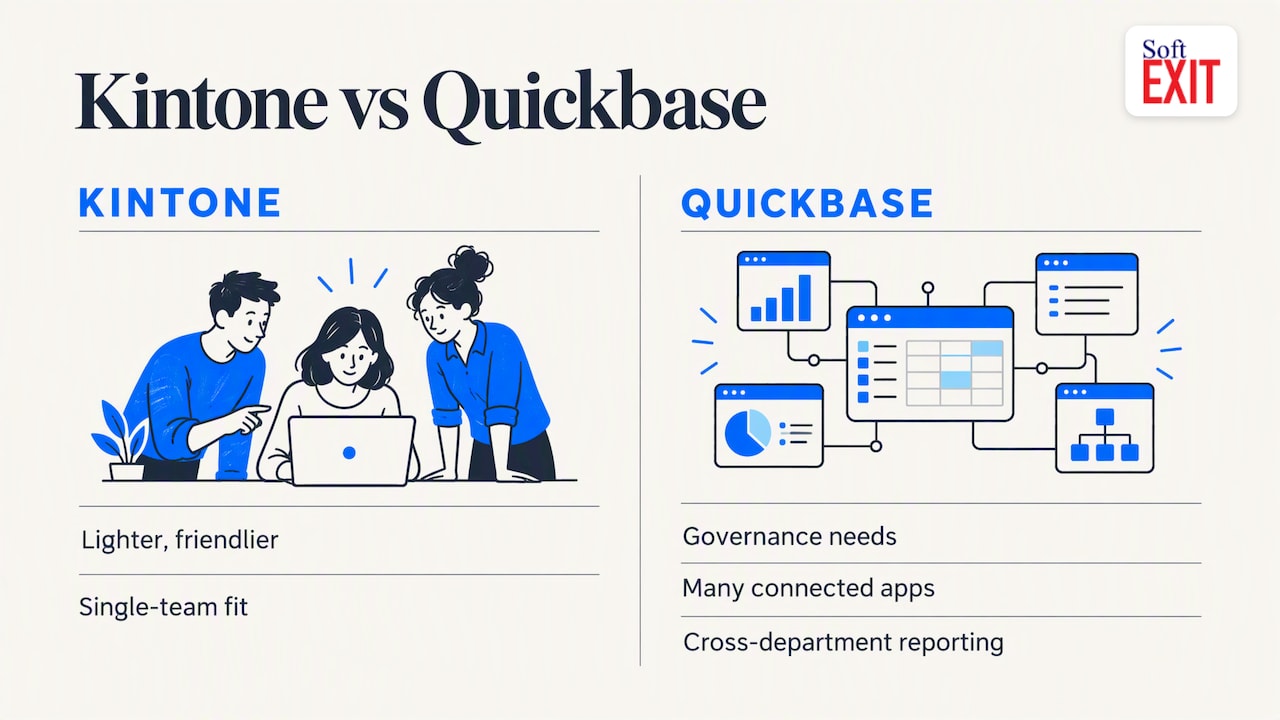
Both let you build custom apps without code. Quickbase tends to appeal to organizations that need governance, many connected apps and detailed reporting across departments. Kintone is lighter and friendlier to a single team that wants to get moving.
If your concern with Quickbase is weight and cost, and with Kintone is the DIY CRM, there is a middle path. We wrote a direct SoftEXIT Studio vs Quickbase comparison that lays out where each one fits.
Kintone vs Airtable
Airtable is the one most people have already touched. It’s quick to start, looks great and handles lightweight CRM in a pinch. Where teams run into trouble is structure: role-based security, hierarchical data and approvals are harder to enforce in a spreadsheet-style tool. Airtable’s pricing changes have also pushed many teams to look around, and we cover that in our guide to Airtable alternatives.
Kintone is more app-oriented than Airtable, with forms, process management and permissions built in. For a sales team, though, neither gives you a pipeline on day one.
Zoho Creator, Power Apps and Creatio
Zoho Creator is the natural step if you already live in Zoho. Creator builds the custom apps and Zoho CRM handles sales. It’s a sensible pairing, but it is two products.
Microsoft Power Apps is hard to beat when your company runs on Microsoft 365 and you have people who know the stack. Outside that world, licensing and connectors take real effort. See our Power Apps comparison for the trade-offs.
Creatio describes itself as an AI-native CRM and no-code workflow platform covering sales, marketing and service, with visual customization tools (overview). It’s a serious option for mid-market teams, and it can be more than a small business wants to administer.
Where SoftEXIT fits
SoftEXIT CRM handles companies, contacts, opportunities, pipelines, activities, tasks and customer service out of the box. It runs on SoftEXIT Studio, our no-code platform, so you can reshape it around how your team works and later add inventory management, contract tracking, risk management or other internal apps without moving to a new tool.
A few things set it apart:
- AI-driven configuration to help create databases, forms, dashboards, reports and workflows.
- Role-based security and protected fields so sensitive data stays with the right people.
- Hierarchical data and interactive dashboards for parent-child records and live reporting.
- Automated data intake and reusable components, so the second app takes less time than the first.
Pricing is per user: Starter at $14 per month and Professional at $24 per month, with Enterprise quoted on request. Full details are on our plans page. For a head-to-head, see SoftEXIT Studio vs Kintone.
A short story about the spreadsheet that ate Tuesday
A sales manager we’ll call Dana ran her whole pipeline in one spreadsheet. It had 14 tabs, three color codes only she understood and a column labeled “maybe?” that nobody dared delete. One Tuesday a teammate sorted column C, and every deal in the company quietly swapped owners. Dana spent the afternoon explaining to a very confused customer why his account rep was now a guy who’d never heard of him. The next week, she asked for a real CRM. Honestly, the spreadsheet had a good run.
Perspective: what we’d check first
Most teams compare feature lists. We’d start with a simpler question: who will own this in six months? A tool that needs a full-time builder works for some companies and stalls at others.
We built SoftEXIT around the idea that a CRM shouldn’t be a rigid box, and a platform shouldn’t be a blank page. Start with a working CRM, shape it to your process, and extend it when the business asks for more. Get one pilot live in days, not quarters, and let real users tell you what’s missing.
One more thing: don’t let the CRM become an island. If your inventory, contracts and customer records live in different tools, you’ll spend your time reconciling them. Putting them on one platform is the cheapest integration you’ll ever buy.
— James Edgell
What to check before you switch
- Run a pilot on one real process. A lead-to-close pipeline is a good choice. Give it two weeks and a handful of actual users.
- Map your data. List the objects you track (companies, contacts, deals, tasks) and how they relate. Clean duplicates before you import.
- Test security. Ask about role-based access, field-level protection and audit trails, and check that they match how your team is organized.
- List integrations. Email, calendar, accounting and any API you depend on. Confirm each on the vendor’s documentation, not the sales call.
- Ask about AI. Find out whether AI helps you configure the system or only adds a chat box on top.
- Total the cost. Seat price, minimum users, add-ons, storage and any implementation help. If you want a hand, our professional services team can handle configuration.
Try SoftEXIT
If you want a CRM that works now and a platform that can grow into your other business apps, look at SoftEXIT CRM or compare the Starter and Professional plans.
FAQ
How much does Kintone cost?
Kintone charges per user per month, and may require a minimum number of users. Rates and plan terms change, so confirm them on Kintone’s own pricing page before you budget. For comparison, SoftEXIT’s published rates are $14 (Starter) and $24 (Professional) per user per month.
Is Kintone a Japanese company?
Kintone was created by Cybozu, a Japanese software company, and is sold in the US as well. That origin is why some of its documentation and community content is more developed in Japan than in English.
What is Kintone used for?
Teams use it to build custom apps for tracking work: customer records, requests, inspections, projects and approvals. It replaces spreadsheets and email threads with forms, databases and simple workflows.
What’s the best Kintone alternative for a small sales team?
Pick the option that gives you a working pipeline fastest without boxing you in later. A CRM-first platform like SoftEXIT or Creatio suits that need better than a blank builder. Pilot two options with the same real process before committing.