Best Airtable Alternatives in 2026
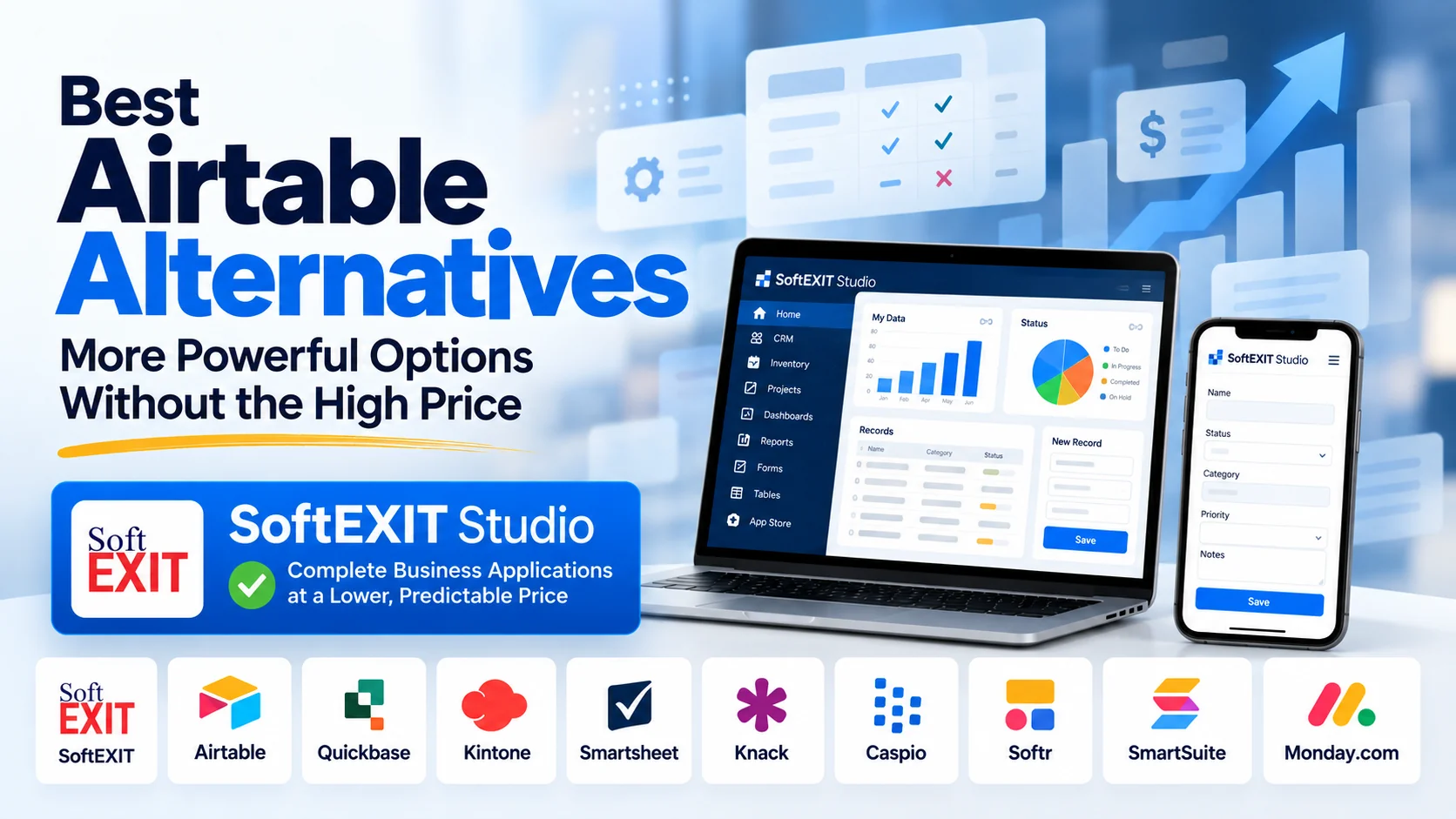
Airtable remains a capable no-code database and collaboration platform, but its September 2026 acquisition gives businesses another factor to consider: long-term pricing, product direction, and platform predictability.
Any major ownership change can affect product strategy over time. That does not mean Airtable will raise prices, reduce features, or make changes that negatively affect customers. It does mean that organizations building systems they may rely on for years should consider switching costs, vendor dependence, pricing structure, and how difficult migration could become once workflows, integrations, permissions, and business processes are deeply embedded.
Airtable Team currently costs $20 per billable collaborator per month when billed annually or $24 when billed monthly. SoftEXIT Studio Starter begins at $14 per user per month annually or $17 monthly. Airtable Help Center
Below are several serious platforms worth comparing with Airtable, starting with SoftEXIT Studio.
| Alternative | Best for | Why consider it? | Starting price used for comparison |
|---|---|---|---|
| SoftEXIT Studio | Complete business applications | Application-first platform with relational data, forms, grids, dashboards, reporting, granular security, reusable solutions, hierarchical data, and AI Architect without Studio per-token charges. | $14/user/month annually; $17 monthly |
| Airtable | Collaborative databases and lightweight applications | Flexible database platform with interfaces, automations, collaboration, AI capabilities, and a large existing ecosystem. | $20/user/month annually; $24 monthly for Team |
| Quickbase | Enterprise low-code applications | Custom database applications, dashboards, workflow automation, reporting, audit capabilities, security, and enterprise controls. | $35/user/month annually, plus platform minimum |
| Kintone | No-code business applications | Custom applications, workflow management, views, collaboration, APIs, and process management. | $24/user/month with a 5-user minimum |
| Microsoft Power Apps Premium | Microsoft-centric low-code applications | Low-code application development with Dataverse, connectors, Microsoft ecosystem integration, governance, and enterprise administration. | $20/user/month annually |
| Smartsheet Business | Project and work management | Project management, workflow automation, dashboards, reports, workload management, and business process tracking. | $19/member/month annually; 3-member minimum |
| SmartSuite Team | Business workflows and operations | Structured records, dashboards, workflow management, project management, forms, and operational applications. | $15/user/month annually; 3-user minimum |
| Monday.com Pro | Work management and workflow automation | Dashboards, workflow automation, project management, forms, integrations, and operational tracking. | $19/seat/month annually |
| Caspio | Larger no-code database applications | No-code application platform with database, authentication, automation, integrations, AI capabilities, and unlimited application users. | $270/month annually |
| Knack | No-code database applications | Relational database, forms, web application design, user roles, automation, APIs, and AI-assisted application building. | $49/month annually |
Why Businesses Are Looking for Airtable Alternatives in 2026
Airtable has made structured data accessible to organizations that might otherwise have relied on spreadsheets, custom software, or traditional databases.
That flexibility is one of its strengths. Teams can begin with a relatively simple base and gradually add views, interfaces, formulas, automations, integrations, permissions, and AI functionality.
The challenge is that a lightweight database can eventually become an operational system.
Once customer data, projects, contracts, workflows, approvals, integrations, and business rules are tied to a platform, changing platforms becomes significantly more complicated than exporting a spreadsheet.
That makes several questions increasingly important:
Does the platform support the type of applications the business will eventually need?
How does pricing change as the number of users grows?
Do advanced capabilities require higher plan levels?
Are there platform minimums, seat minimums, automation limits, AI usage charges, or storage limits?
And if the organization needs to move later, how difficult will that migration be?
For those reasons, the best Airtable alternative is not necessarily the product that looks most like Airtable today. It is the platform that can support where the organization’s requirements are likely to go next.
1. SoftEXIT Studio — Best Overall for Complete Business Applications
SoftEXIT Studio is designed for organizations that need more than a collaborative database.
It is an application-first platform for building complete relational business applications without traditional software development.
Studio includes relational data, forms, grids, dashboards, charts, gauges, reporting, access controls, protected fields, reusable application components, hierarchical data relationships, and application administration in one platform.
SoftEXIT Studio Starter begins at $14 per user per month when billed annually or $17 per user when billed monthly. Professional begins at $24 per user annually or $29 monthly.
Unlike platforms that begin with a spreadsheet-style database and add application features around it, Studio is designed around the business application itself.
An organization can begin with CRM and later add inventory, project management, risk management, contract tracking, customer service, inspections, compliance, or another custom application without introducing an entirely separate software platform.
Studio’s hierarchical data model is particularly useful for applications where information naturally has parent-child relationships. Related records can be organized in a way that is easier for users to understand and navigate without building complex database interfaces manually.
SoftEXIT’s AI Architect is also designed to configure the existing Studio platform rather than generate an independent software codebase.
It can help create tables, fields, relationships, forms, grids, dashboards, menus, validations, and other application components while the underlying platform continues to handle the application infrastructure.
That can reduce the need to manage generated source code, deployment environments, libraries, dependencies, security updates, and ongoing custom application maintenance.
SoftEXIT Studio also does not add Studio per-token charges for AI Architect usage, helping make application-building costs more predictable.
For organizations that want complete business applications rather than simply shared tables, Studio provides a broader application environment at a lower starting per-user price than many established low-code alternatives.
2. Airtable — Best for Collaborative Databases and Lightweight Applications
Airtable remains one of the best-known products in the no-code database market.
Its spreadsheet-like interface makes structured information relatively easy for nontechnical users to understand, while views, interfaces, automations, integrations, and AI capabilities allow teams to create more sophisticated workflows.
Airtable Team currently costs $20 per billable collaborator per month when billed annually or $24 monthly. Airtable’s Business plan is $45 per collaborator annually or $54 monthly. Airtable Help Center
The Team plan currently supports up to 50,000 records per base and 100,000 API calls per workspace per month. Airtable Help Center
Airtable also includes AI credits with its plans, and organizations can purchase additional credits. Airtable states that AI credits are consumed by actions such as AI automations, deep research, categorization, document analysis, and image generation. Airtable Help Center
For organizations primarily looking for a flexible collaborative database, Airtable remains a capable choice.
The consideration is what happens when a base evolves into a business-critical operational system.
At that point, relationships, interfaces, automations, integrations, formulas, permissions, and AI workflows can increase both platform dependence and migration complexity.
That does not make Airtable a poor choice. It simply means buyers should evaluate the long-term architecture and economics rather than only how quickly an initial application can be created.
3. Quickbase — Best for Enterprise Low-Code Applications
Quickbase is a mature low-code platform designed for organizations building custom operational applications.
It provides personalized dashboards, reporting, workflow automation, security controls, encryption, audit logs, integrations, and enterprise administration.
Quickbase Team starts at $35 per user per month when priced annually. Quickbase explicitly states that this price does not include its platform minimum. Business starts at $55 per user per month annually. Quickbase
That makes Quickbase one of the more expensive alternatives in this comparison.
For a 10-user organization, the published Team per-user pricing alone would represent approximately $350 per month before the platform minimum.
Ten SoftEXIT Studio Starter users at the annual rate would cost approximately $140 per month.
Quickbase can be a strong choice for larger organizations that need mature enterprise governance and are comfortable with enterprise-level pricing.
Smaller and midsize businesses should weigh whether they need that level of infrastructure or whether a lower-cost application platform can satisfy the same operational requirements.
4. Kintone — Best for Team Workflow Applications
Kintone combines databases, custom business applications, workflow management, collaboration, views, APIs, and process management in a no-code environment.
Teams can use it to create applications for sales, projects, requests, approvals, inventory, operations, and other internal processes.
Kintone’s Professional plan is priced above SoftEXIT Studio Starter and has a five-user minimum.
That means smaller organizations should consider both the per-user price and the minimum commitment when comparing the two platforms.
Kintone is particularly strong when the primary goal is replacing spreadsheet-driven business processes with structured applications and workflow.
SoftEXIT Studio takes a broader application-platform approach, with deeper emphasis on hierarchical data, reporting, dashboards, reusable components, protected fields, and applications that can share the same platform.
5. Microsoft Power Apps Premium — Best for Microsoft-Centric Organizations
Microsoft Power Apps is one of the largest low-code platforms in the market and can be particularly attractive to organizations already invested in Microsoft 365, Azure, Dynamics 365, Dataverse, Teams, and the broader Power Platform.
Power Apps Premium currently costs $20 per user per month based on annual billing.
Microsoft has already announced that the price will increase to $22 per user per month beginning January 1, 2027. Microsoft
Power Apps can provide tremendous flexibility.
Organizations can build custom applications, connect to Microsoft and third-party data sources, use Dataverse, integrate with Power Automate, and manage applications within Microsoft’s enterprise ecosystem.
For organizations that already have Microsoft administrators, developers, licensing expertise, and infrastructure, that ecosystem can be a major advantage.
The tradeoff can be complexity.
A substantial Power Apps implementation may involve Dataverse, Power Automate, connectors, environments, licensing rules, solution management, administration, and other components of the Power Platform.
SoftEXIT Studio is designed to make application building more self-contained. Tables, forms, grids, dashboards, reporting, security, and application configuration live within the same platform.
For organizations that do not need Microsoft’s broader enterprise ecosystem, that can provide a simpler and less expensive application-building model.
6. Smartsheet Business — Best for Project and Work Management
Smartsheet is primarily a project, program, work, and process-management platform.
Its strengths include sheets, forms, Gantt views, calendars, dashboards, reports, workload tracking, automations, and collaboration.
Smartsheet Business currently costs $19 per member per month when billed annually or $24 monthly and requires at least three members. Smartsheet
Smartsheet can be an excellent choice when the primary need is managing projects, schedules, resources, tasks, and team activity.
Its architecture is different from a relational business application platform.
Organizations that need related business entities, structured parent-child relationships, operational forms, application security, reusable components, and multiple custom applications may find SoftEXIT Studio better aligned with those requirements.
The distinction is less about which platform has more features and more about what kind of system is being built.
7. SmartSuite Team — Best for Operational Work Management
SmartSuite combines work management, structured records, dashboards, workflows, forms, project management, and application-like solutions.
Its Team plan currently costs $15 per user per month when billed annually or $20 monthly and requires at least three billable users. SmartSuite
That puts SmartSuite very close to SoftEXIT Studio Starter on entry price.
Its Professional tier rises to $32 per seat per month annually and requires at least five billable users. SmartSuite
SmartSuite is a strong option for teams that want to organize workflows and operational work in a flexible workspace.
SoftEXIT Studio places greater emphasis on complete relational applications, hierarchical data structures, reusable application components, reporting, security, and application administration.
Because the entry prices are relatively close, buyers should focus primarily on which application model best matches their long-term requirements.
8. Monday.com Pro — Best for Work Management and Workflow Automation
Monday.com is widely used for project management, team coordination, workflow automation, forms, dashboards, and integrations.
Its visual board approach makes work status easy to understand and provides a familiar experience for teams managing projects and operational processes.
Monday.com Pro currently costs $19 per seat per month when billed annually. monday.com
Monday.com also offers lower-priced tiers, including Basic and Standard. For this comparison, Pro is more relevant because it targets teams with more advanced workflow requirements.
Monday.com is a strong choice when the central requirement is work management.
SoftEXIT Studio is designed more specifically around relational data and custom business applications.
For example, a Studio solution could connect companies, contacts, contracts, projects, service cases, transactions, risks, inventory, and other records while providing forms, grids, dashboards, reports, and security across those related entities.
9. Caspio — Best for Larger No-Code Database Applications
Caspio is a long-established no-code platform for creating database-driven web applications.
It supports custom applications, databases, authentication, workflows, integrations, automation, and internal or external users.
Caspio uses a platform-based pricing model rather than the same per-user model as SoftEXIT Studio.
That means the economics depend heavily on the size and type of deployment.
For a large application with many external users, platform pricing can be attractive.
For a smaller internal team, the entry cost can be substantially higher than Studio’s per-user model.
Organizations considering Caspio should compare not only subscription price but also data limits, usage, integrations, automation requirements, and how many applications and users they expect to support.
10. Knack — Best for No-Code Database Web Applications
Knack is a no-code relational database and web application builder.
It provides connected tables, forms, application pages, user roles, automation, APIs, integrations, and AI-assisted application building.
Knack Starter currently costs $59 per month on monthly billing or $49 per month when billed annually. It includes unlimited users, while the Starter plan has limits including 20,000 database records. Knack
That makes Knack’s pricing model fundamentally different from Studio’s.
For a very small internal team, its platform price can be higher than Studio. For applications with many users, unlimited-user pricing may become advantageous.
Because of that difference, Knack should not be compared solely on a per-user basis.
Organizations should also evaluate application limits, record limits, storage, AI credits, authentication, security, audit requirements, and expected user volume.
Airtable vs. SoftEXIT Studio Pricing
The difference between Airtable and SoftEXIT Studio becomes increasingly meaningful as the number of paid users grows.
Airtable Team currently costs $20 per billable collaborator per month when billed annually. SoftEXIT Studio Starter begins at $14 per user per month annually. Airtable Help Center
For a 10-user team:
SoftEXIT Studio Starter: approximately $140 per month.
Airtable Team: approximately $200 per month.
Microsoft Power Apps Premium: approximately $200 per month.
Smartsheet Business: approximately $190 per month.
Monday.com Pro: approximately $190 per month.
Kintone: approximately $240 per month.
Quickbase Team: approximately $350 per month before its stated platform minimum.
For 25 users, Studio Starter would cost approximately $350 per month.
Airtable Team would cost approximately $500 per month.
That represents a difference of approximately $150 per month, or $1,800 per year, before considering Airtable Business, additional AI credits, or other optional capabilities.
Airtable also offers additional AI credits for purchase when organizations exceed included allowances. Airtable Help Center
Price should never be the only reason to choose a business platform.
But when two products can satisfy the same requirement, recurring price differences become increasingly important as an organization grows.
Why Application Architecture Matters
The best Airtable alternative depends on what the organization is actually trying to build.
If the requirement is primarily a flexible shared database, Airtable may remain an excellent choice.
If the primary need is projects, schedules, tasks, and workload management, Smartsheet or monday.com may be better aligned.
If an organization is deeply invested in Microsoft’s ecosystem, Power Apps can offer strong integration advantages.
If enterprise governance and mature low-code infrastructure are essential, Quickbase may justify its higher cost.
If the objective is to create complete relational business applications without introducing a traditional development project, SoftEXIT Studio is designed specifically around that requirement.
This architectural difference becomes more important over time.
A customer list can eventually become a CRM.
A CRM can become connected to contracts, projects, service cases, inventory, billing records, risks, or compliance information.
When those requirements appear, an organization can either continue adding separate tools and integrations or use a platform designed to let multiple applications share related data and reusable components.
What Should You Look for in an Airtable Alternative?
Before selecting an Airtable replacement, look beyond the initial subscription price.
Evaluate the platform’s data model.
Can it handle the relationships your business requires?
Consider how users will interact with the data.
Can you create appropriate forms, grids, dashboards, reports, charts, workflows, and navigation without forcing users to work directly with a spreadsheet-style interface?
Review security.
Can administrators control which users can access particular applications, records, tables, or sensitive fields?
Consider scalability.
Do higher record volumes, storage, API usage, automation, AI features, or additional applications require significantly more expensive plans?
Review pricing carefully.
Some platforms charge by user. Others charge by member, seat, application, platform, usage, AI credits, or combinations of those models.
Minimum seat requirements and platform minimums can also substantially change the real entry price.
Finally, consider migration risk.
The more business logic, integrations, forms, automations, permissions, and processes an organization builds into a platform, the more difficult moving away from that platform can become.
Is SoftEXIT Studio Cheaper Than Airtable?
Yes, based on the current standard annual pricing of the two products.
SoftEXIT Studio Starter begins at $14 per user per month when billed annually.
Airtable Team currently costs $20 per billable collaborator per month when billed annually. Airtable Help Center
For 10 users, that is approximately $140 per month for Studio Starter versus $200 per month for Airtable Team.
For 25 users, the difference becomes approximately $350 per month for Studio compared with $500 per month for Airtable.
For 50 users, the difference would be approximately $700 per month for Studio compared with $1,000 per month for Airtable Team.
That is approximately $3,600 per year in difference at 50 users before considering higher plan levels, AI credits, integrations, or other optional services.
What Is the Best Airtable Alternative for Relational Business Applications?
Organizations specifically looking for relational operational applications should consider platforms such as SoftEXIT Studio, Quickbase, Kintone, Microsoft Power Apps, Caspio, and Knack.
Quickbase offers mature enterprise low-code capabilities but begins at $35 per user per month annually and also has a platform minimum. Quickbase
Microsoft Power Apps offers significant flexibility and strong integration with the Microsoft ecosystem but introduces the wider Power Platform environment and licensing model.
Kintone is well suited to no-code workflow and team applications.
Knack and Caspio use platform-oriented pricing models that can become attractive for particular deployment sizes.
SoftEXIT Studio is designed to combine relational and hierarchical data, forms, grids, dashboards, reporting, security, reusable application components, and AI-assisted configuration within one platform at a straightforward per-user price.
Is Airtable Still a Good Platform After the Acquisition?
Airtable remains a capable platform.
An ownership change by itself is not a reason to assume that a product will become more expensive, lose capabilities, or decline in quality.
Organizations should therefore evaluate Airtable based on its current product, pricing, reliability, support, and suitability for their requirements.
The acquisition does introduce another long-term factor to consider, particularly for organizations deciding whether to build mission-critical systems that may be difficult to move later.
Past decisions involving other acquired products do not necessarily indicate what will happen with Airtable, and no future pricing, staffing, product, or policy changes should be inferred as certain.
The practical lesson applies to any SaaS platform: the more important the application becomes to the business, the more important it is to understand both the cost of staying and the cost of eventually leaving.
Which Airtable Alternative Is Best for a Small or Mid-Sized Business?
The best choice depends on the problem being solved.
For project and work management, Smartsheet or monday.com may be the strongest candidates.
For organizations already centered around Microsoft technologies, Power Apps deserves serious consideration.
For workflow-centric team applications, Kintone and SmartSuite can be attractive.
For large enterprise low-code deployments, Quickbase provides mature governance and administrative capabilities.
For database web applications with large numbers of end users, Knack or Caspio may have advantageous pricing models.
For organizations that need complete relational business applications and expect those applications to expand into multiple operational areas, SoftEXIT Studio is designed specifically for that use case.
The objective should not be to choose whichever product has the longest feature list.
The better choice is the platform that delivers the capabilities the organization actually needs at a level of complexity and cost it can sustain over time.
* Pricing, features, plan availability, usage limits, product capabilities, minimum commitments, record limits, AI allowances, and promotional offers referenced in this article are based on publicly available information reviewed at the time of publication and may change without notice.
Readers should verify current pricing, features, limits, and terms directly with each provider before making a purchasing decision.
Some vendors use per-user pricing while others use account-level, platform-level, application-level, usage-based, AI-credit-based, or mixed pricing models. Direct price comparisons therefore may not represent the economics of every deployment.
Some products also offer lower-priced plans than the tiers discussed in this article. Where a higher tier is used for comparison, it is because that tier provides capabilities more relevant to the business-application use cases being discussed.
Any discussion of Airtable’s acquisition, potential future pricing, product direction, staffing, support, policies, or strategic changes is based on publicly available information and general business considerations. SoftEXIT does not claim that any particular future change will occur.
Comparisons in this article reflect SoftEXIT’s assessment of publicly available product information and are provided for general informational purposes only.
Product names, trademarks, and logos belong to their respective owners. SoftEXIT is not affiliated with or endorsed by Airtable, Quickbase, Kintone, Microsoft, Smartsheet, SmartSuite, monday.com, Caspio, Knack, or other companies referenced unless expressly stated.
SoftEXIT Studio pricing, features, and capabilities may also change over time. Please refer to SoftEXIT’s current pricing and product information for the latest details.