Get Live in Days: No Code Salesforce Alternatives for SMBs

SoftEXIT CRM is the most practical Salesforce alternative for small and midsize teams that want no-code customization, lower admin costs, and a faster path to a working system. Beyond SoftEXIT CRM, buyers typically weigh marketing-led platforms like HubSpot CRM, sales-first tools like Pipedrive, and open-source options like SuiteCRM or Odoo CRM. We built this guide to compare those categories honestly, then walk through a decision framework and a migration checklist.
TL;DR:
- SoftEXIT CRM allows business users to configure their system without developers, reducing ongoing setup costs and enabling faster changes as processes evolve.
- It supports quick implementation within days for small teams and easier scalability into operational workflows, making it suitable for SMB growth without migrating to complex platforms.
- Compared to marketing-led or open-source options, SoftEXIT CRM minimizes hidden costs and requires less technical expertise for configuration and maintenance.
- A phased migration approach starting with a pilot team reduces risks and helps validate data models and workflows before full deployment.
- Support designed for no-code platforms means faster, documentation-based assistance rather than reliance on external developers or lengthy support tickets.
Table of Contents
- A Practical Shortlist of Salesforce Alternatives for SMBs
- What Actually Separates One Salesforce Alternative From Another
- How to Choose and Migrate Without Losing Momentum
- Why SoftEXIT CRM Reduces the Admin Load
- Customer Support and Community Resources Quality
- Scalability and Suitability for Company Growth Stages
- What We’d Tell a Friend Choosing Right Now
- Try SoftEXIT CRM Before You Commit to Anything Bigger
- FAQ
- Sources
A Practical Shortlist of Salesforce Alternatives for SMBs
Picking a Salesforce alternative usually comes down to one question: how much time and headcount can your team spend running the system versus using it. We built SoftEXIT CRM on SoftEXIT Studio, a no-code application platform, specifically so business users can configure tables, forms, grids, dashboards, charts, status boards, and relationships themselves, without waiting on a developer or a certified administrator. That matters because the biggest hidden cost of a CRM switch is rarely the license. It is the ongoing configuration work every time your sales process changes.
Several categories compete for the same budget. Marketing-led platforms like HubSpot CRM bundle contact management with email and campaign tools, which suits teams that sell through inbound content. Sales-first platforms like Pipedrive, Close, and Bigin emphasize pipeline visualization and activity tracking for small sales teams that want speed over configurability. Open-source and self-hosted systems, including SuiteCRM, Odoo CRM, EspoCRM, Dolibarr, YetiForce, Perfex CRM, and ERPNext, trade license fees for internal hosting and maintenance work. Newer entrants like Twenty CRM, Coffee, and Attio pitch themselves as lighter, modern takes on the same data model.
Each category solves a narrow problem well and creates a different trade-off. HubSpot CRM’s marketing bundle can mean paying for features a pure sales team never touches. Pipedrive’s simplicity can run out once a business needs custom objects or layered permissions. Open-source platforms avoid per-seat fees but shift configuration and hosting onto whoever manages your servers, which is rarely a fit for a five-person sales team.
SoftEXIT CRM occupies a different spot. Because it runs on SoftEXIT Studio, a business user who understands the sales process, not a developer, can add a custom field, build a new status board, or wire up a Micro-Workflow that moves a deal automatically when a condition is met. The SoftEXIT App Store adds free applications that extend what a team can build without custom development, which keeps the platform useful as needs grow past basic contact and deal tracking.
- SoftEXIT CRM: no-code configuration of tables, dashboards, and workflows; best for SMBs that want to own their setup without developer dependence.
- HubSpot CRM: marketing and sales bundle; best for inbound-led teams that want campaigns and contacts in one place.
- Pipedrive, Close, Bigin: pipeline-first simplicity; best for small sales teams that want visual deal tracking with minimal setup.
- SuiteCRM, Odoo CRM, EspoCRM, ERPNext: open-source and self-hosted; best for teams with internal IT capacity who want to avoid per-seat licensing.
- Twenty CRM, Coffee, Attio: modern lightweight CRMs; best for small teams wanting a simpler data model than legacy platforms.
| Option | Best for | Pricing shape | Implementation time | Extensibility |
|---|---|---|---|---|
| SoftEXIT CRM | SMBs wanting no-code control of their own setup | Starter $17 per month per user; Professional $29 per month per user | Days, business users configure directly | No-code tables, forms, dashboards, Micro-Workflows |
| Marketing-led CRM (HubSpot-style) | Inbound teams needing campaigns plus contacts | Tiered per-seat, free entry tier common | Days to a few weeks | Moderate, marketing-centric customization |
| Sales-first CRM (Pipedrive-style) | Small teams wanting fast pipeline setup | Low per-seat monthly fee | Days | Limited custom objects, mostly pipeline fields |
| Open-source CRM (SuiteCRM/Odoo-style) | Teams with in-house IT wanting to avoid license fees | No license fee, hosting and labor cost instead | Weeks, depends on internal setup skill | High, but requires developer involvement |
| Enterprise CRM (Salesforce) | Large orgs needing deep extensibility and governance | High per-seat cost plus admin and consultant fees | Weeks to months | Very high, usually requires certified administrators |
What Actually Separates One Salesforce Alternative From Another
Most comparison charts list features. What SMB buyers actually need to weigh is how those features translate into hours spent and risk taken on. Four dimensions do most of the work in a real decision.
- Implementation time. This is the gap between signing a contract and a sales team actually working deals in the new system. A sales-first or no-code platform can get a small team live in days. Platforms built around heavy customization, including Salesforce, commonly take weeks to months once data migration, workflow rebuilding, and user training are factored in.
- Admin burden. Every CRM needs someone to maintain it: adding fields, adjusting permissions, fixing broken automations. The question is whether that person needs specialized training. A no-code platform lets a sales operations lead make most changes directly. A heavily customized enterprise platform often requires a certified administrator or an outside consultant, which adds a recurring cost beyond the license.
- Extensibility without new hires. Extensibility matters, but only if your team can actually use it. A platform that supports deep customization but requires a developer for every change effectively caps what a lean team can do with it.
- Hidden add-on costs. Marketing automation, advanced reporting, and sandbox environments are frequently separate line items. Budgeting for the base license alone understates the real cost for most platforms in this category.
Mapping these dimensions to buyer profiles helps narrow the field quickly. A startup with fewer than ten users should prioritize speed to value and low admin overhead over maximal extensibility, since nobody on the team has spare hours for platform administration. A 20 to 50 person sales organization with a dedicated operations role can absorb more configuration work and may value deeper customization. A company already running custom internal tools alongside its CRM should weigh whether a single no-code platform can cover both, rather than maintaining separate systems.
Pro Tip: During a demo, ask the vendor to add a new custom field and a simple automation rule live, on the spot, without an engineer on the call. If they cannot, your team will face the same wall after you sign.
How to Choose and Migrate Without Losing Momentum
Choosing a Salesforce alternative is only half the decision. The migration itself determines whether the new platform actually gets adopted or quietly ignored while everyone keeps using spreadsheets.
Start by asking the right questions in every demo:
- How is the data model structured, and can we see our own records (contacts, companies, deals) mapped into it before committing?
- What is the rollback plan if the migration needs to pause or reverse partway through?
- How does the platform integrate with the email, calendar, and support tools we already use?
- What service-level commitments apply to uptime and support response times?
- Is a sandbox or trial environment available to test configuration changes before they go live?
A phased migration reduces risk far more than a single cutover weekend. Start with a minimal viable pilot: migrate one team’s active pipeline and a recent slice of closed deals, not the entire historical database. This lets a small group validate the data model and workflows before the whole company depends on them.
- Phase 1: Import core company and contact records, plus open deals, into the new system for one pilot team.
- Phase 2: Rebuild essential workflows and dashboards, then run the pilot team in parallel with the old system for two to four weeks.
- Phase 3: Migrate remaining historical data and retire the old system once the pilot team confirms adoption.
Assign clear ownership before the first record moves. One person should own the data migration itself, another should own workflow configuration, and a third should own user training and adoption tracking. Without named owners, migrations stall in the ambiguous middle where everyone assumes someone else is handling the next step.
Watch for a few red flags during evaluation. A vendor that cannot demonstrate live configuration changes likely requires developer support for routine work. A platform with no clear data export path risks locking you in the same way a legacy system might. And a quote that balloons once implementation and training are added suggests the advertised price understates the real cost of ownership.
Why SoftEXIT CRM Reduces the Admin Load
SoftEXIT CRM runs on SoftEXIT Studio, our no-code application platform, which changes who can make changes to the system, not just how fast they happen, illustrating the trend in adaptive SaaS and customization. A sales manager, not a developer, can build a new pipeline stage, add a custom field to a deal record, or set up a status board that shows exactly where every opportunity sits.
That capability rests on a specific set of features designed for teams without dedicated technical staff:
- Interactive dashboards that business users configure directly, without writing queries or waiting on a reporting team.
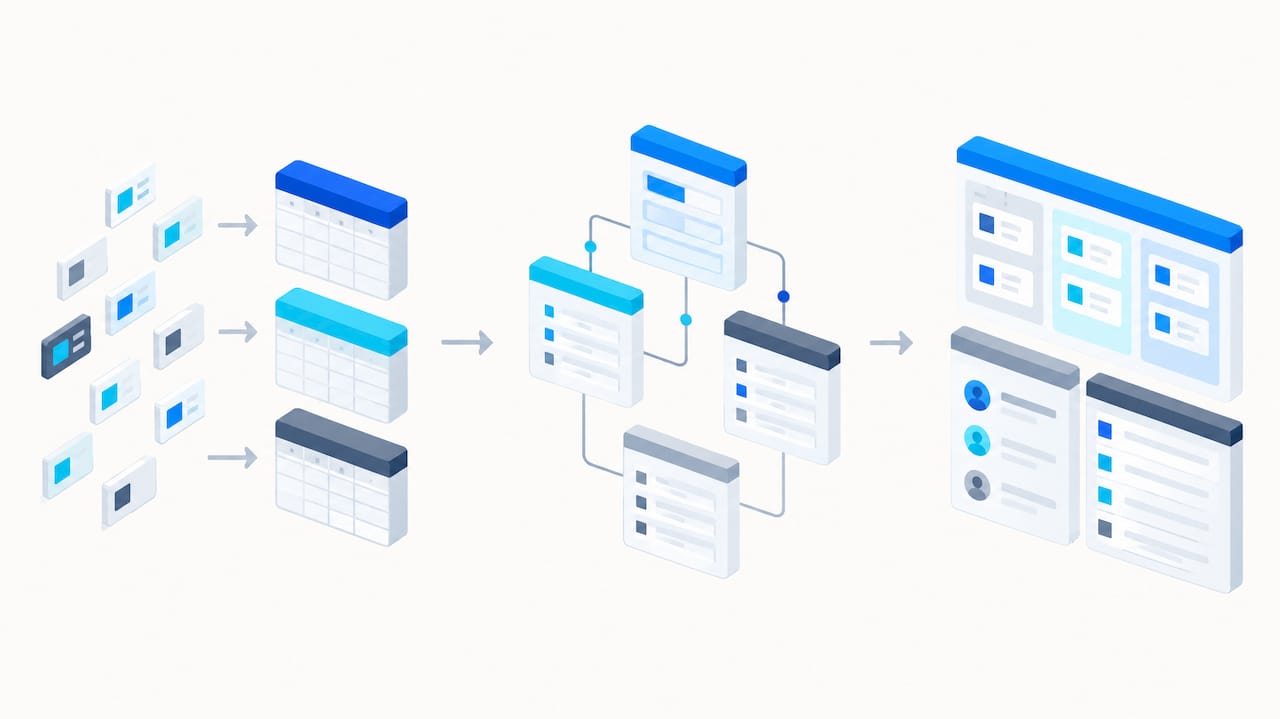
- Hierarchical data that connects parent and child records, so a company record can roll up related contacts, opportunities, and activities automatically.
- Role-based security and protected fields that limit who can view or edit sensitive data, configured through the interface rather than code.
- Automated data intake that brings in leads or records from forms without manual entry.
- Micro-Workflows that automate routine steps, such as moving a deal stage or sending a notification when a condition is met.
- My Data, which filters views down to the records a specific user owns, so a rep sees their own pipeline without digging through the full database.
- AI Architect, which helps configure tables, forms, and workflows through guided, AI-assisted setup rather than manual schema design.
- Importing existing data directly into the platform, so switching from spreadsheets or a prior CRM does not require a full rebuild from scratch.
Each of these features points at the same underlying idea: configuration should be something a business owns, not something it outsources. A dashboard a sales manager built herself gets maintained. One built by a contractor six months ago and never touched again does not.
The practical effect shows up during migration. Because tables, forms, and relationships are configured through native tools rather than custom code, a pilot team can often see their own data structured correctly within days rather than weeks. For a side-by-side look at how this compares specifically to Salesforce’s data model and administration requirements, see our SoftEXIT CRM versus Salesforce comparison. For teams weighing a sales-first pipeline tool instead, our comparison with Pipedrive’s Growth plan covers the trade-offs directly.
Review aggregates and analyst sites such as Gartner’s alternatives listings are a useful way to cross-check how buyers across categories evaluate CRM and collaboration alternatives before committing to a shortlist.
Customer Support and Community Resources Quality
Support quality varies sharply across this category, and it tends to track directly with company size and business model. Open-source platforms like SuiteCRM, Odoo CRM, EspoCRM, and ERPNext lean on community forums and documentation as the primary support channel, which works well for teams with in-house technical staff but leaves non-technical teams stuck when something breaks. Larger platforms typically offer tiered support, where faster response times are reserved for higher-cost plans.
For SMB buyers, the practical question is whether support assumes you have a developer on staff. A platform that requires raising a ticket and waiting on engineering to fix a broken workflow creates real delays for a lean team. We built support around SoftEXIT CRM’s no-code model specifically so most configuration questions, like how to adjust a dashboard or set up a new Micro-Workflow, can be resolved through documentation and direct guidance rather than a development queue. Service-desk platforms such as Zendesk, Freshdesk, Zoho Desk, HubSpot Service Hub, Help Scout, Intercom, and HappyFox occupy a related but distinct category: they handle customer-facing support, not CRM administration, and SMBs evaluating a Salesforce alternative should budget for them separately if customer service is a core need.
Scalability and Suitability for Company Growth Stages
The right platform at ten employees is not always the right platform at a hundred, and buyers should weigh growth trajectory, not just current headcount. A startup under ten users benefits most from speed and low admin overhead, since nobody has spare hours to manage a complex system. A sales-first tool or a no-code platform like SoftEXIT CRM fits that stage well because setup stays fast and ownership stays internal.
As a company grows past fifty or so users, the same simplicity needs to scale without forcing a full platform migration. This is where SoftEXIT CRM’s foundation on SoftEXIT Studio matters: because the platform supports expansion into other business applications, including inventory tracking, contract management, and operational workflows, a growing team can extend the same system rather than bolting on separate tools for each new need. Open-source platforms can scale technically but usually demand a growing internal IT function to keep pace. Enterprise platforms like Salesforce scale well for very large, complex organizations but bring administrative overhead that outpaces the needs of most SMBs well before headcount reaches enterprise scale.
What We’d Tell a Friend Choosing Right Now
The conventional advice is to pick the CRM with the most features and grow into it. That advice is backward for most SMBs. The platforms that fail inside sales teams are usually the ones with the most latent capability and the fewest people able to use it. A system your team can actually configure today beats a system that promises everything once you hire a specialist to run it.
If speed matters more than depth right now, start with a 30 to 90 day pilot on a single team’s live pipeline rather than a company-wide rollout. Track one adoption metric, like the percentage of deals logged in the new system versus the old one, and let that number drive the go or no-go decision. Escalate to a larger implementation, or consider a platform like Salesforce, only once your process genuinely outgrows no-code configuration, not before.
— James Edgell
Try SoftEXIT CRM Before You Commit to Anything Bigger
We built SoftEXIT CRM so a sales team gets the structure of a real CRM, pipelines, dashboards, hierarchical records, role-based security, without the administrative weight that usually comes with it. Pricing starts at $14 per month per user on the Starter plan, or $24 per month per user on Professional, and every table, form, dashboard, and Micro-Workflow is something your own team configures, not something locked behind a developer queue.
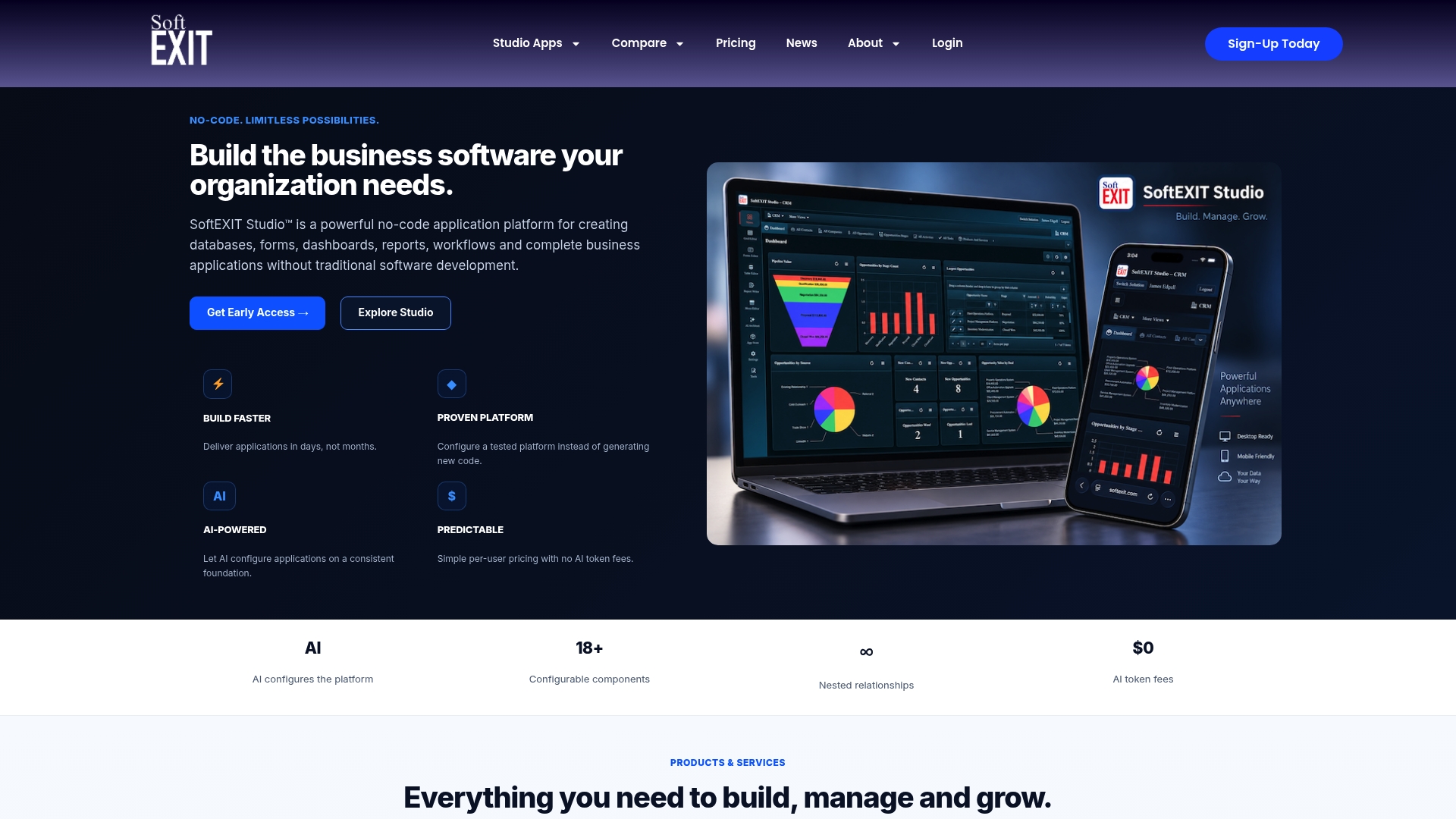
That ownership extends past the CRM itself. Because SoftEXIT CRM runs on SoftEXIT Studio, the same no-code tools that build your sales pipeline can configure status boards, connected hierarchical records, and workflows for other parts of the business as needs grow, and the SoftEXIT App Store adds free applications that extend what you can build without any additional development work.
- Configure tables, forms, dashboards, and Micro-Workflows directly, with no code and no developer dependency.
- Import your existing contact and deal data rather than starting from a blank system.
- Use My Data filtering so every rep sees their own pipeline without extra setup.
- Expand later into inventory, contract, or operational applications on the same platform.
If you want to see the platform before changing anything in your current setup, walk through the SoftEXIT CRM product walkthrough or review the SoftEXIT CRM product page for a full feature breakdown. For teams actively comparing against a marketing-led platform, our direct comparison with HubSpot lays out the trade-offs plainly. When you’re ready, start a pilot and see how quickly your own team can configure it.
FAQ
Who is Salesforce’s biggest competitor?
No single product holds that title across every category; buyers typically compare Salesforce against marketing-led platforms like HubSpot CRM, sales-first tools like Pipedrive, and no-code platforms like SoftEXIT CRM, depending on what the buyer values most. The right comparison depends on whether a team prioritizes marketing bundling, pipeline simplicity, or configuration control.
What are the top 3 CRM systems?
There is no single authoritative ranking, since the right system depends heavily on company size, budget, and technical resources. For SMBs weighing cost and configurability, SoftEXIT CRM, HubSpot CRM, and Pipedrive represent three commonly compared starting points across the no-code, marketing-led, and sales-first categories.
Why is Salesforce falling out of favor with some SMBs?
Smaller teams increasingly cite the cost of licenses, consultants, and certified administrators needed to run Salesforce effectively, alongside implementation timelines that often stretch into months. Lighter, no-code alternatives let business users configure their own systems directly, which reduces both cost and the wait time for routine changes.
Is Salesforce obsolete?
No, Salesforce remains a widely used and highly extensible platform, particularly for large organizations with complex governance and integration needs. It is not obsolete, but for many SMBs its administrative overhead and cost outweigh the benefit of capabilities they are unlikely to fully use.
How long does it take to migrate to a Salesforce alternative?
Migration timelines vary by platform and data volume, but a phased pilot approach, starting with one team’s active pipeline, can often get a small group live within days on a no-code platform like SoftEXIT CRM. Full company-wide migration, including historical data and workflow rebuilding, typically takes longer and should be planned in phases rather than a single cutover.