Run a 4–8 Week Pilot: Internal Communication Tools for Managers

Internal communication tools are the software systems that help organizations share information, coordinate work, and keep employees connected, spanning intranets, employee apps, chat platforms, newsletters, and digital signage. If you manage a team or lead a communication function, your first move should be auditing who needs to hear what and then piloting the channel your people already trust most, often supervisors paired with an intranet or employee app.
TL;DR:
- Targeted messaging is essential, with the ability to deliver content by location, department, or role, especially for urgent safety alerts.
- Frontline and non-desk employees rely heavily on mobile apps and signage, making mobile-first features and simple sign-up processes crucial.
- Security and governance features such as role-based access, data retention controls, and audit logs are vital to maintain trust and compliance.
- Implementing a pilot with clear success metrics over four to eight weeks helps determine tool fit and encourages adoption among employees and managers.
- No-code configurable platforms can better align communication workflows with organizational structures, easing deployment and governance.
Table of Contents
- At-a-glance categories and when to use each
- Deep dive: key features and capabilities to evaluate
- How to choose the right mix for your organization
- Implementation and adoption: making tools work
- Privacy, security and governance considerations
- Integrations, architecture, and measurement
- How a configurable no-code platform can serve internal communication needs
- Author perspective and recommendation for managers
- Getting started with a configurable communication and CRM platform
- FAQ
- Sources
At-a-glance categories and when to use each
Before comparing vendors, it helps to know what kind of tool solves which problem. Each category below serves a distinct job, and most organizations end up running two or three of them together rather than picking a single winner.
- Intranets: a central hub for policies, directories, and company news, best for organizations that need one source of truth across departments.
- Employee apps: mobile-first platforms built for frontline and non-desk workers who lack a company e-mail address or desk computer.
- Collaboration and chat tools: real-time messaging for project coordination, best for desk-based teams that need quick back-and-forth.
- Newsletters and digest tools: scheduled, curated updates that work well for leadership messaging and reducing daily noise.
- Digital signage: screens in break rooms or production floors, best for shift-based or manufacturing environments without personal devices.
- Survey and pulse-feedback tools: short, recurring questions that measure sentiment and surface issues before they escalate.
- Recognition platforms: peer-to-peer or manager-driven shoutouts that reinforce culture and retention.
- Knowledge bases and wikis: searchable repositories for process documentation, best for onboarding and reducing repeat questions.
- Crisis and emergency notification systems: high-priority alert channels reserved for safety and business continuity events.
- Video and town hall platforms: live or recorded leadership broadcasts for large, dispersed audiences.
For each category, run a quick feature check before you commit: does it support targeted delivery by location or role, does it work on personal mobile devices without a company account, and can it report whether a message was actually opened. Desk-based teams tend to adopt chat and intranet tools quickly, while non-desk and frontline employees depend almost entirely on mobile employee apps and signage, since they rarely touch a company laptop during a shift. Information overload is a real risk when you stack too many of these categories without clear rules about what goes where, so matching category to audience matters more than collecting every feature on the market.
A useful shortcut: if a message is urgent and safety-related, it belongs in the crisis system, not buried in a newsletter. If it is routine policy information, it belongs in the intranet or knowledge base, not a chat channel where it will scroll out of view within a day. Sorting content this way before you even open a vendor demo saves weeks of later rework.
Deep dive: key features and capabilities to evaluate
Once you know which categories you need, the next step is comparing specific features within those categories. Vendors vary widely in how well they execute targeting, content flexibility, mobile access, analytics, integrations, and security, and these differences decide whether a tool gets used or ignored after launch.
- Targeting and segmentation: look for the ability to send messages to specific locations, departments, or roles rather than blasting the entire company every time.
- Content types: check whether the tool supports text, images, video, polls, and acknowledgment requests, since a tool limited to plain text will frustrate teams used to richer formats.
- Mobile access: confirm the mobile experience is a first-class citizen, not an afterthought bolted onto a desktop product, especially if frontline workers are part of your audience.
- Analytics and reporting: verify you can see open rates, read receipts, and engagement by department, not just aggregate totals.
- Integrations: test connections to your HR system, directory service, and any ticketing or helpdesk tools you already run.
- Security and access controls: confirm role-based permissions, so a warehouse supervisor cannot see finance announcements meant for a different group.
- Search: try finding a document or past announcement using a partial keyword, since poor search is one of the most common complaints about intranets.
During a trial, do not rely on the vendor’s scripted demo alone. Ask three or four real employees, ideally from different departments and skill levels, to attempt a few everyday tasks: finding a policy document, replying to an announcement, or uploading a photo from a phone. Watch where they hesitate. A tool that looks polished in a sales demo can still trip up a frontline employee who has thirty seconds between tasks.
Enterprise readiness deserves its own checklist. Single sign-on (SSO) support reduces password fatigue and IT helpdesk tickets. Role-based access control (RBAC) should be granular enough to separate departments, regions, and seniority levels without requiring custom development. Retention controls matter too: ask how long messages, files, and chat logs are stored by default, and whether administrators can set shorter retention windows for sensitive topics. A platform that auto-expires outdated content, rather than letting a stale announcement linger for years, reduces both clutter and compliance risk.
Pro Tip: Ask every vendor to show you their audit log during the demo, not just describe it, since a log that is hard to generate in real time usually means it is hard to use during an actual incident.
Adoption research reinforces why these feature checks matter beyond pure functionality. A Technology Acceptance Model study on internal social media found that perceived ease of use and usefulness drive adoption, while perceived surveillance pushes employees away from a tool no matter how feature-rich it is. That means a platform with excellent analytics can backfire if employees feel watched rather than informed. Favor tools that let you report on aggregate engagement (department-level open rates, for example) without exposing granular, individual-level tracking to managers who do not need it for their role.
Finally, test how the tool handles content from multiple authors. If your communication team, HR, and regional managers all need to post, check whether the platform supports an approval workflow so messages go out consistent and on-brand, rather than becoming a free-for-all that erodes trust in the channel.
How to choose the right mix for your organization
Choosing internal communication tools starts with your audience, not a feature comparison spreadsheet. Build a short list of who needs to receive what, how urgently, and on which device, before you ever request a vendor quote.
Start with an audience-first checklist:
- List every distinct employee group (desk-based office staff, field technicians, warehouse shifts, remote contractors) and their primary device.
- Rank your top three communication use cases by business impact, such as safety alerts, policy updates, or shift scheduling.
- Note which groups currently report they are hard to reach, since this usually points to a non-desk or mobile gap.
- Identify who owns content approval today and whether that process can scale to a new tool.
Once you know your audience and use cases, move to vendor evaluation. A practical checklist includes:
- Request a sandbox or pilot environment limited to one department, rather than a company-wide rollout on day one.
- Confirm pricing is per-user and ask for the total cost at your expected headcount, not just the advertised per-seat rate.
- Ask for a written data retention and export policy before signing, not after.
- Check whether the vendor supports your required integrations (HR system, directory, analytics) out of the box or requires custom development.
- Clarify implementation timeline in writing, including who is responsible for content migration.
Watch for red flags during the sales process. A vendor that cannot clearly explain how analytics are calculated, or who dodges questions about data retention and deletion, is signaling a product that was not built with governance in mind. Similarly, be cautious of any tool that requires a long-term contract before you have completed a pilot, since this removes your leverage if adoption stalls.
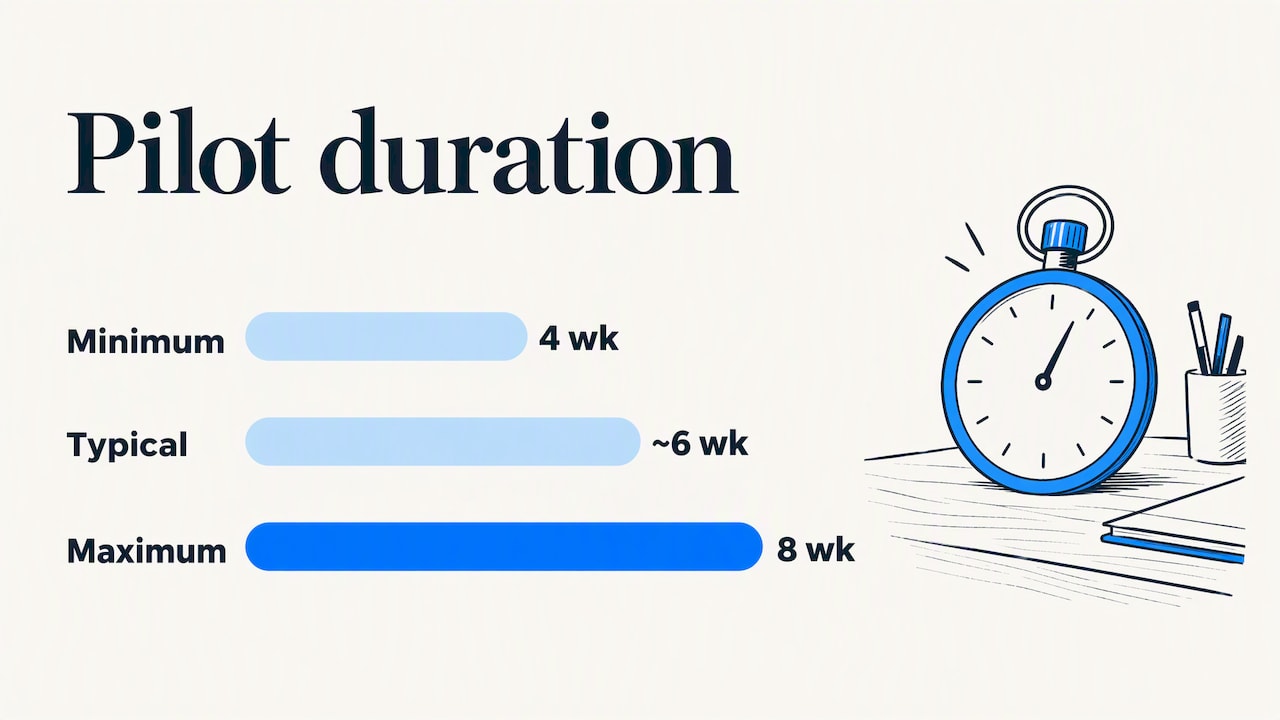
Cost and timeline expectations vary by organization size and complexity, but a focused pilot, covering one department or location, typically runs four to eight weeks from kickoff to initial results review. That window is enough to measure early engagement without committing budget to a full rollout before you know the tool fits.
Information overload is one of the most common reasons a pilot fails before it even gets a fair test. Industry analysis from Gartner points to channel relevance and reduced redundant messaging as the fix, meaning your selection criteria should weigh targeting and segmentation as heavily as any other feature on your list.
Finally, build your prioritized use case list directly into the request for proposal you send vendors. Asking “can your tool send a targeted safety alert to warehouse staff only, within sixty seconds, with a read receipt” gets you a far more honest answer than asking “do you support targeting,” which every vendor will answer yes to regardless of how well it works in practice.
Implementation and adoption: making tools work
Buying the right tool solves half the problem. The other half is getting employees to actually open it, trust it, and keep using it after the initial launch excitement fades.
- Run a scoped pilot first. Choose one department or location, define success metrics in advance (open rate, task completion, survey response), and set a review date four to eight weeks out.
- Recruit champions early. Identify two or three respected employees in the pilot group who will test features, surface friction points, and model usage for peers before the wider rollout.
- Build a manager toolkit. Give supervisors a one-page guide explaining what the tool is for, how to post an update, and what not to post there, since inconsistent manager usage is one of the fastest ways to kill adoption.
- Train in short sessions, not one long meeting. A fifteen-minute walkthrough followed by a quick-reference card tends to stick better than a single hour-long onboarding session employees forget within days.
- Set a content cadence. Decide how often official updates go out (weekly digest, daily announcements, or only as-needed) and publish that cadence so employees know what to expect and do not feel ignored or overwhelmed.
Pro Tip: Assign one person as the editorial gatekeeper for company-wide announcements during the pilot, so messaging stays consistent while you are still working out governance rules.
Editorial governance matters as much as the technology choice. Decide who can post to all-company channels versus department-specific ones, and put that rule in writing before launch. Without it, a well-meaning manager posting too frequently can turn a trusted channel into background noise within weeks, undoing the targeting work you did during selection.
Non-desk and frontline workers need a different adoption approach than office staff. Since they often use a personal device rather than a company one, make sure your rollout plan includes a simple sign-up process that does not require a company e-mail address, and consider posting QR codes or physical signage near time clocks and break rooms pointing to the app. Background data on channel trust shows that email and messages from immediate supervisors remain the most trusted sources of information for many employees, which is exactly why supervisor-led communication should anchor your pilot rather than relying on a top-down company account alone.
Crisis-channel planning deserves separate attention from routine rollout. Decide in advance which tool is your designated emergency channel, test it with a mock drill before you need it for real, and make sure frontline supervisors know how to trigger an alert without waiting for approval from corporate communications. Employee apps and digital screens tend to score well for crisis communication specifically because they reach people already looking at a device during their shift, but that only holds true if the channel was already part of daily routine before the emergency happened. A tool nobody checks regularly will not suddenly become trusted during a crisis.
Privacy, security and governance considerations
Privacy and governance concerns are often the quiet reason a well-chosen tool never reaches full adoption. Employees who suspect they are being monitored will quietly disengage, even if the platform itself is well designed.
Before rollout, confirm the following with your vendor and your own IT and legal teams:
- Data ownership: who legally owns the content, messages, and files once they are uploaded to the platform.
- Retention policies: how long messages and files are stored by default, and whether you can shorten that window for sensitive categories.
- Access controls: whether role-based permissions are granular enough to separate departments and seniority levels without custom development.
- Audit logs: whether administrators can see who accessed or exported data, and how far back that log extends.
- Encryption: whether data is encrypted both in transit and at rest, and whether the vendor documents this in a public security or privacy statement.
Reviewing a vendor’s own privacy statement early in the selection process, rather than after signing, is standard due diligence. The Microsoft privacy statement is a useful example of the level of detail a vendor should disclose about data handling, retention, and security practices, and any serious internal communication vendor should be able to provide something comparable.
Surveillance perception is a documented adoption barrier, not just a theoretical concern. Research applying the Technology Acceptance Model to internal social media found that perceived surveillance negatively affects employees’ intention to use a platform, independent of how useful or easy to use it otherwise is. The practical fix is transparency: publish a plain-language statement explaining exactly what managers can and cannot see, and keep individual-level tracking out of manager dashboards where it is not operationally necessary.
Perceived ease of use and usefulness drive adoption of internal social media, while perceived surveillance reduces employees’ intention to use it.
Before go-live, run a formal handoff between HR, legal, and IT: HR confirms the tool complies with employee data policies, legal reviews the vendor contract for data processing terms, and IT verifies retention settings and access controls are configured correctly, not left on vendor defaults.
Integrations, architecture, and measurement
A communication tool that cannot talk to your existing systems creates extra manual work that undermines the time it was supposed to save. Before you finalize a vendor, map out which systems need to connect and how.
Common integration points include your HRIS for employee directory sync, single sign-on for authentication, analytics platforms for cross-channel reporting, and IT service management (ITSM) tools for routing employee questions or requests. Cloud-based systems generally integrate faster through modern REST APIs, while older, on-premises systems often require dedicated connectors and more setup time, so budget extra weeks for any legacy integration rather than assuming it will mirror a cloud-to-cloud connection.
- Prioritize API-first integrations for any cloud-based HR or analytics tool you already run.
- Schedule HR-to-directory mapping early, since mismatched employee records are a common source of delayed launches.
- Treat legacy, on-premises connectors as a separate project phase with its own timeline, not an afterthought.
- Confirm whether the vendor charges extra for premium integrations or includes them in the base subscription.
Measurement is what turns a communication tool from a nice-to-have into a function leadership continues funding. At minimum, track reach (the percentage of your target audience who received a message), open or read rate, and engagement (clicks, replies, or reactions). For task-oriented communications, such as policy acknowledgments or training rollouts, task completion rate matters more than open rate alone, since a message can be opened without the required action ever happening.
Crisis communication deserves its own metric set: time from alert trigger to first confirmed read, and percentage of target audience reached within a defined window, such as the first fifteen minutes. These numbers matter far more during an actual emergency than routine engagement averages, and testing them during a drill before a real crisis is the only reliable way to know your numbers.
A recurring gap shows up between how effective a channel is rated and how often it is actually used, especially among non-desk employees who are frequently underserved by channels built around office workflows, according to survey-based industry analysis on communication effectiveness. Building a simple reach audit into your monthly reporting, comparing intended audience size against confirmed delivery, catches this gap before it becomes a trust problem.
Set a reporting cadence from the start: a weekly operational dashboard for the communication team, and a monthly or quarterly summary for leadership that ties engagement numbers back to the original use cases you identified during selection.
How a configurable no-code platform can serve internal communication needs
Many of the adoption and governance challenges above come down to one root issue: most internal communication tools are rigid, built for a generic organization rather than yours. A no-code application platform approaches the problem differently by letting you configure the communication structure around your actual teams, approval chains, and access rules rather than adapting your process to fit the software.
On our own platform, SoftEXIT Studio, role-based security and protected fields mean a warehouse supervisor and a finance director can use the same underlying system while seeing only what is relevant to their role, without custom development. Hierarchical data structures let you mirror your actual org chart, so targeting messages by department or location reflects how your company is really organized rather than a generic template. AI-assisted configuration speeds up the process of building forms, dashboards, and workflows that would otherwise require a developer, which matters most during a pilot when you are still testing whether a particular communication structure even works for your teams.
Our secure team communication network, SoftEXIT Groups, adds domain-based access controls and automatic deletion of old topics, directly addressing the retention and governance questions raised earlier in this guide without requiring a separate compliance project.
A practical pilot scenario: a regional operations manager needs a way to push shift-specific safety alerts to three warehouse locations while keeping an audit trail for compliance. Configuring that inside a flexible no-code structure can take days rather than the weeks a custom integration with a rigid, pre-built platform might require, since the access rules and reporting fields are built around the request rather than retrofitted to an existing template. Explore the underlying SoftEXIT CRM platform to see how the same configurable approach extends beyond communication into broader operational workflows.
Author perspective and recommendation for managers
The temptation when choosing internal communication tools is to chase the vendor with the longest feature list. I would resist that instinct. The organizations that get this right treat audience and adoption as the real project, and the software as the easy part that comes after.
Start with a pilot small enough that you can call every participant by name and ask them directly what worked. Measure fast, within four to eight weeks, not six months, because a tool that is going to fail at adoption usually shows the warning signs early: low open rates, complaints about notification overload, or managers quietly reverting to e-mail. Scale only after you have manager enablement solved, since a technically excellent platform with disengaged supervisors will underperform a mediocre one with supervisors who use it consistently.
Governance and privacy are not a compliance afterthought bolted on at the end. Build them into your pilot from day one, because retrofitting trust after employees decide they are being watched is far harder than earning it from the start.
— James Edgell
Getting started with a configurable communication and CRM platform
If you have read this far, you already know the hardest part of choosing internal communication tools is not the software itself, it is making sure the structure fits how your teams actually work. That is the gap we built SoftEXIT Studio to close: a no-code platform where you configure access rules, communication channels, and reporting around your organization instead of adapting your organization to fit someone else’s template.
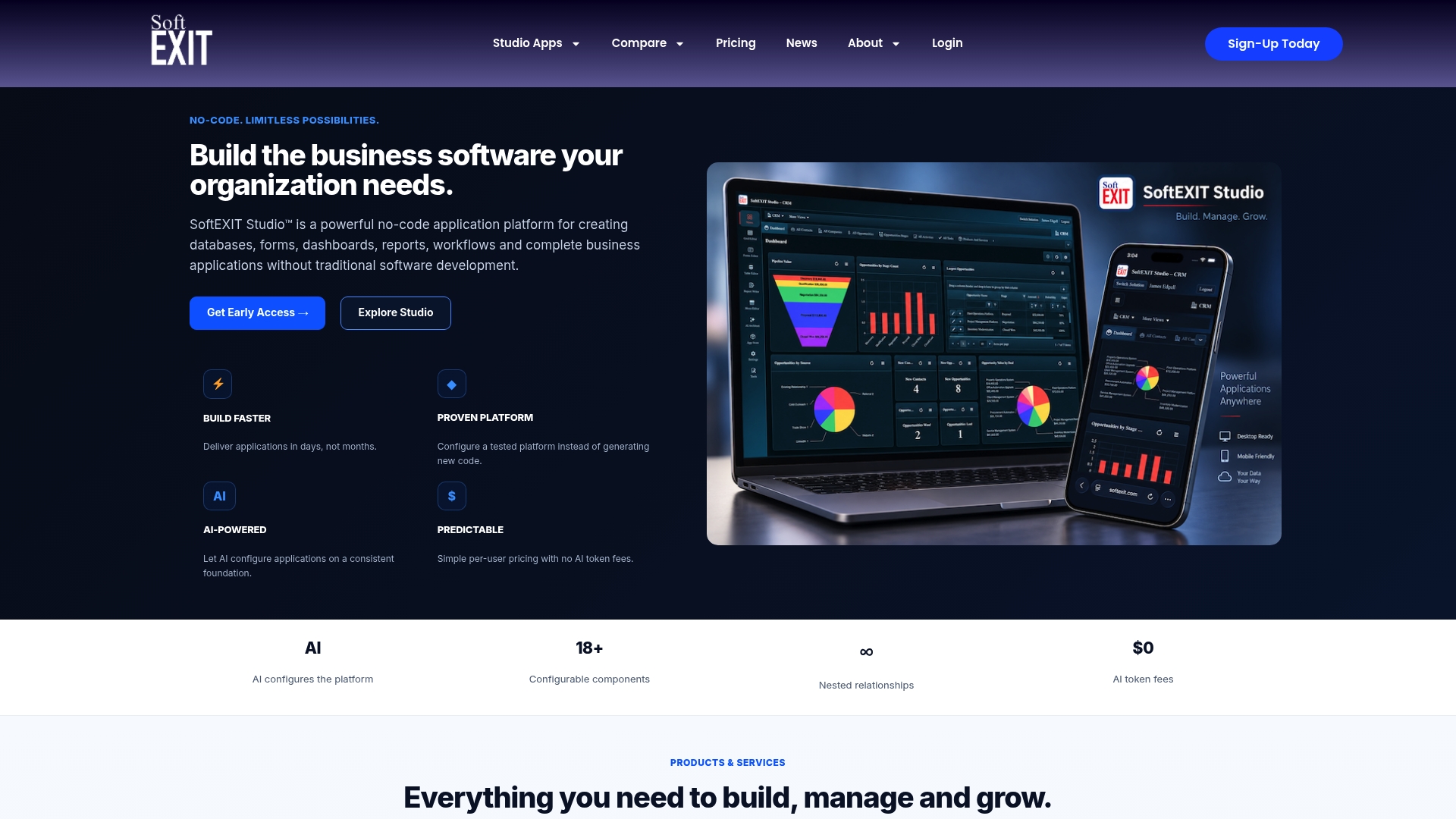
Our Starter plan runs $14 per month per user, and our Professional plan runs $24 per month per user, both built on the same no-code foundation that also powers SoftEXIT CRM and our secure communication network, SoftEXIT Groups. For larger rollouts, our Enterprise plan and Professional Services team can support a structured pilot and migration.
Before you book a demo, bring a short list: your top three employee audiences, your highest-priority use case, and any system you need the platform to connect with. That alone will tell you within the first session whether a configurable approach fits better than a rigid, pre-built tool.
FAQ
What is the best internal communication tool for small teams?
There is no single best tool for every small team, since the right choice depends on your audience (desk-based versus frontline) and your top use cases. A focused pilot covering your highest-trust channel, often supervisors paired with a simple intranet or employee app, is a more reliable starting point than picking based on a feature list alone.
How do internal communication tools improve employee engagement?
They improve engagement mainly by reducing information overload and making messages relevant to the people receiving them, since targeted, role-based delivery reduces noise compared with blasting every update to everyone. Tools that also reduce perceived surveillance tend to see higher voluntary adoption, based on Technology Acceptance Model research on internal social media.
What security features should internal communication software have?
Look for role-based access control, encryption in transit and at rest, audit logs, and clear data retention policies that you can adjust for sensitive content. Reviewing a vendor’s public privacy statement, similar in detail to the Microsoft privacy statement, is a reasonable first step before signing a contract.
How long does it take to implement a new internal communication tool?
A scoped pilot covering one department or location typically takes four to eight weeks from kickoff to a results review, though full company-wide rollout timelines vary with integration complexity. Legacy, on-premises system integrations generally add the most time, since they often require custom connectors rather than a direct API connection.
Can a CRM platform also handle internal team communication?
A flexible, no-code CRM platform can extend into internal communication when it supports role-based channels and configurable workflows, since the same access and data structure used for customer records can apply to internal updates. Our own platform, SoftEXIT CRM, is built this way, pairing customer relationship management with a secure communication layer through SoftEXIT Groups.
Sources
- Adopting Internal Social Media: An Empirical Study Based on The Technology Acceptance Model
- Gartner: Information overload and communication effectiveness